OwnDesk Vehicle

$ 29.00

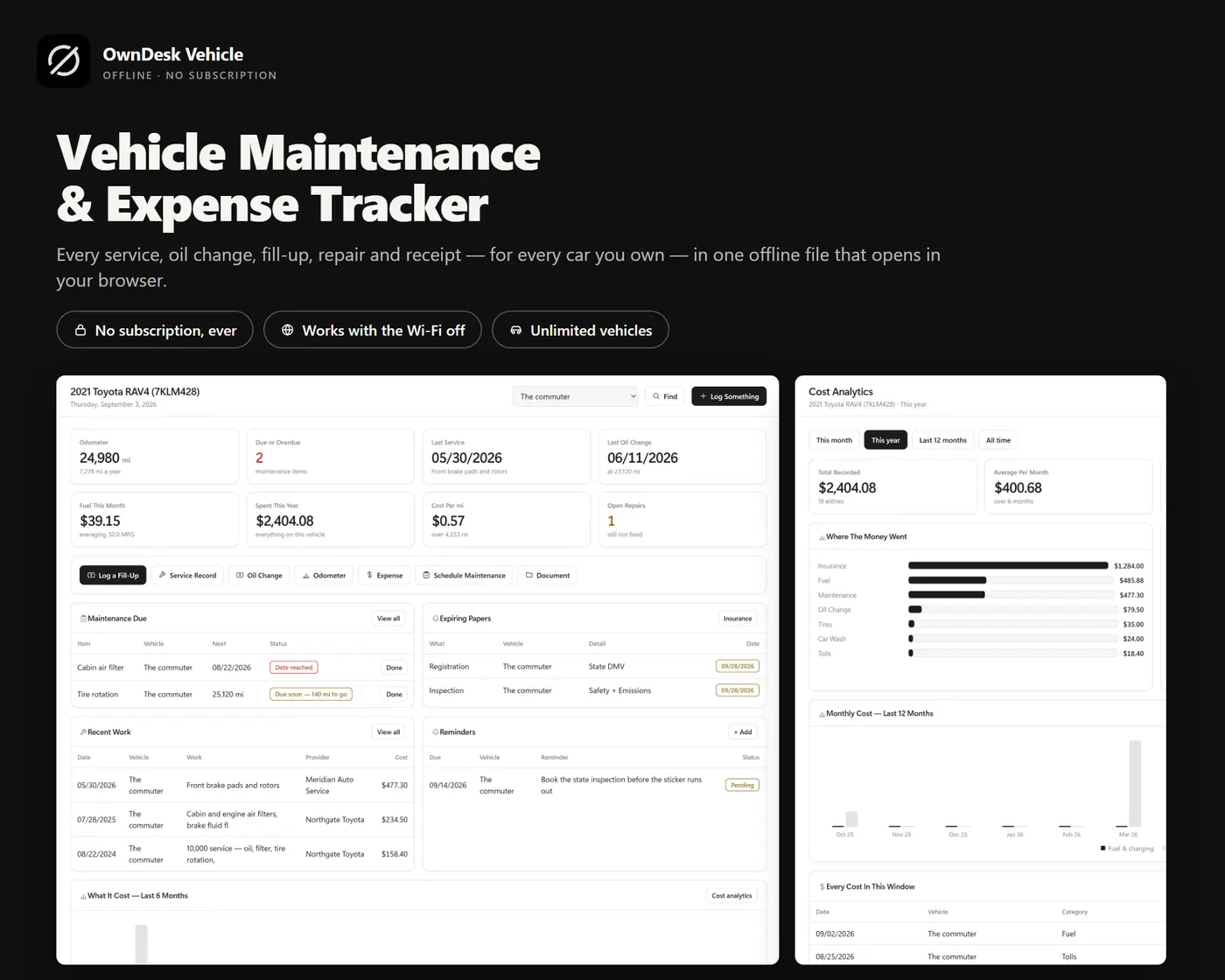
A vehicle maintenance tracker for one car or the whole driveway: service history, oil changes, fuel economy, tires, repairs, insurance and every running cost in one offline file. No subscription, no account, nothing uploaded.

Try the live demo first
14-day money-back guaranteeSecure checkout with Stripe
  • 14-day money-back guarantee. Email me and you get a refund, no questions.
  • Download appears on screen the moment payment clears, and by email.
  • Written and supported by Adrián. Replies come from me, usually within a working day.
  • Also sold on Etsy since 2026, with independently moderated reviews.
SKU: owndesk-vehicle Category:

See the full vehicle maintenance tracker page

Description

What it does

Maintenance that tells you when it is due

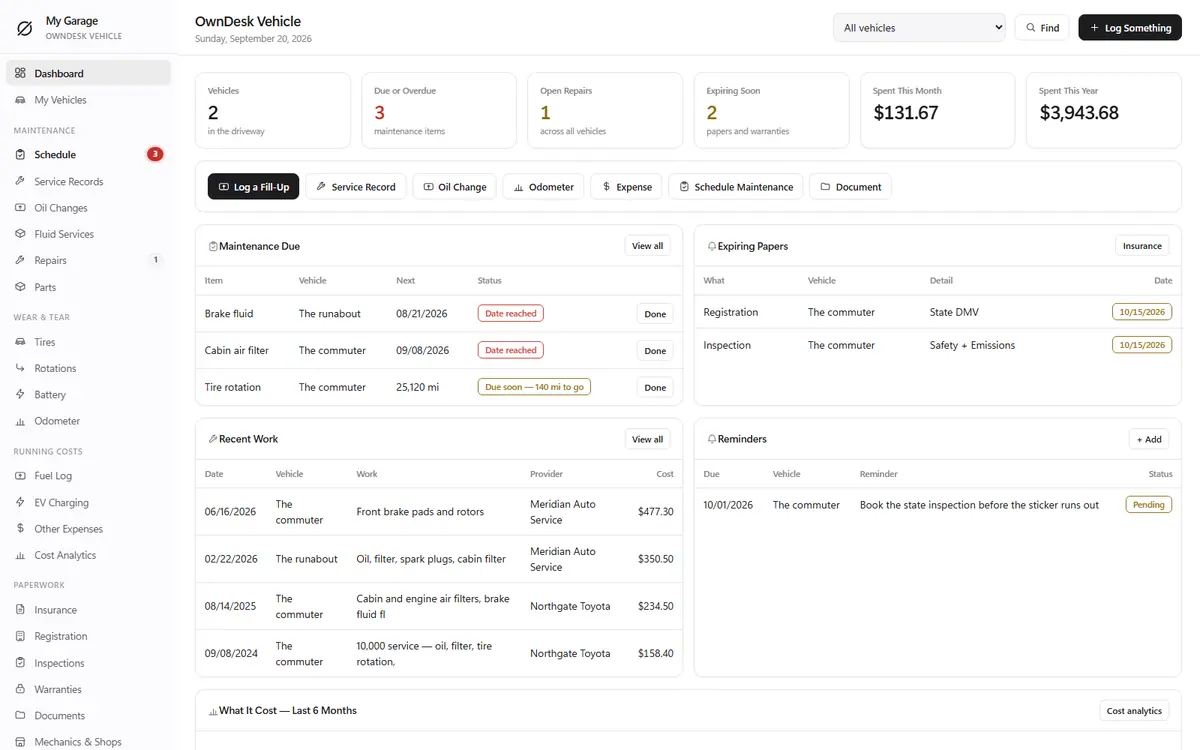
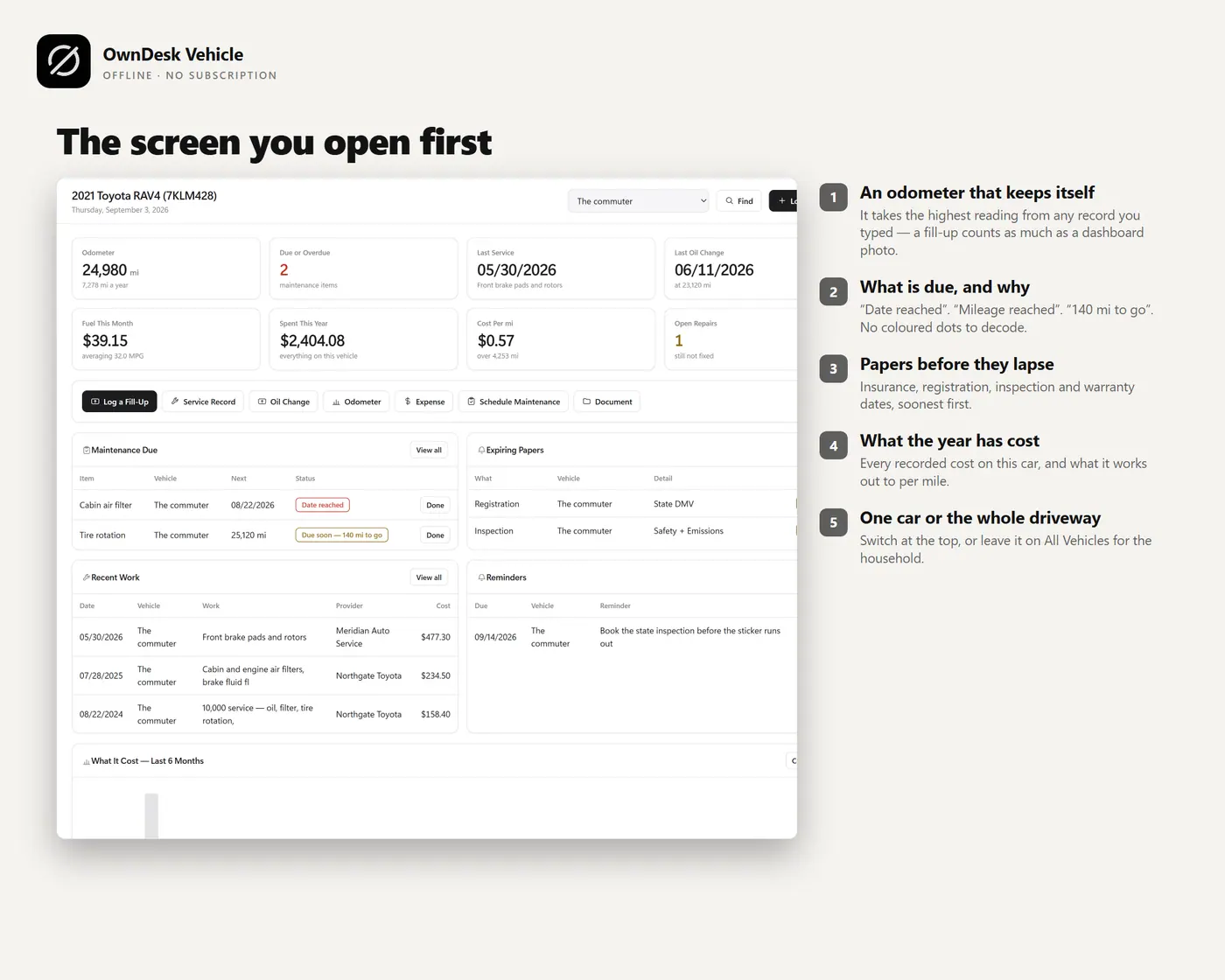
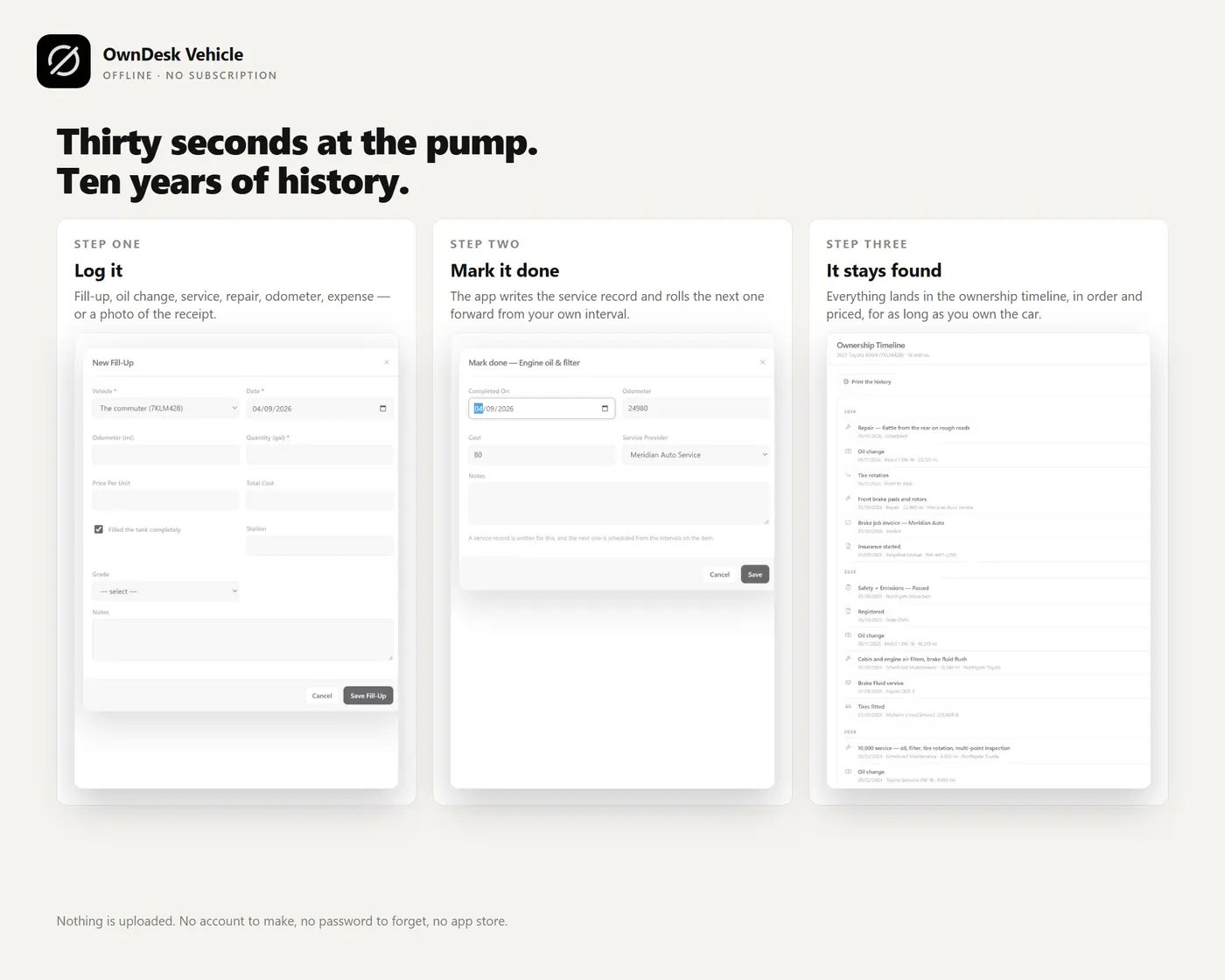
Build your own maintenance schedule per vehicle: oil, filters, brakes, tires, fluids, battery, belts, or anything you add yourself. Track each item by date, by mileage, or by whichever comes first. Overdue items show on the dashboard and beside the menu, and finished work moves into history instead of vanishing.

A service history you can hand to a buyer

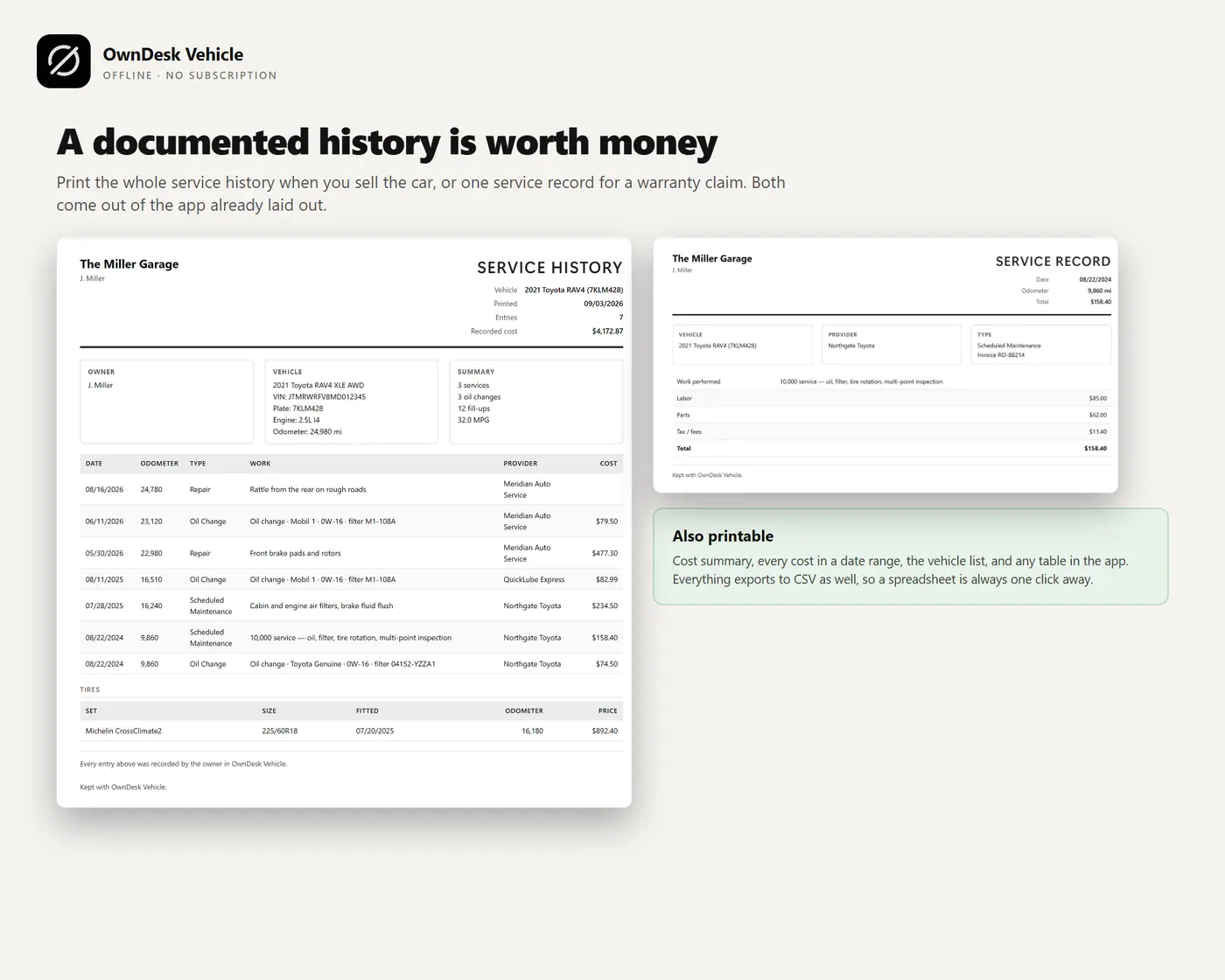
Every service, oil change, fluid change and repair with the date, odometer, shop, parts, labor, invoice number and warranty. Print a clean history when you sell the car or start with a new mechanic.

Real fuel economy and what the car really costs

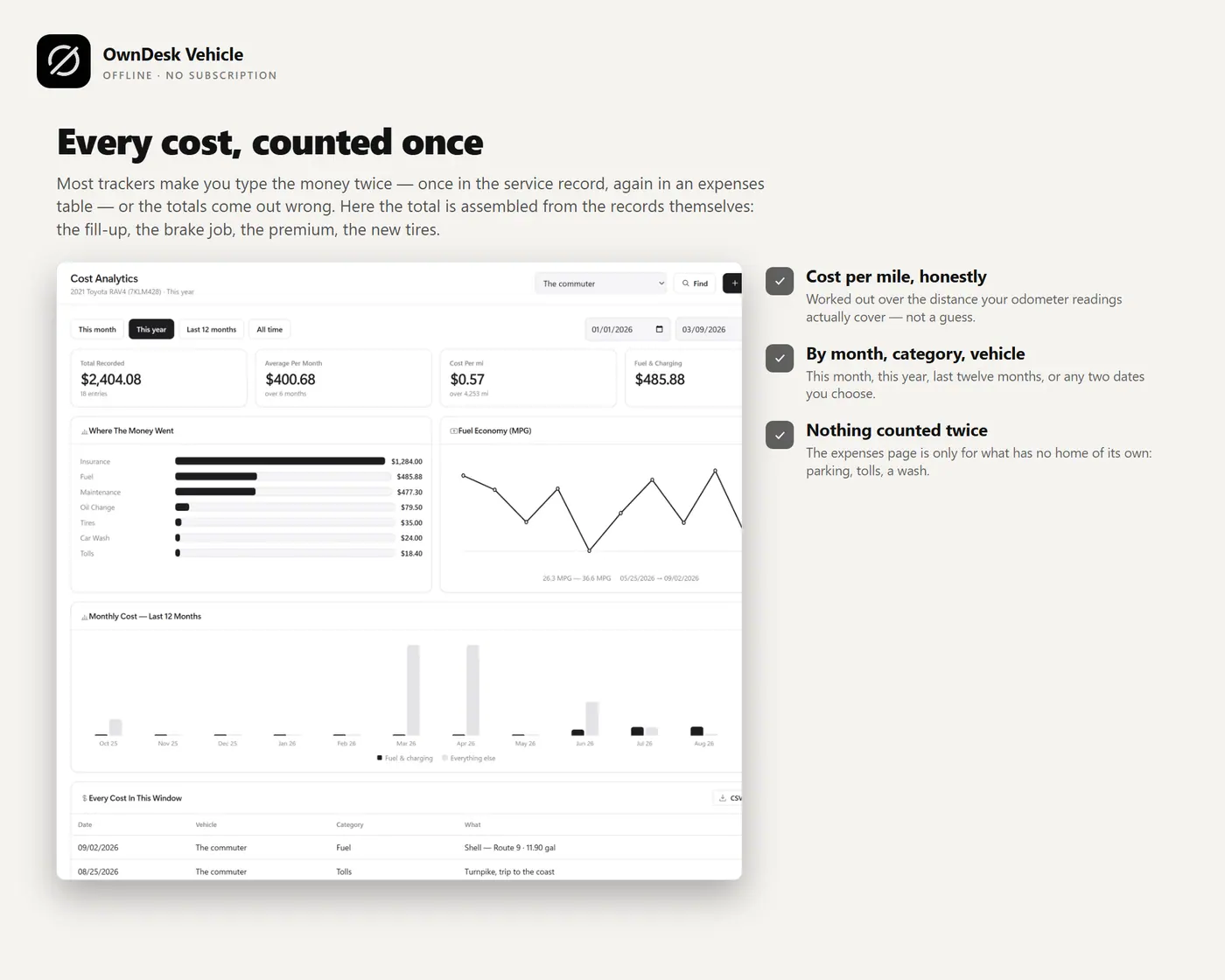
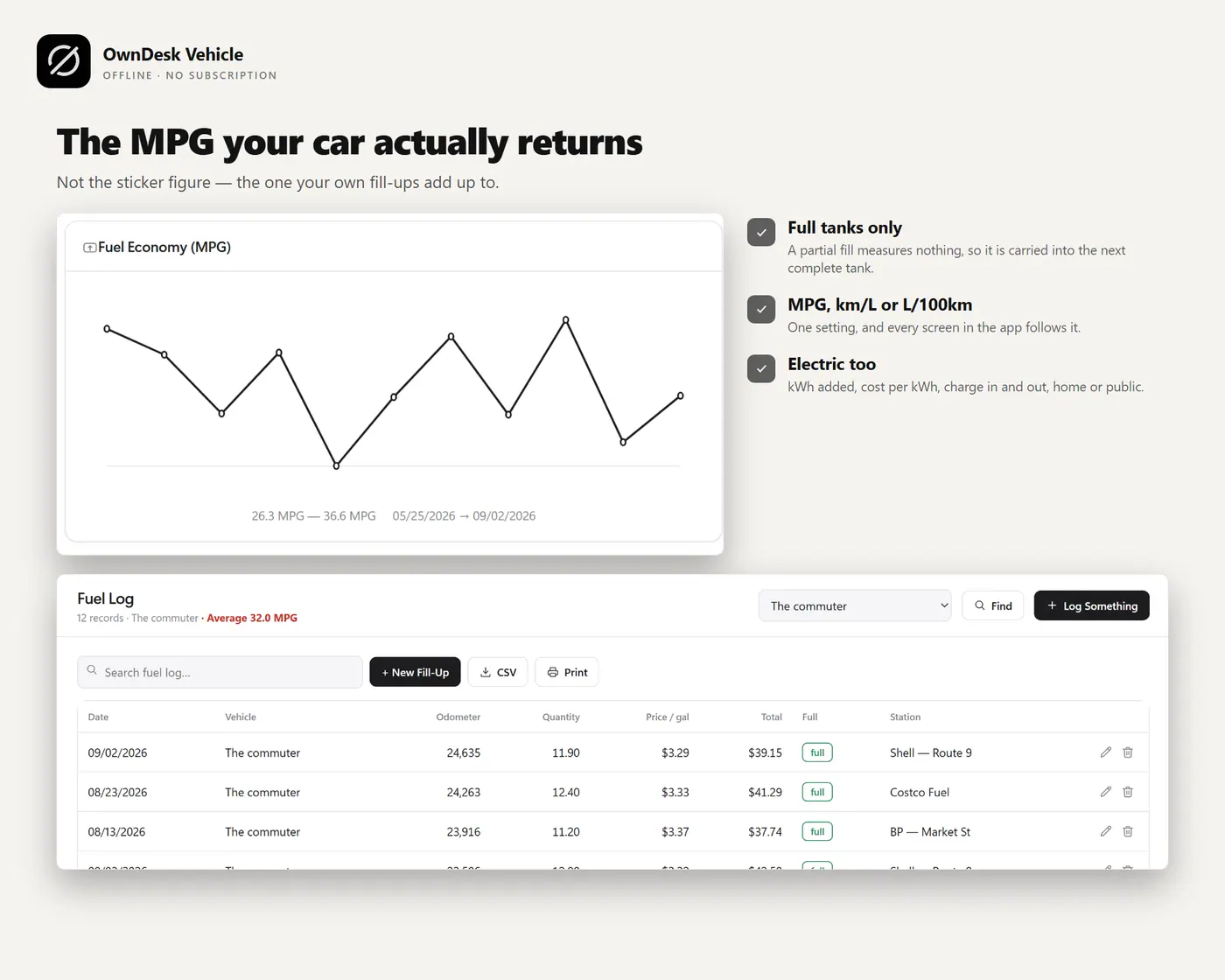
MPG, km/L or L/100 km worked out from your own fill-ups, with electric charging logged too. Then cost by month, by category and by vehicle, and cost per mile or kilometer, so you see what each car costs to run.

The paperwork that expires

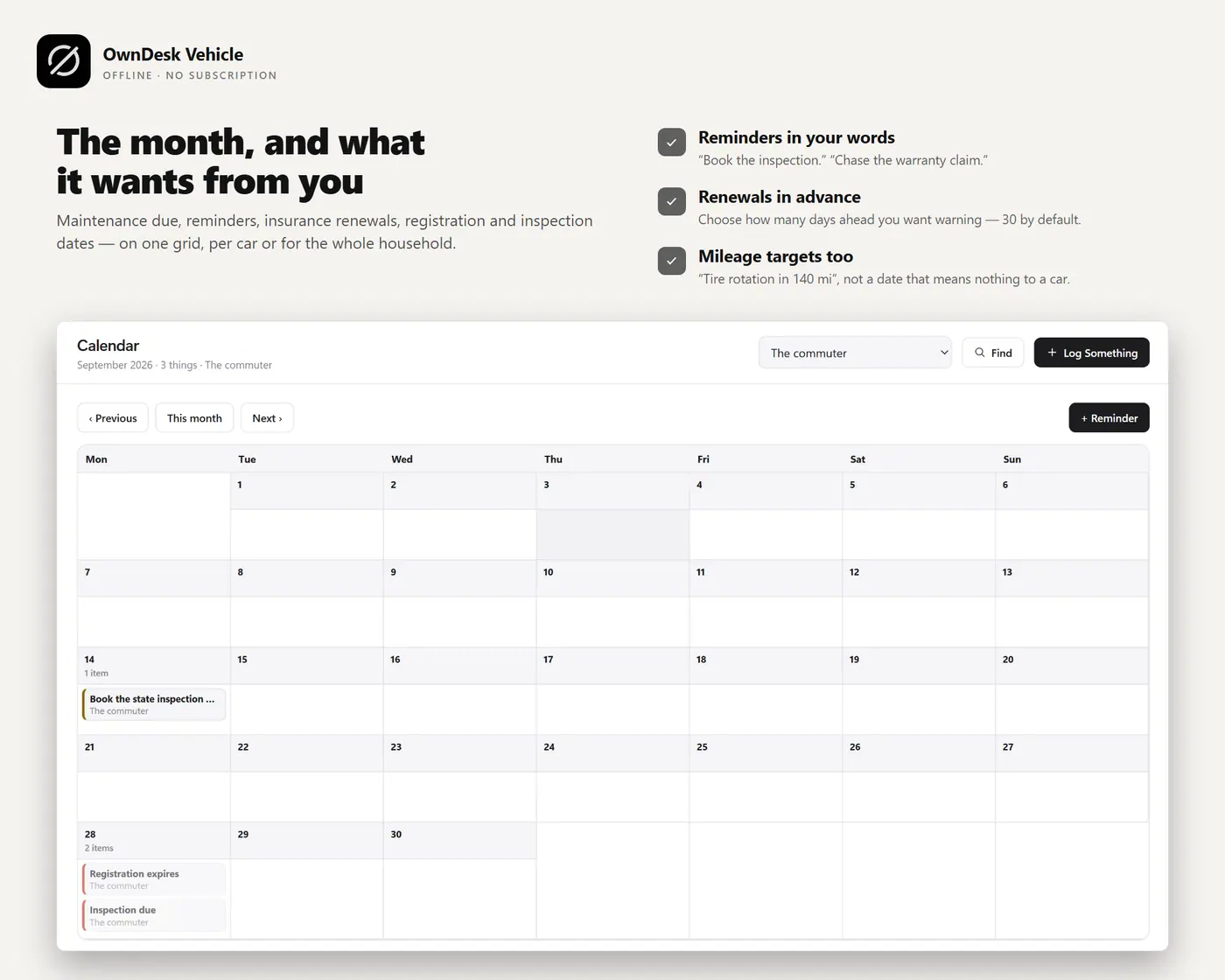
Insurance, registration, inspection and warranty dates with renewal reminders on the dashboard and calendar, so nothing lapses before you notice.

What you get

  • One HTML file that opens in your browser, with two sample vehicles and two years of history already loaded so every screen can be seen full
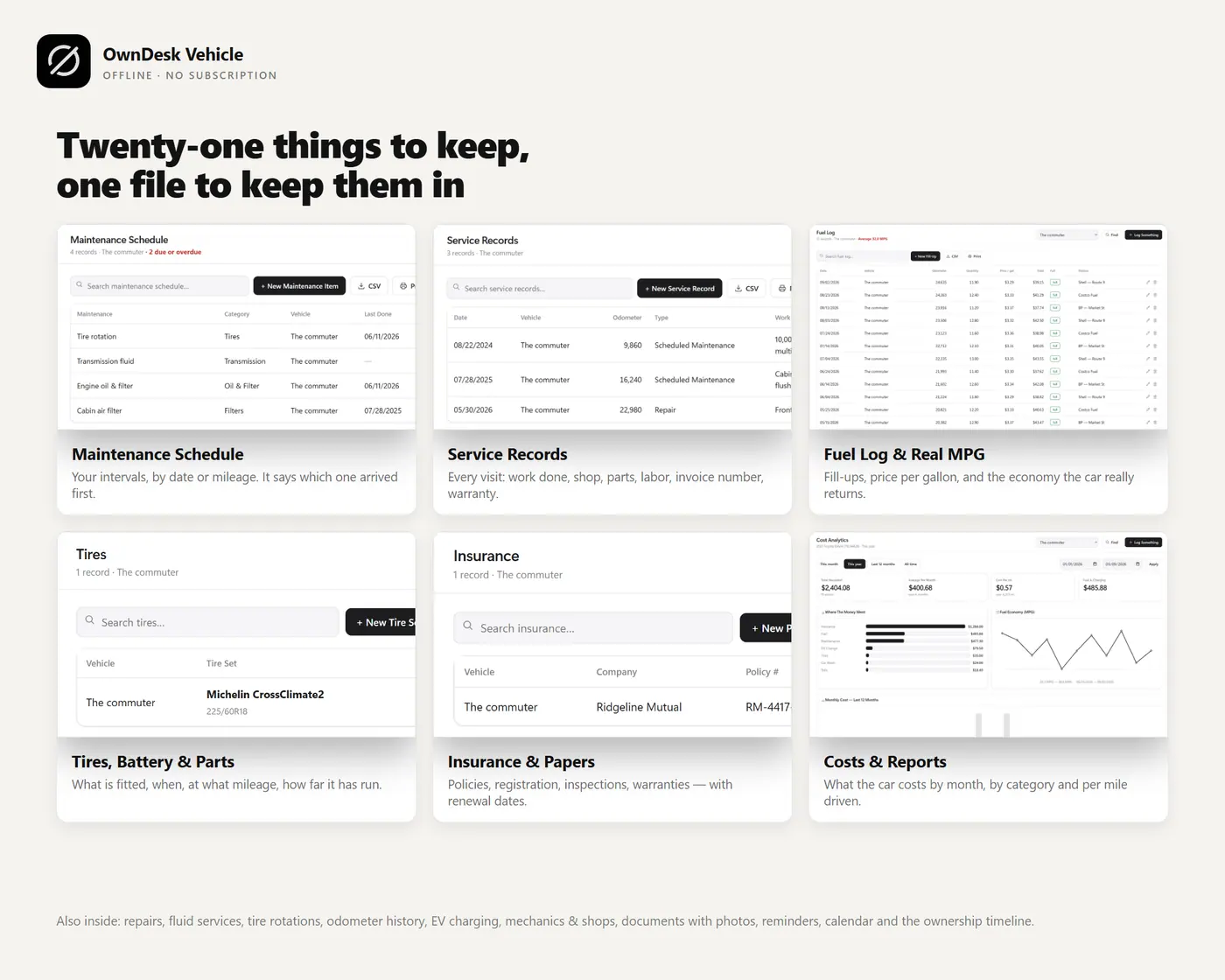
  • Twenty-seven sections: dashboard, vehicles, maintenance schedule, service records, oil changes, fluid services, repairs, parts, tires, rotations, battery, odometer, fuel log, EV charging, other expenses, cost analytics, insurance, registration, inspections, warranties, documents, mechanics and shops, calendar, reminders, ownership timeline, reports and settings
  • CSV export of every list, printable service history, JSON backup and restore, and an optional automatic backup file
  • English and Spanish, miles or kilometers, 13 currencies and eight colour themes, light and dark

Before you buy

What does a vehicle maintenance tracker actually do?
It keeps the record of what was done to each vehicle and tells you what is due next. You enter your own maintenance schedule, by date, by mileage or whichever comes first, log each service, oil change and repair as it happens, and the dashboard shows what is due or overdue. The service history builds itself as you go.
Is this vehicle maintenance tracking software or an app?
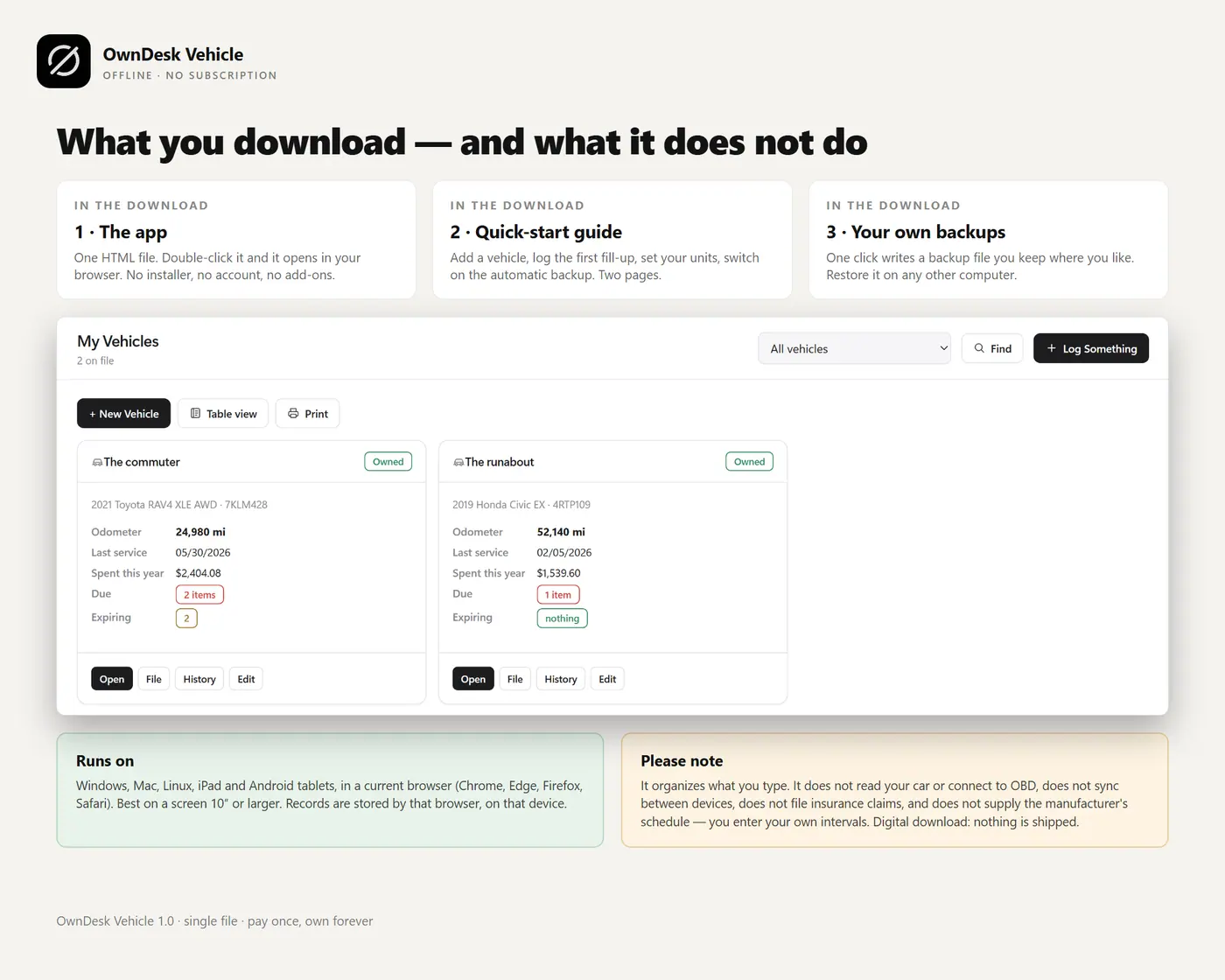
Both, in the plain sense: it is one HTML file that runs like an app in your browser, on Windows, Mac, Linux, iPad and Android tablets, with no install and no account. It works with the Wi-Fi off. You need the internet only to download it.
How many vehicles can I track?
As many as you like. Each vehicle keeps its own file: photo, VIN, plate, purchase details, odometer and history. Switch between vehicles in one click, or use the All Vehicles view to see what is due across every car at once.
Does it work for a small fleet or a few work vehicles?
For a handful of vehicles, yes: every vehicle has its own schedule, costs, insurance and history, and the All Vehicles view shows what is due across them. It is not a fleet management system, though. There is no dispatch, no telematics, no driver login and no multi-user access, so if several people need to update the same records at once, this is the wrong tool.
Does it tell me what maintenance my car needs?
No, and it is honest about that. It organizes the intervals you enter. It does not know your manufacturer’s schedule, so take those from your owner’s manual and type them in once per vehicle.
Is there a subscription?
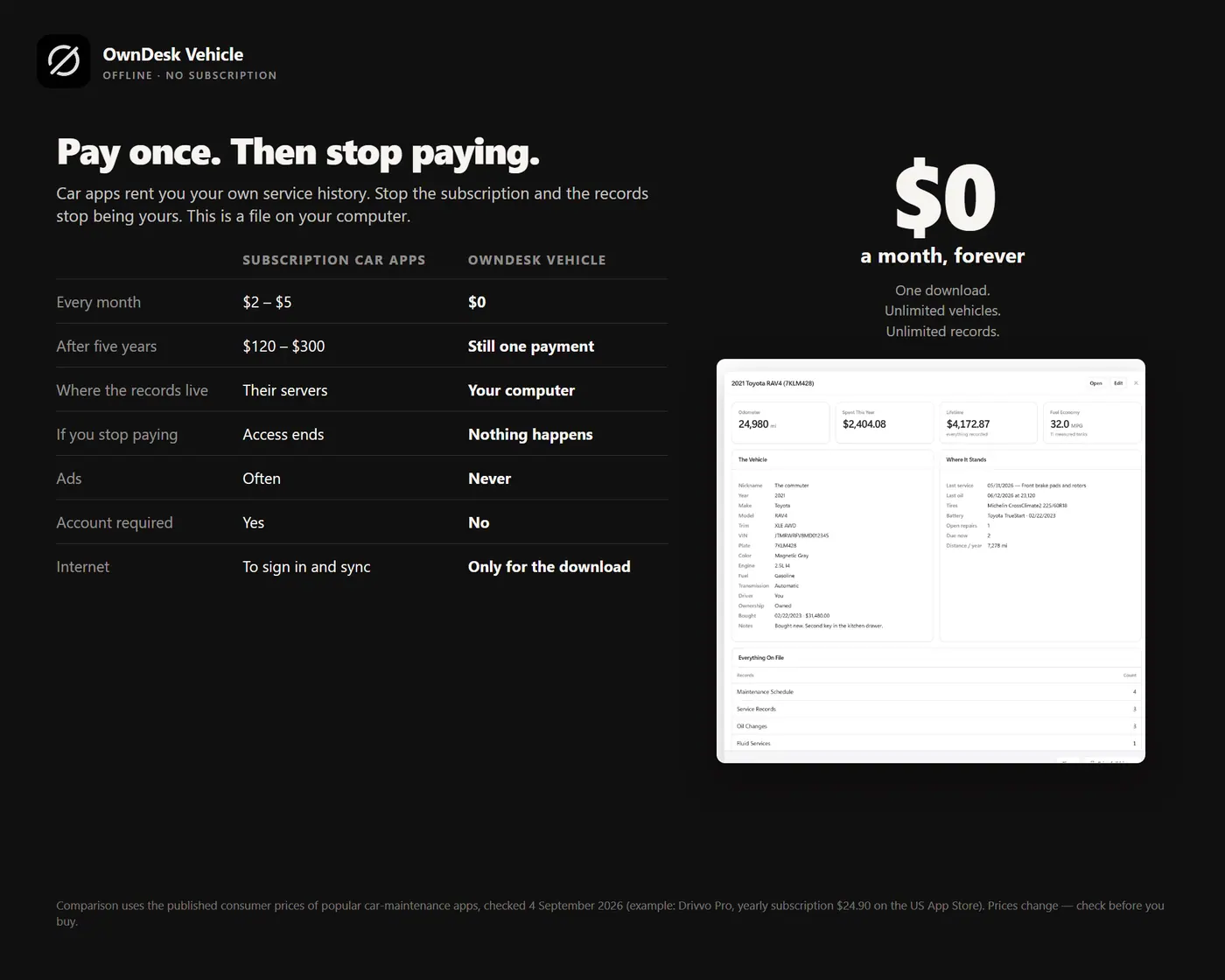
No. One payment for the file, no account, no server and no monthly fee. Most car maintenance apps charge every month, and when you stop paying, your history stops being yours. Your records stay on your own computer and nothing is uploaded anywhere.
Where are my records stored, and can I back them up?
Inside your browser, on your computer. Settings has a one-click backup file and a restore button, and where your browser supports it, an automatic backup that keeps a file up to date. Keep a backup somewhere else: a wiped browser profile takes the records with it, which is the trade-off of keeping them private.