
Working mom planner for your business and your family, in one dashboard.
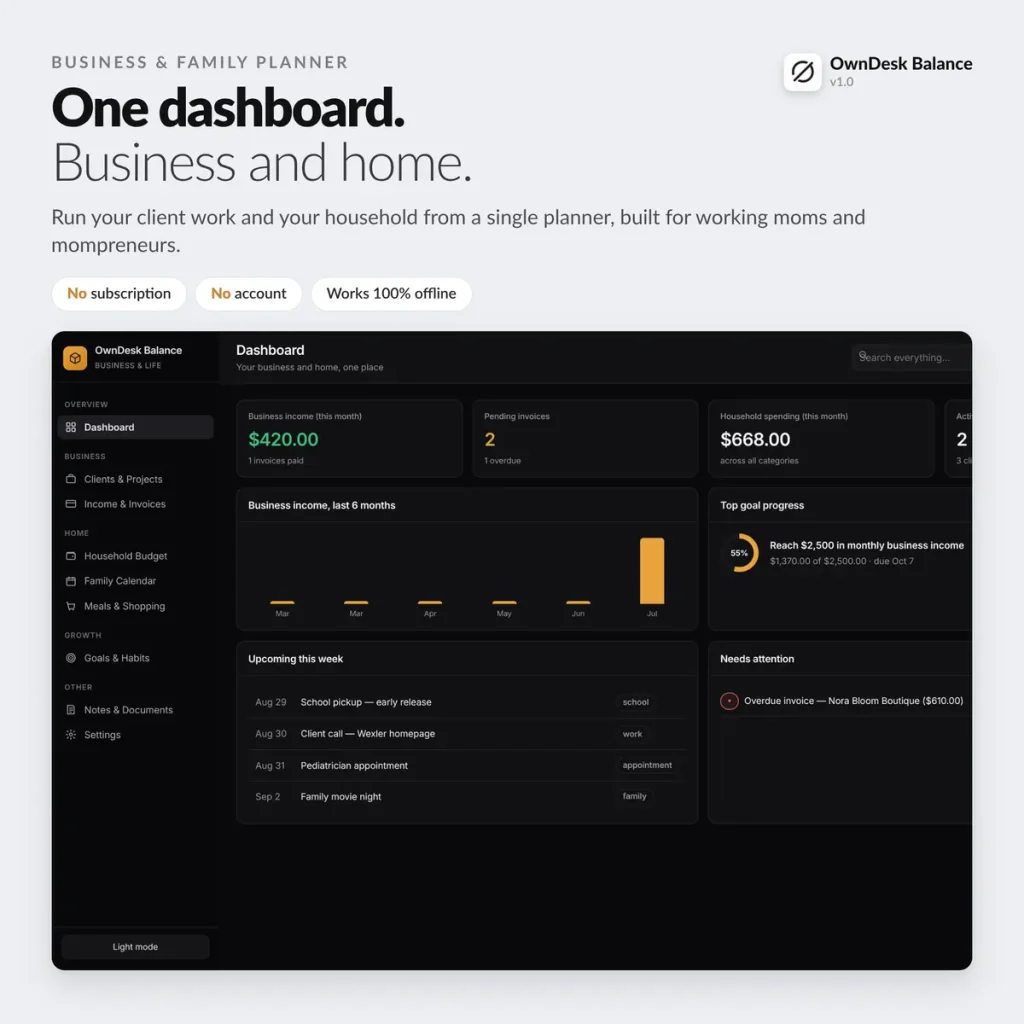
Client CRM, invoices, household budget, family calendar and meal planning — replacing five separate apps with one you open with a double-click. One payment, no monthly fee.
One-time payment
Never another monthly bill for a planner app. The price you see is the whole price.
Business and family, kept separate
Client income and invoices never mix with the household budget, on purpose.
Your data stays on your device
No account, no sign-up, no cloud — nothing leaves your own computer.
Works offline
Open it on a plane, at the school pickup line or with no wifi at all — it just works.
What it does
Everything a working mom juggles, on one screen.
Dashboard overview • client CRM & project status • invoices with running totals • household budget by category • family calendar • weekly meals & shopping list • goals & habits with a streak counter • notes & documents.
Business income and client work, in view
A simple client CRM — who you work for, and every project tied to a deadline and status — next to every invoice you've sent, its status, and running totals of what's paid and what's outstanding.
Household money, never mixed with business
Family income and expenses tracked with their own category breakdown, kept deliberately separate from business money — so you always know which is which without doing the math yourself.
One family calendar instead of three apps
School, work appointments and family time in one shared week or month view — the same dashboard that holds your client deadlines, not a separate app you have to check twice.
Meals, goals and the small stuff that keeps a week running
A 7-day dinner plan with one shopping list you check off as you shop, goals tracked as a number moving toward a target, daily habits with a streak counter, and a place for quick notes and document numbers.
Why working moms switch
You're not really choosing between two planner apps.
You're choosing between paying once and paying for a CRM, a budgeting app and a calendar app, separately, every month.
| OwnDesk Balance | A CRM + budgeting + calendar app, separately | |
|---|---|---|
| Price | $ 29.00 once | $15–$40+/mo combined |
| Client CRM & invoices | Included | A separate app or subscription |
| Household budget | Included, kept separate from business | Another app, another login |
| Family calendar & meal planner | Included | Two more apps, or a paper planner |
| Your data | Stays on your own device | Lives in someone else's cloud |
| Setup | Double-click and go | Account sign-up, for each app |
Competitor pricing reflects typical published rates for a client CRM/invoicing app plus a budgeting app and a calendar tool bought separately — check current pricing on each site. OwnDesk Balance does not file taxes or process card payments itself; pair it with your own invoicing and payment method for that part.
From payment to your own dashboard
Three steps, about two minutes.
Pay with card
Checkout runs on Stripe. Your card details never touch this site.
Download and open
The link appears the moment payment clears. Double-click the file — it opens in your browser, no install, no internet needed after that.
Replace the sample data with your own
It opens with sample clients, invoices and events already loaded so you can see how it works. Clear it in a click and you're running your own business and family in minutes.
If OwnDesk Balance isn't right for you, email me and you get a refund — no questions. If something's confusing, you're writing to the person who built it, not a queue. English and Spanish, both spoken here.
Questions
Before you buy.
Do I need to create an account or pay a subscription?
Does it work on Mac, Windows and iPad?
Where is my data stored, and how do I back it up?
Is this really for both my business and my family, or just one?
Can I use this if I'm not techy?
What's included, versus a full accounting or CRM tool?
What if it's not right for me?
See your own week in it before you decide.
The live demo has real screens and sample data loaded — no sign-up, no credit card. If it fits, buying takes about a minute.
14-day money-back guarantee · instant download · one-time payment