
Bulk SMS app that sends from your own phone.
Send the same text to a whole list of numbers, one at a time, straight from your own SIM. No gateway, no per-message fee, no monthly plan — the messages come from your number because they're sent by your phone. Android app, one-time payment.
See it work
60 seconds: paste a list, hit send, watch it go out.
The real app, sending a real batch of texts — no voiceover, no edited demo.
Your number, not a shortcode
Texts arrive from the number your customers already have saved. Replies land straight back on your phone.
No gateway, no per-message fee
Whatever your own mobile plan charges for a text — nothing extra to me or to any SMS platform.
One-time payment
$59 once. No monthly plan, no per-seat charge, no credits to top up.
Real delivery confirmation
Per-message delivery confirmation from the network — not a hopeful "sent".
What it does
A mass texting app that stays out of the way.
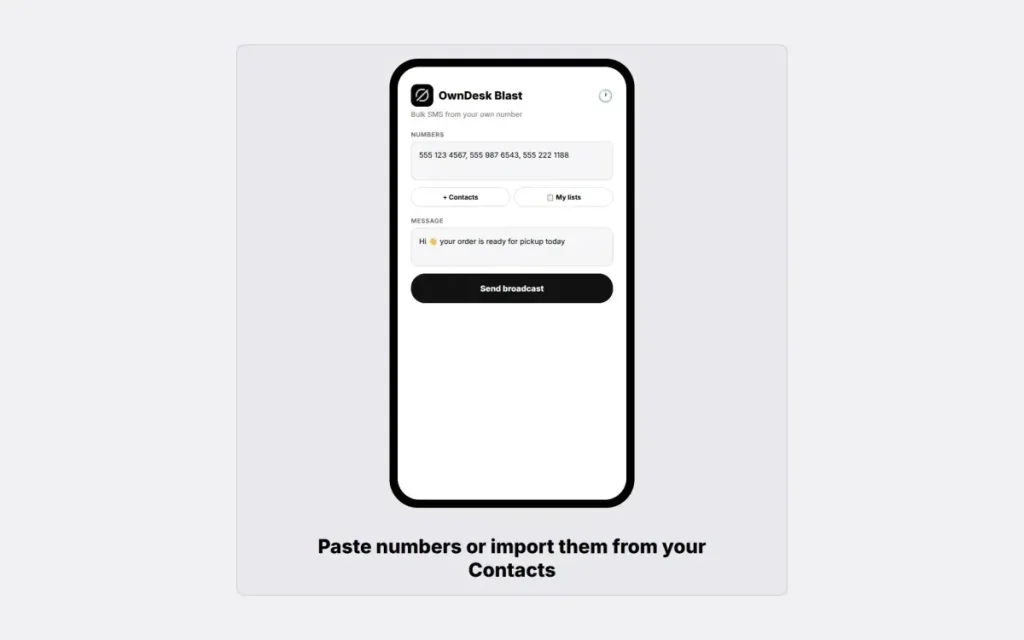
Paste a list or pull from Contacts • one message, sent one by one • an adjustable delay so your carrier never flags it • saved lists and templates • nothing in between you and your own SIM.
Paste a list, or pull from Contacts
Numbers separated by commas, semicolons or line breaks, or picked straight out of your phone book. Write the message once, then watch it go out one by one with real per-message delivery confirmation from the network.
A delay you control
An adjustable pause between messages, 800 ms by default. It exists because carriers flag rapid-fire sending — it's the difference between a delivered list and a temporarily blocked SIM.
Saved lists and message templates
Keep the lists you text often and the messages you send again — the pickup notice, the appointment reminder, the seasonal offer. Pick one of each and send.
Nothing in between
No SMS gateway account, no API credits, no per-message charge to anyone but your own carrier. The app is on your phone and the messages leave from it.
Why switch
You're not really choosing between two SMS apps.
You're choosing between paying once for a tool that uses the plan you already have, and paying a gateway every month for every message you send.
| OwnDesk Blast | Bulk SMS gateways / subscriptions | |
|---|---|---|
| Price | Original price was: $ 59.00.$ 29.00Current price is: $ 29.00. once | Monthly plan, often $20–$100+/mo depending on volume |
| Per-message cost | Your own carrier's normal SMS rate | Per-message credit on top of the plan |
| Sends from | Your own number, via your SIM | A shortcode or a rented number |
| Third-party gateway account | None — nothing in between | Required |
| Setup | Install the APK, enter your key | Account, billing, number provisioning |
Gateway pricing varies by provider and volume — check current listed prices for the platform you're comparing against. OwnDesk Blast is Android-only (SEND_SMS is not available to iOS apps), sends through your own carrier so its per-hour volume is limited by design (roughly 100/hr), and needs the internet once to check its licence key. If you need tens of thousands of messages a day or an iPhone version, a gateway is the right tool and this isn't.
From payment to sending
Three steps, a couple of minutes.
Pay with card
Checkout runs on Stripe. Your card details never touch this site.
Get your licence key
Issued the moment payment clears, on screen and by email — one key, for one phone.
Install and activate
Install the APK, allow the unknown-source install Android asks for, enter your key, and send.
If OwnDesk Blast isn't right for you, email me and you get a refund — no questions. If something's confusing, you're writing to the person who built it, not a queue. English and Spanish, both spoken here.
Questions
Before you buy.
Why is it not on Google Play?
How do I install it?
Does it work on an iPhone?
Does it need an internet connection?
What does it cost to send the messages?
How many can I send at once?
What should I know before texting a list?
Send your first batch today.
Install, enter your key, paste a list — sending in a couple of minutes.
9 licence keys left · 14-day money-back guarantee · instant download