
Event planner template for guests, budget, seating and the day's run of show.
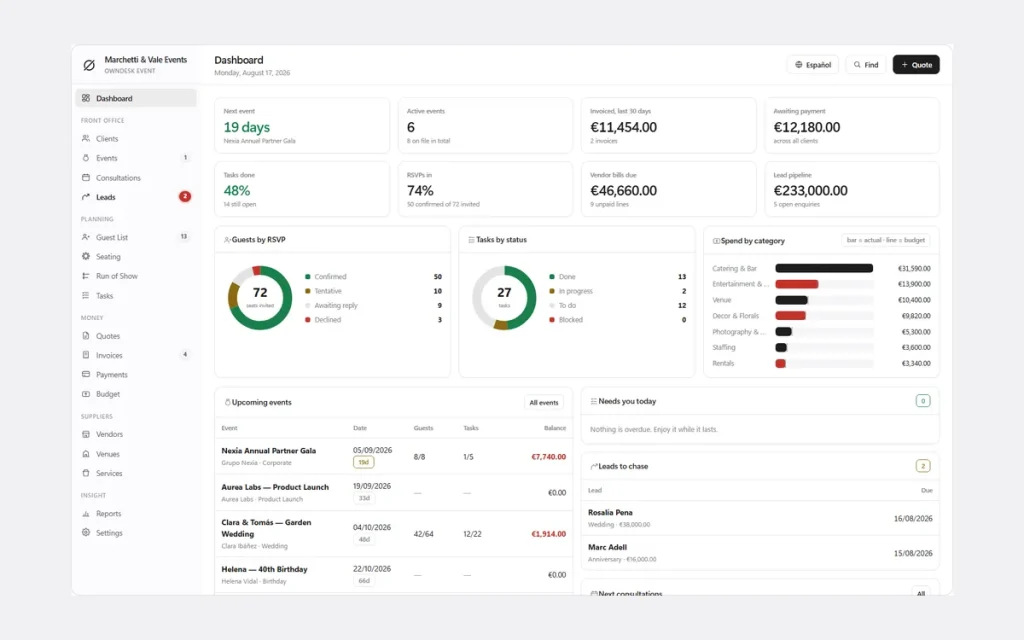
One event planner template that replaces the guest list, seating chart, vendor budget and run-of-show documents you would otherwise build from scratch — fill it in once, print it for the venue, and hand it to anyone helping you run the day.
One-time payment
No monthly bill for a template you only need a few times a year. The price you see is the whole price.
Guests and seating, together
RSVPs, dietary notes and plus-ones feed straight into a seating plan with a live waiting list.
Budget vs what vendors quoted
What is quoted, paid and still owed, rolled into a running total by category and vendor.
A run of show, minute by minute
Who is responsible for what, printed for the whole team on the day.
What this event planner template covers
Everything a planner tracks, in one file.
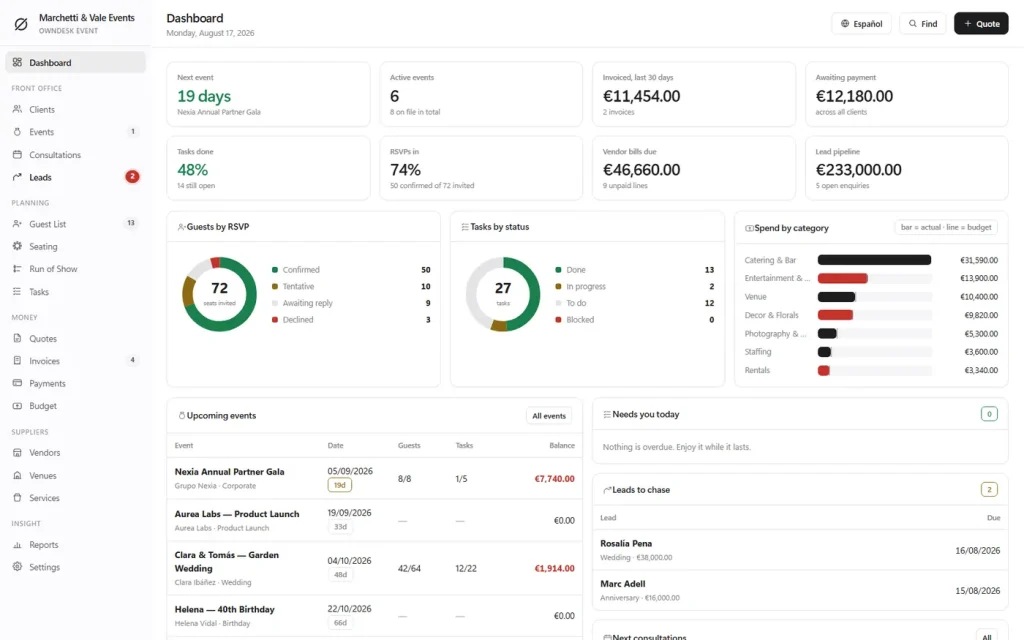
An event pipeline from enquiry to completed • guest list with RSVPs and dietary notes • a seating plan with live capacity and a waiting list • vendor budget vs actual • printable proposals and quotes with a signature line • a client CRM • bilingual (English/Spanish) with 8 colour themes.
Every event, one pipeline
Enquiry → Completed stages tracked across weddings, corporate galas, product launches, birthdays and private parties — nothing falls through between the first enquiry and the final invoice.
Guests and seating, settled together
RSVPs, dietary notes and plus-ones feed straight into a seating plan with live table capacity and a waiting list, printable for the venue.
Budget against what vendors actually quoted
Every vendor's quote, what has been paid and what is still owed, rolled into a running total you can see before it becomes a surprise the week of the event.
A run of show everyone can follow
A minute-by-minute timeline with who is responsible for what, printed for the whole team on the day — not a checklist that stops at "arrive by 9am."
Why planners switch
You're not really choosing between two event planner templates.
A free template makes you build every formula yourself. Event-planning software does the work for you — for a monthly fee that outlives the event. OwnDesk Event sits in between: everything built in, one payment, yours to keep.
| OwnDesk Event | Free spreadsheet template | Event software (HoneyBook, Aisle Planner…) | |
|---|---|---|---|
| Price | Original price was: $149.00.$49.00Current price is: $49.00. once | Free | $29–$79+/mo |
| Guests, seating & vendor budget built in | Yes, in one file | You build it yourself | Yes, while you keep paying |
| Run of show timeline | Included | Rare, do-it-yourself | Often a higher tier |
| Works offline | Yes | Yes, if downloaded | Limited or none |
| Setup | Open the file, go | Hours of formulas | Onboarding, account setup |
Competitor pricing is publicly listed and current as of this page's last update — check their sites for today's figure. OwnDesk Event is a single-user desktop file: it does not sync between devices, does not process payments, and is not a substitute for a lawyer-drafted contract.
From payment to your first event
Three steps, about two minutes.
Pay with card
Checkout runs on Stripe. Your card details never touch this site.
Download and open
The link appears the moment payment clears. Double-click the file and it opens like a webpage — nothing to install.
Clear the demo, add your event
It opens with a sample event already loaded across every module. Clear it in one click and the pipeline, guests, seating, vendors and run of show are ready for your own.
If OwnDesk Event isn't right for how you plan, email me and you get a refund — no questions. If something's confusing, you're writing to the person who built it, not a queue. English and Spanish, both spoken here.
Custom build
Need it to work exactly the way your events business does?
I can adapt OwnDesk Event to the way your events business works: your own fields, your run sheets, your reports, or two OwnDesk products combined into one. It’s still a one-time payment, it still runs offline, and it’s yours. I built the software, and I build your version myself.
- A client proposal and run of show printed with your branding
- Your fee and vendor commission on each event, so you can see what it earned
- OwnDesk Event and OwnDesk Wedding combined, if you plan both
Custom builds start at $490, paid in two halves: 50% to start, 50% after you’ve tested it.
Tell me about your businessQuestions
Before you buy.
What is the best event planner template for tracking guests, budget and the day's timeline?
Is there a free event planner template that does all of this?
Does this work as an event planner budget template?
Is this an event planner template in Excel or Google Sheets?
Does it include a contract or agreement template for clients and vendors?
Can more than one person work on the same event at the same time?
Does it work without an internet connection?
What do you need to run it?
Can you customize it for my event planning business?
See your own event in it before you decide.
The live demo has a real event loaded across every module — no sign-up, no credit card. If it fits, buying takes about a minute.
14-day money-back guarantee · instant download · one-time payment