
Property management software for landlords who’d rather not pay per unit, per month.
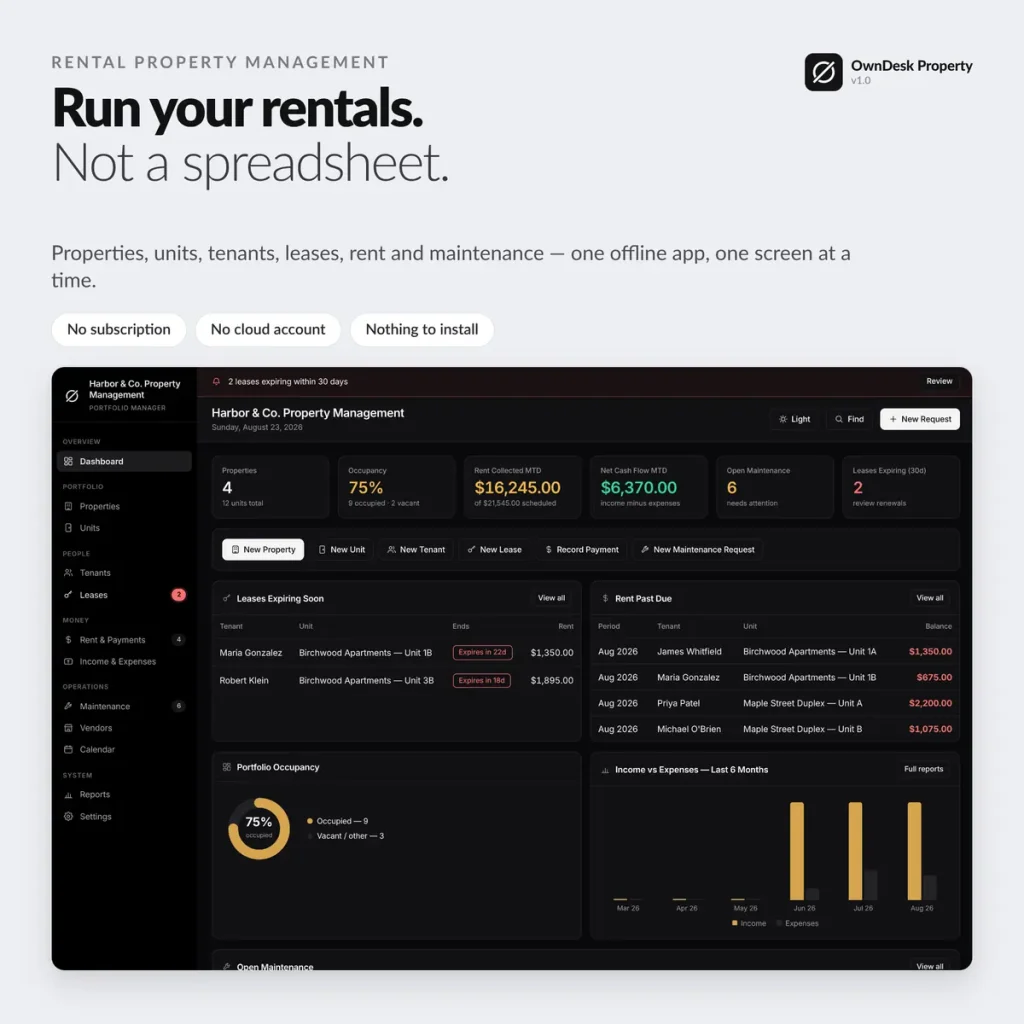
Properties, units, tenants, leases, rent and maintenance — one offline app for small landlords and independent property managers, built for a portfolio you self-manage, not a management company's back office.
One-time payment
Never another monthly bill per unit. The price you see is the whole price.
Every property, one rollup
Occupancy, income and expenses per property, not just a number for the whole portfolio.
Lease renewals, flagged early
Expirations surface 30/60/90 days out, so a renewal never surprises you.
No cloud account
Records stay on your own computer — nothing to sign up for, nowhere for a breach to happen.
What it does
Everything a small portfolio touches, on one screen.
Dashboard with live portfolio KPIs • properties & units • tenants & leases with renewal alerts • rent roll & payments • maintenance & vendors • income & expenses • calendar • reports & cash flow.
One rent roll, not three disconnected screens
One row per lease per month: rent due, amount paid, and the balance calculated for you. Paid, Partial, Due and Past Due are tagged automatically — never typed — and recording a payment updates the tenant balance, the dashboard and the reports together.
A real rollup for every property
Click into any property and see its units, current tenants, active leases and this month's income and expenses on one screen. Lease expirations are flagged 30/60/90 days out, so renewals never surprise you.
Maintenance that logs its own cost
Mark a maintenance request "Completed" with a cost and it posts straight into that property's expenses — no second entry, no reconciling two records that should have matched.
Print and export anything
Rent rolls, tenant lists, maintenance logs and the full cash-flow report all print cleanly with your company name and address, and every table exports to CSV for Excel, Google Sheets or your accountant.
Why small landlords switch
You're not really choosing between two portfolio apps.
You're choosing between paying once and paying per unit, per month, for features a self-managing landlord never opens.
| OwnDesk Property | A full property management platform | |
|---|---|---|
| Price | $ 49.00 once | $50–$300+/mo, often per unit |
| Per-property financial rollup | Included | Included |
| Lease renewal alerts | Included | Often included |
| Your data | Stays on your own computer | Lives in their cloud |
| Tenant screening & online rent collection | Not included — pair it with your own tools | Often included, at a price |
| Setup | Unzip, open, go | Account sign-up, onboarding |
Competitor pricing is a general market range for small-portfolio property management software, not a quote from any single company — check current pricing on each site. OwnDesk Property does not collect rent online, screen tenants, or sync live between two computers; it is single-computer by design, with a backup file to move between devices.
From payment to your first property
Three steps, about two minutes.
Pay with card
Checkout runs on Stripe. Your card details never touch this site.
Download and open
The link appears the moment payment clears. Double-click the file — it opens in your browser, no install, no internet needed after that.
Clear the sample portfolio, add your own
It opens with four sample properties and twelve units already loaded so you can see how it works. Clear it in one click from Settings and add your first property.
If OwnDesk Property isn't right for your portfolio, email me and you get a refund — no questions. If something's confusing, you're writing to the person who built it, not a queue. English and Spanish, both spoken here.
Questions
Before you buy.
What is the best property management software for a small landlord?
Can this replace my rent spreadsheet?
Do I need internet to use it?
Can two people manage the portfolio from different computers at the same time?
Does it collect rent online or screen tenants?
What do you get, and what do you need to run it?
See your own portfolio in it before you decide.
The live demo has real screens and a sample portfolio loaded — no sign-up, no credit card. If it fits, buying takes about a minute.
14-day money-back guarantee · instant download · one-time payment