OwnDesk POS Restaurant

$ 299.00

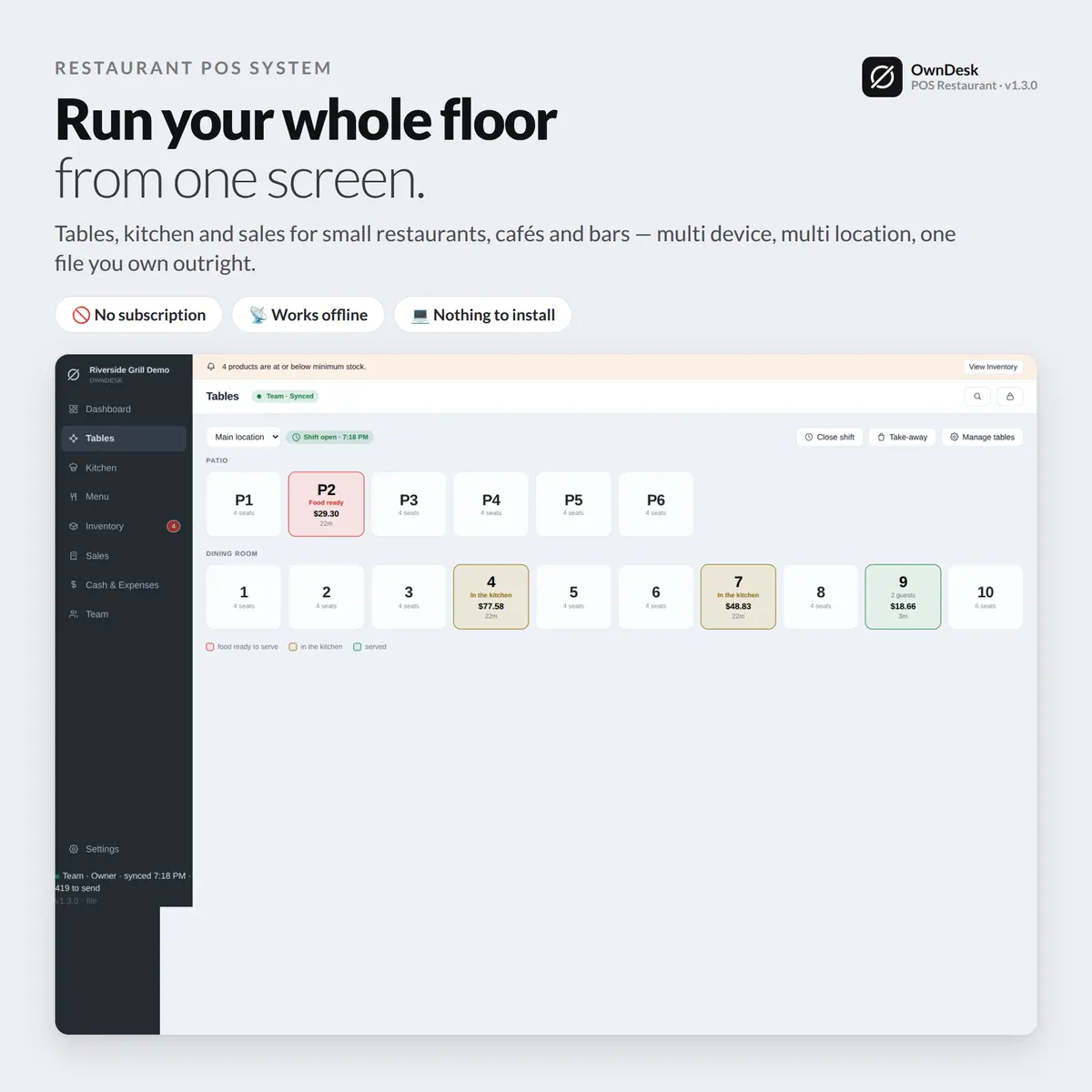
A floor plan, a separate kitchen screen and per-table payment that all stay in sync across every device – waiters on tablets, a kitchen display and multiple locations, for one payment and no monthly fee per terminal.

Try the live demo first
14-day money-back guaranteeSecure checkout with Stripe
  • 14-day money-back guarantee. Email me and you get a refund, no questions.
  • Download appears on screen the moment payment clears, and by email.
  • Written and supported by Adrián. Replies come from me, usually within a working day.
  • Also sold on Etsy since 2026, with independently moderated reviews.
SKU: owndesk-pos-restaurant Category:

See the full restaurant POS system page

Description

What it does

One floor plan every device agrees on

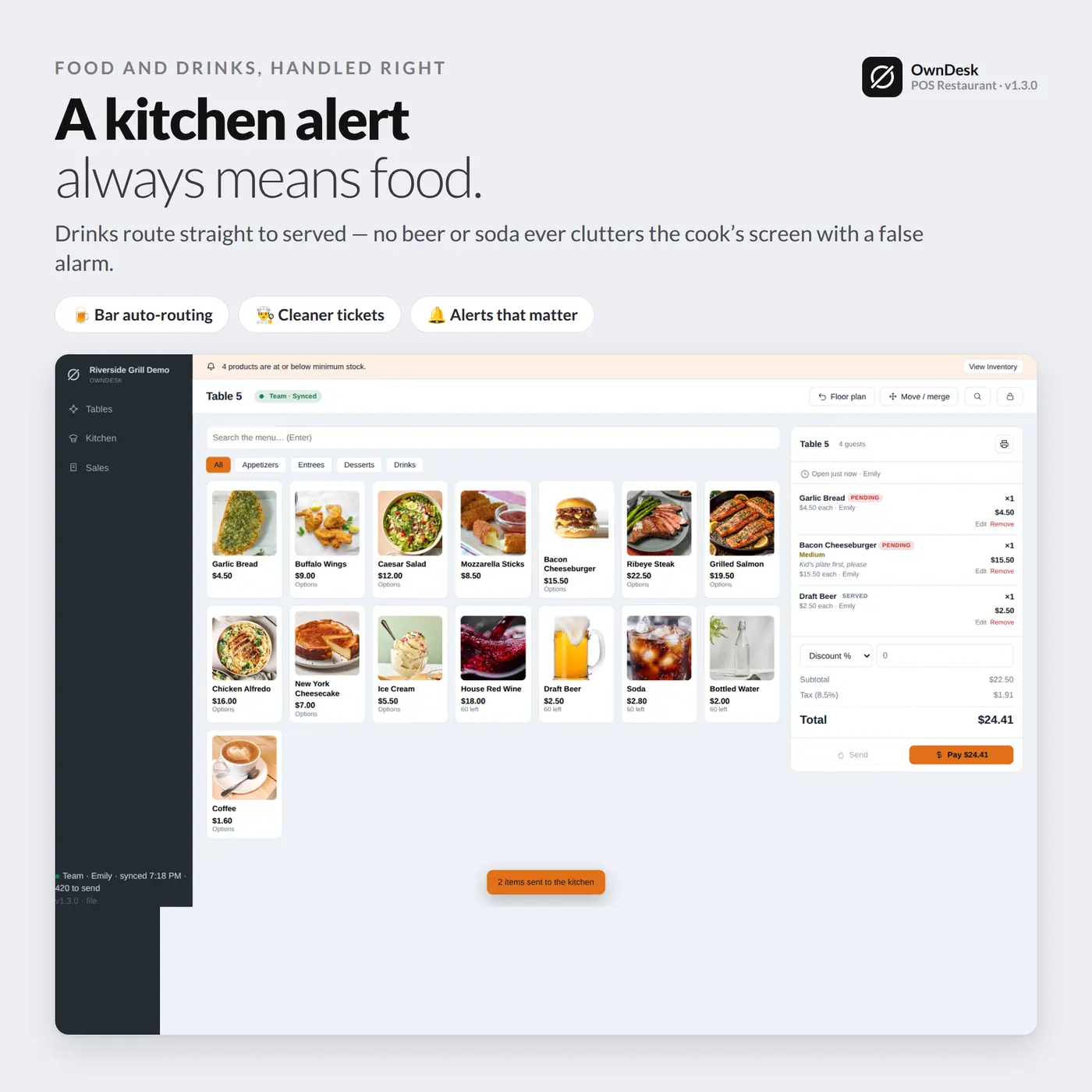
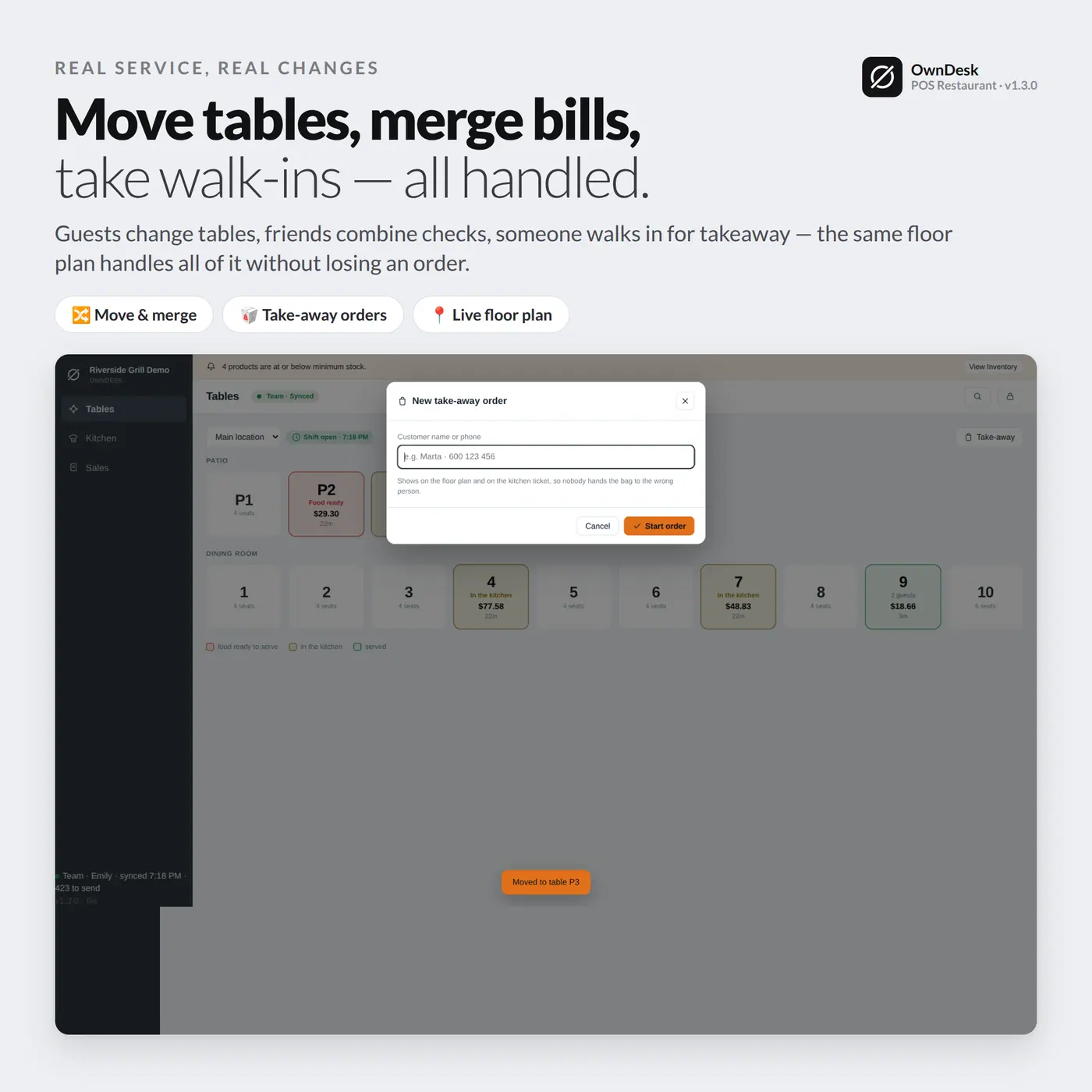
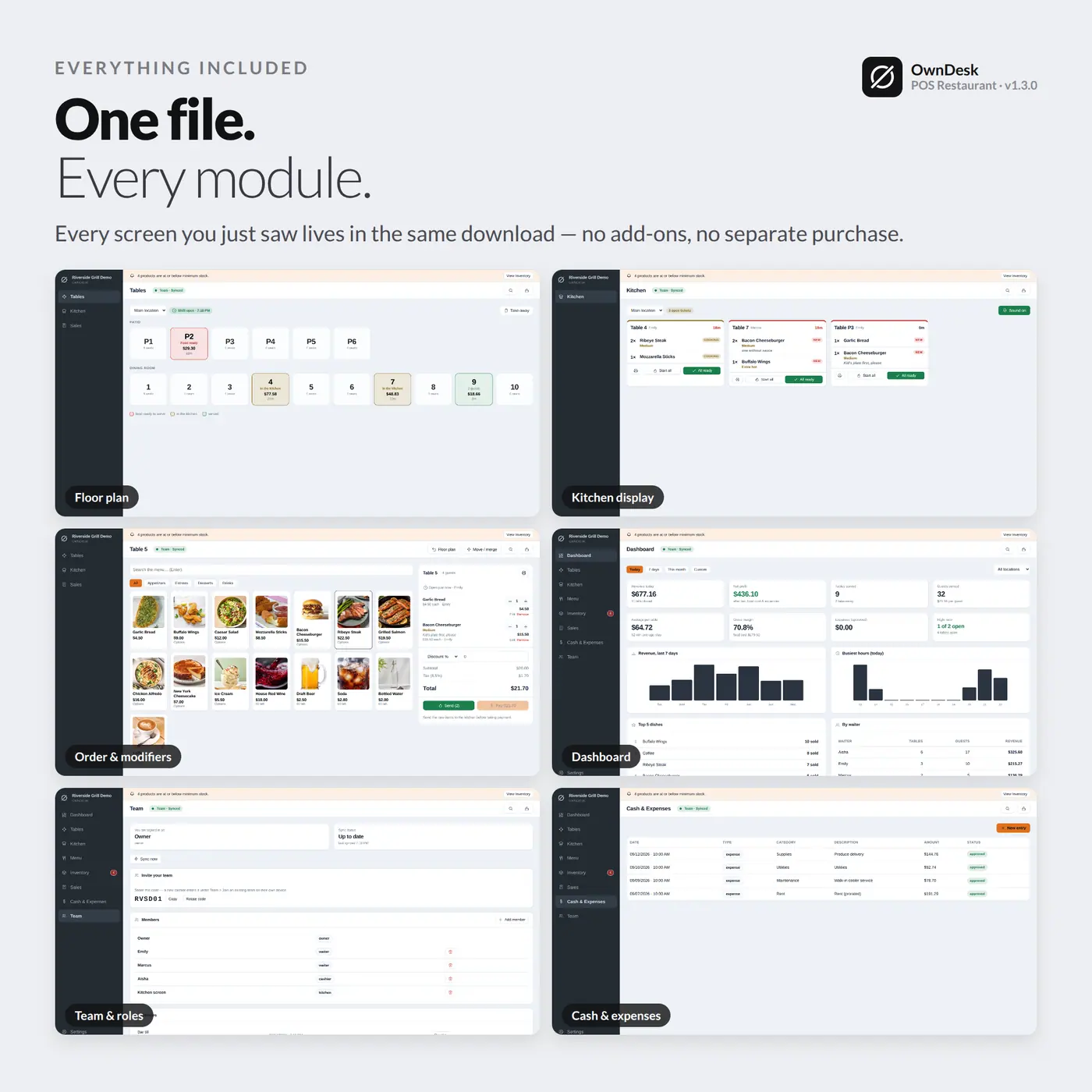
A waiter opens a table, sends the order to the kitchen, and the moment a dish is marked ready it shows on the floor plan – nobody walking to the pass to check, nobody shouting across the kitchen.

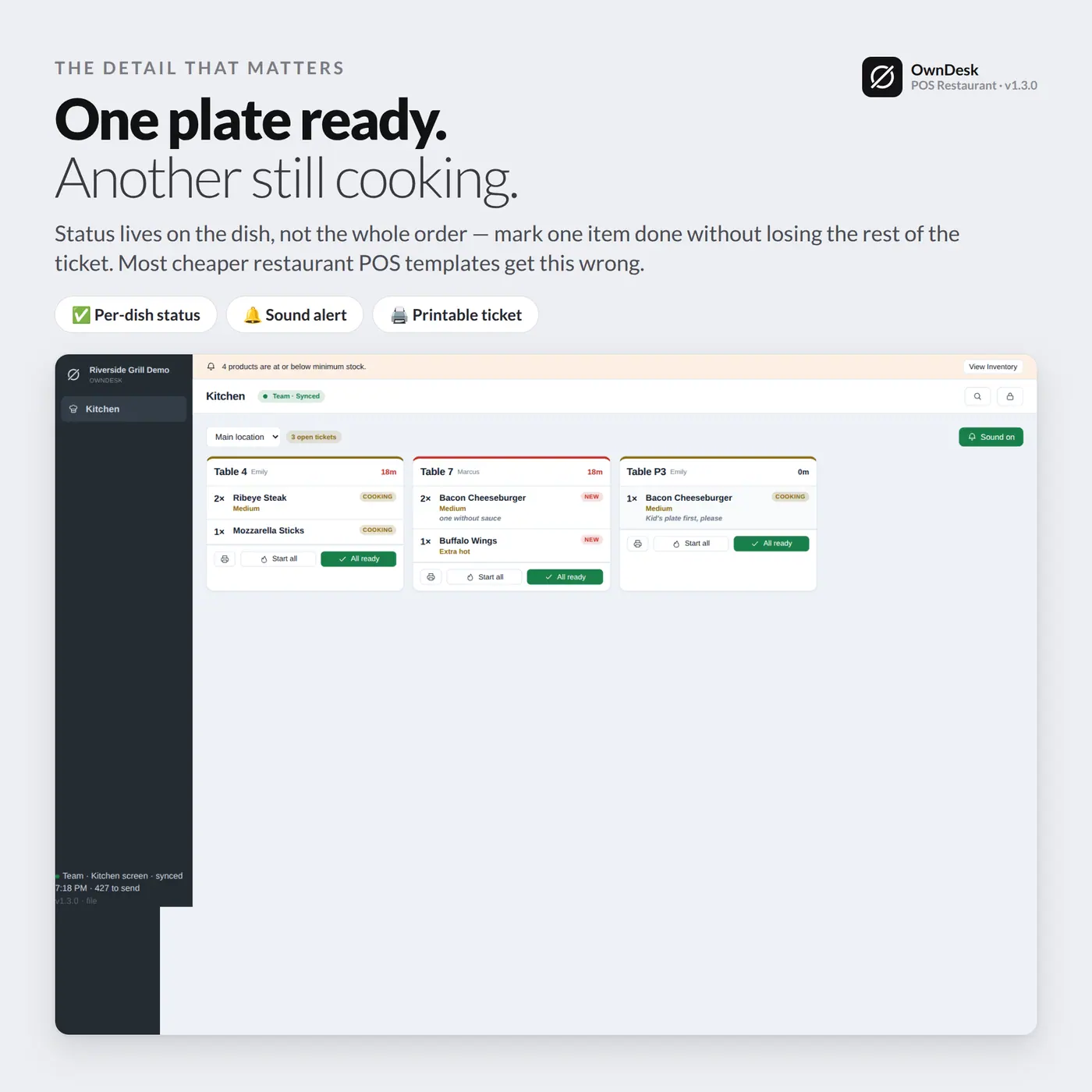
A kitchen screen that only shows what needs cooking

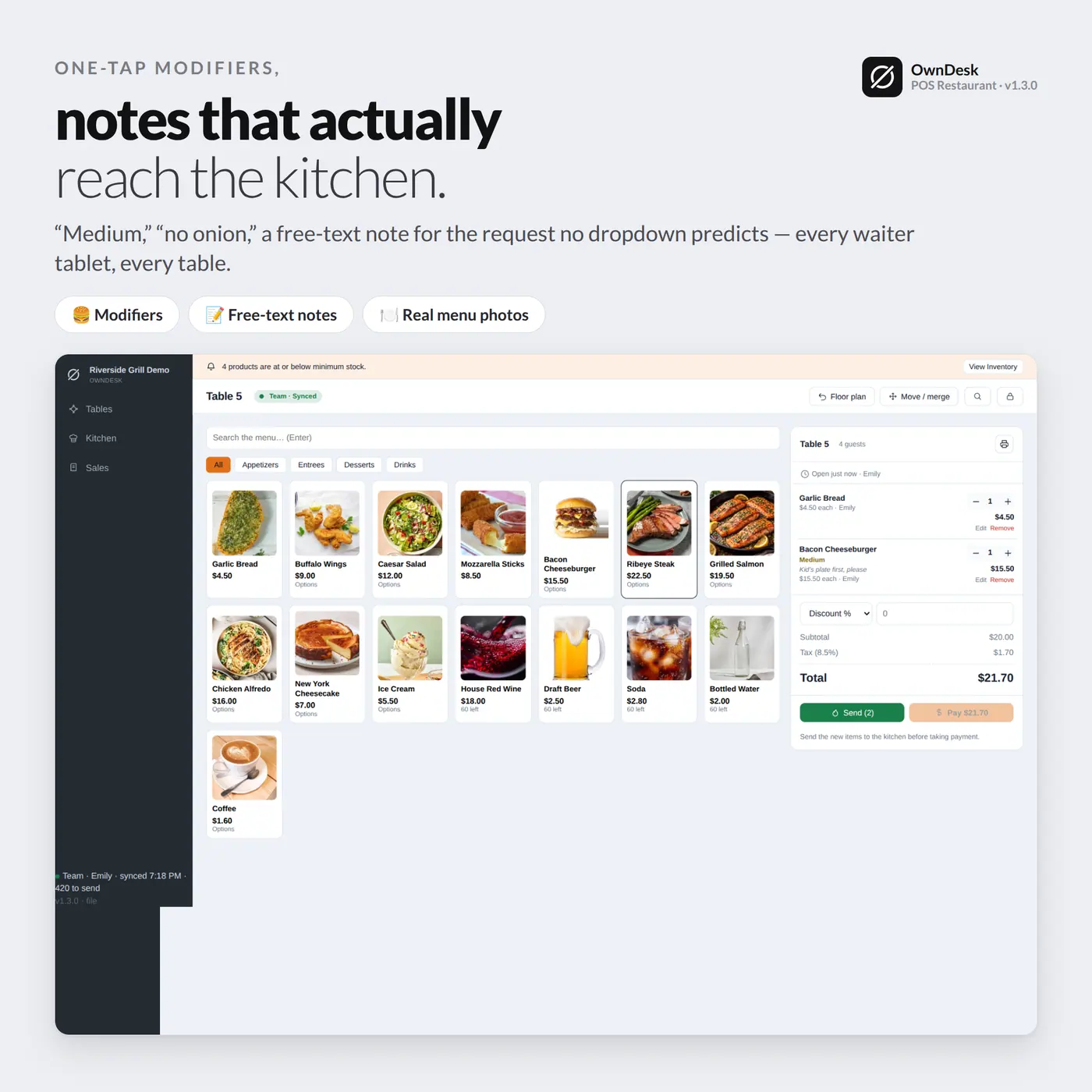
Bar drinks go straight to “served” instead of queuing next to real dishes, and modifiers and notes travel with the ticket – so the kitchen sees exactly what to make, not a beer someone already has in hand.

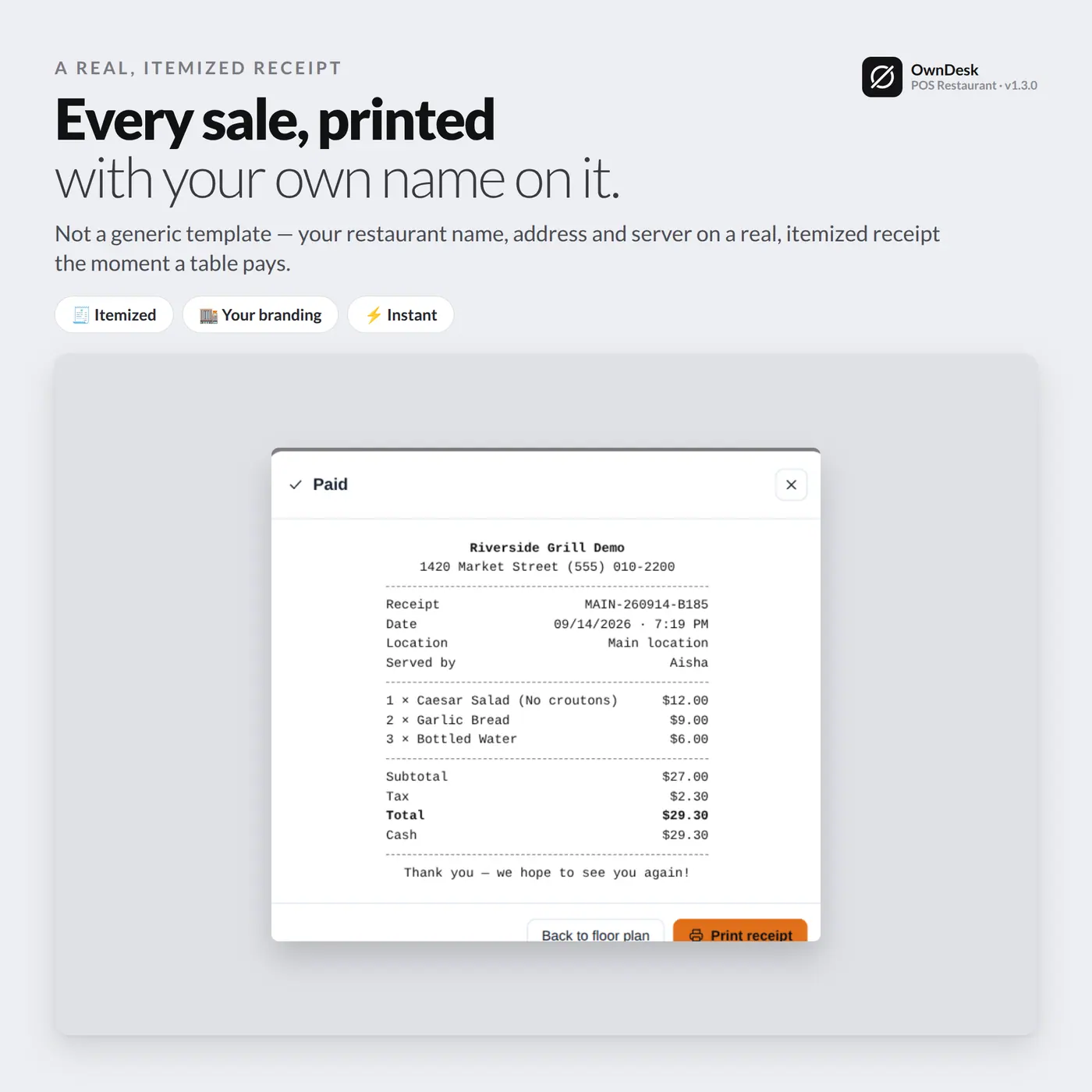
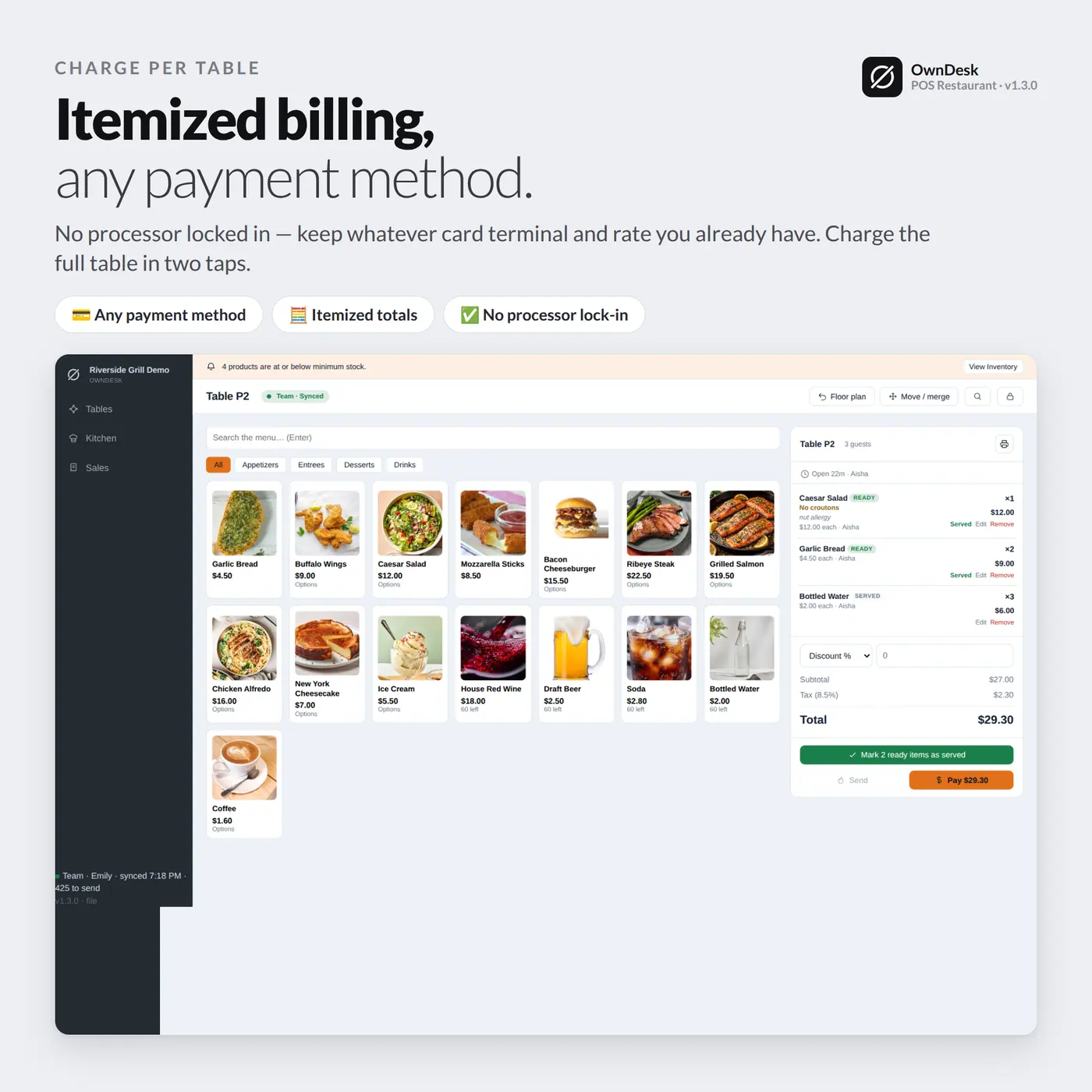
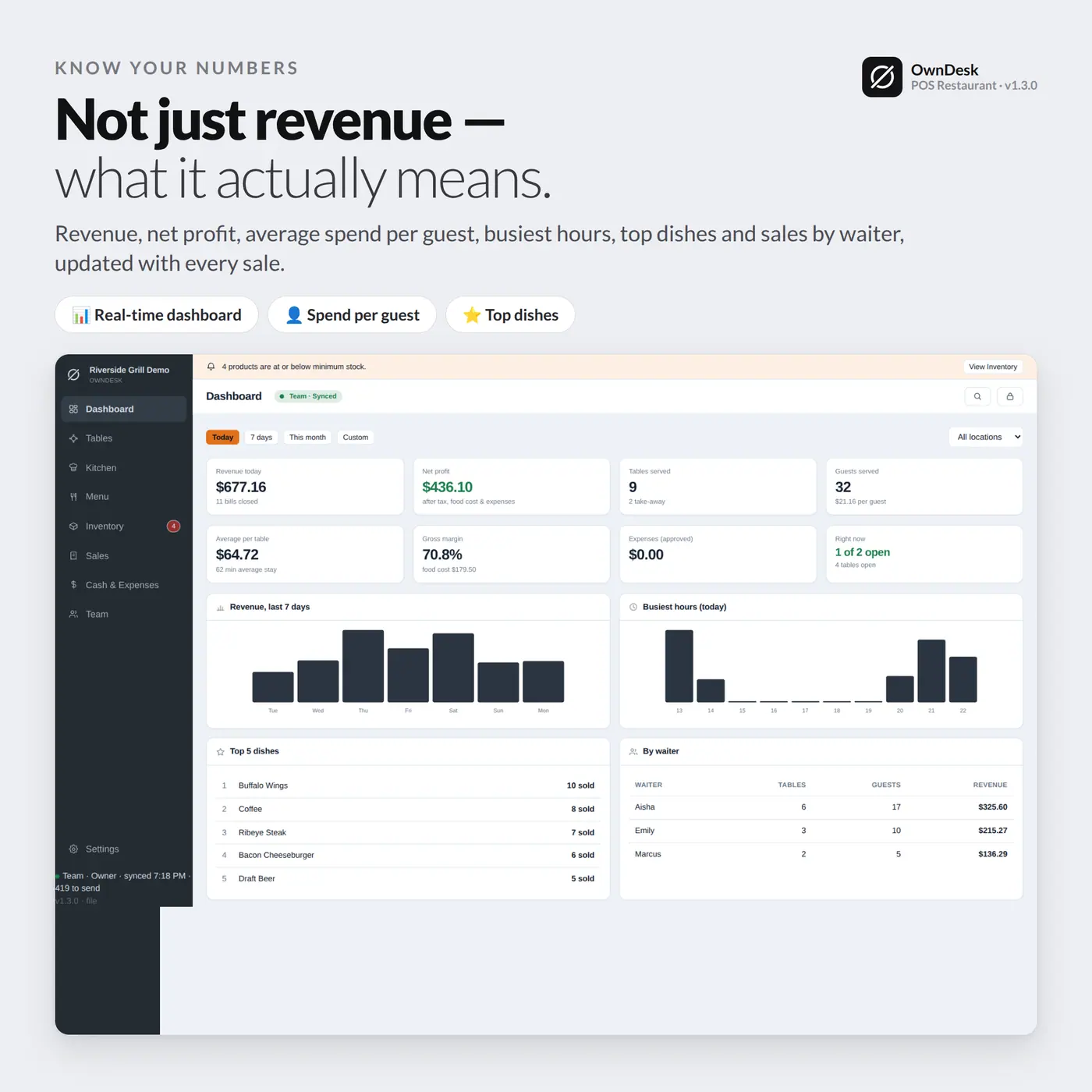
Payment and reporting, table by table

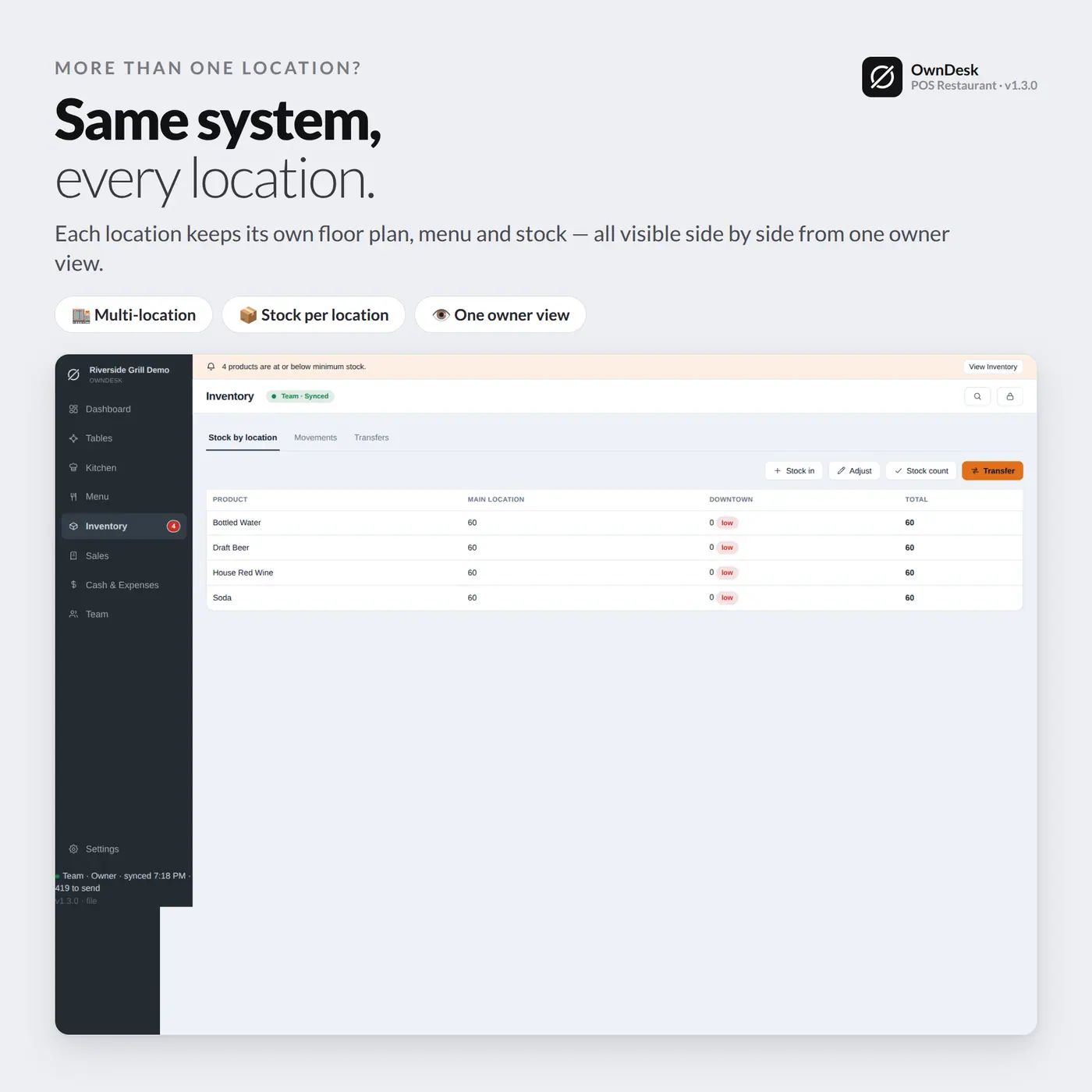
Close a table with an itemized check, and a dashboard rolls sales, top dishes and totals up across every location – filtered by date range, printed or exported to CSV.

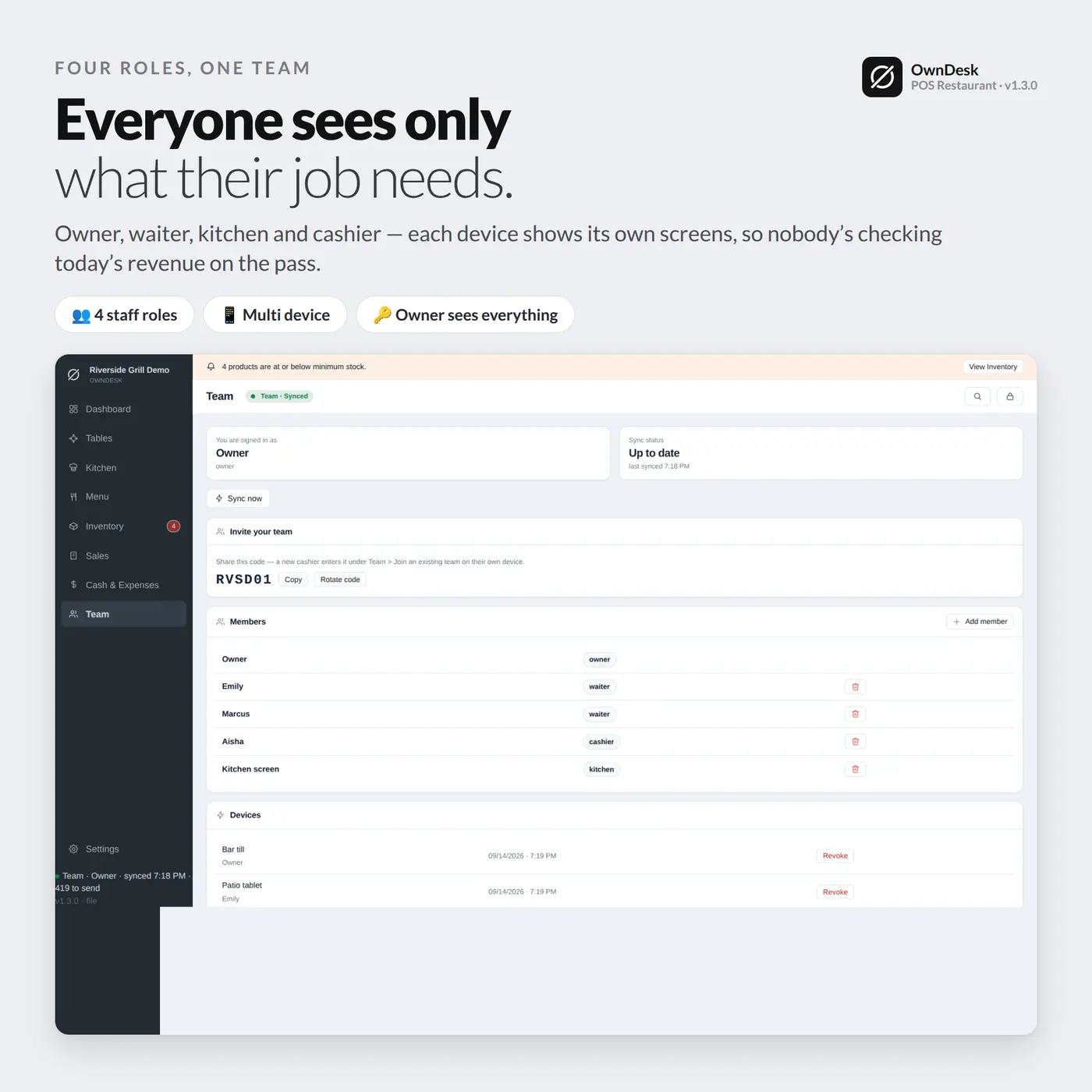
Roles that match a real floor

Waiter, kitchen, cashier, admin and owner each see only what their job needs, with their own PIN – and only an owner or admin can clear data for the whole team.

What you get

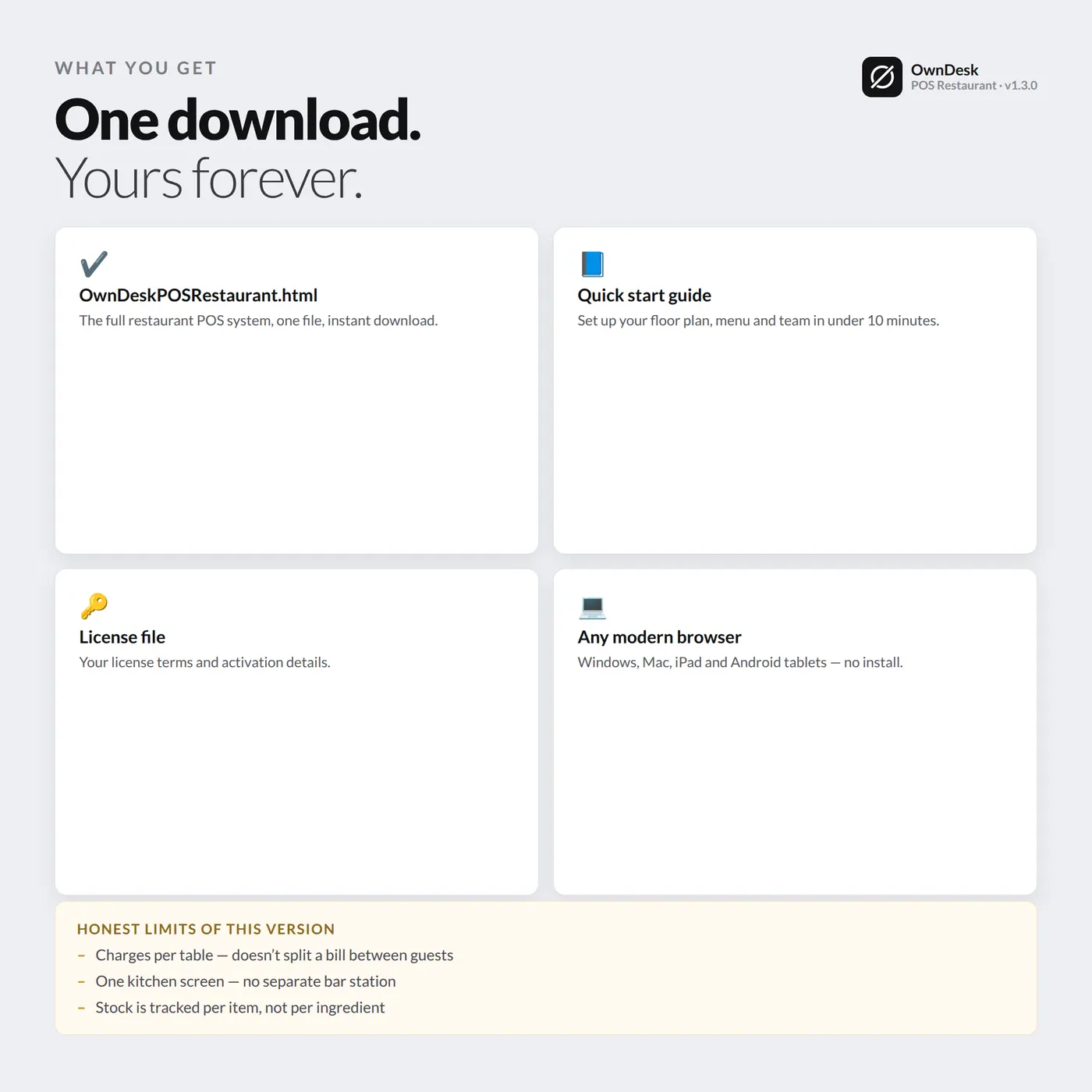
  • OwnDeskPOSRestaurant.html – the complete application, one file
  • User Guide (PDF)
  • A team licence key, emailed after purchase – activates every device you’re licensed for
  • Demo restaurant with tables, kitchen and team roles already loaded, clear it in one click

Before you buy

What is the best POS system for a restaurant with waiters, a kitchen and more than one location?
Category leaders like Toast, Square for Restaurants and Clover charge per terminal and per location, and once you add a kitchen display and more than a couple of stations that typically runs $60-$165+ a month per terminal – often bundled with a card processor you are locked into. OwnDesk POS Restaurant covers the daily job – floor plan, order taking with modifiers, a separate kitchen screen, per-table payment, team roles and a multi-location dashboard – for one payment that activates every device your licence covers. It does not process card payments itself; pair it with your own card reader.
Can a waiter’s tablet, the kitchen screen and the register all work at the same time?
Yes – that is the whole point. Each device takes on its own role (waiter, kitchen, cashier, admin) and they all share the same floor plan and order status in real time. A dish marked “ready” in the kitchen lights up on the floor plan without anyone shouting across the pass.
Does it work without an internet connection?
Every device keeps taking orders and ringing up sales through a dropped connection, and nothing is lost – it syncs automatically the moment the connection is back. The one moment it needs the internet is activating a new device for the first time.
Can it split a bill between the guests at one table?
Not yet in this first version – every table closes as one bill. If splitting checks per guest is a daily need on your floor, this is not the right fit today; we would rather tell you that upfront than have you find out after buying.
Does the kitchen screen show every order, including drinks from the bar?
No, and that is deliberate. Bar drinks go straight to “served” instead of queuing in the kitchen, so the kitchen screen only fills up with dishes that actually need cooking – not a soda that is already in someone’s hand.
Does it handle a team with different roles, or does everyone see everything?
Each person signs in with their own PIN, and what they see depends on their role: a waiter gets tables, kitchen and sales; kitchen staff get only the kitchen screen; a cashier gets tables and sales; only an owner or admin sees the full dashboard and can clear data.
What do you need to run it?
Any modern browser – Chrome, Edge, Safari or Firefox – on Windows, Mac, Linux, Chromebook, iPad or Android. Nothing to install beyond opening the file, and no internet needed once every device is activated.