OwnDesk HVAC

$ 49.00

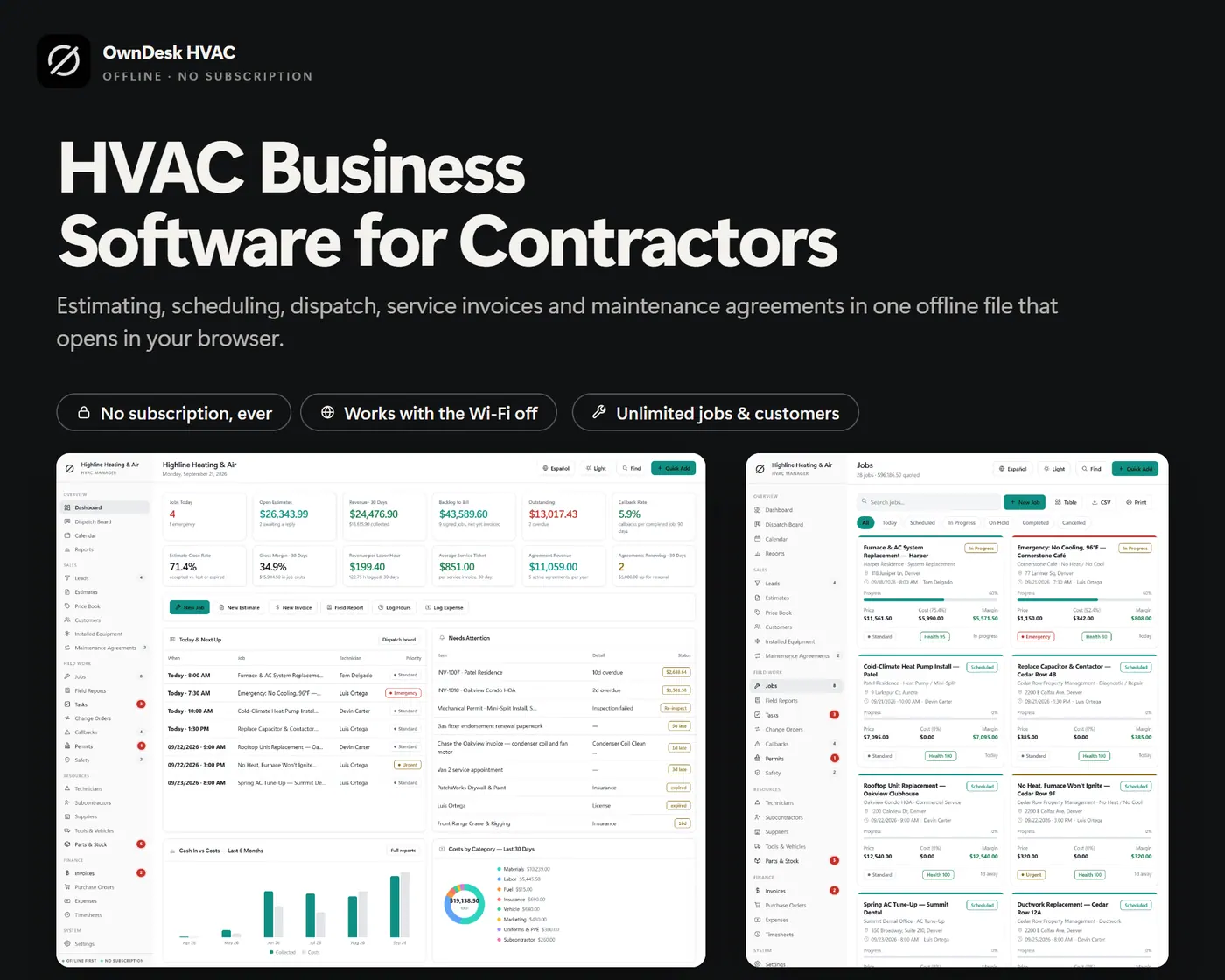
HVAC business software for a small heating and air company: estimates from your own price book, a takeoff that adds install labor, a dispatch board, job costing, maintenance agreements, installed equipment records and invoicing in one offline file. No subscription, no account.

Try the live demo first
14-day money-back guaranteeSecure checkout with Stripe
  • 14-day money-back guarantee. Email me and you get a refund, no questions.
  • Download appears on screen the moment payment clears, and by email.
  • Written and supported by Adrián. Replies come from me, usually within a working day.
  • Also sold on Etsy since 2026, with independently moderated reviews.
SKU: owndesk-hvac Category:

See the full HVAC business software page

Description

What it does

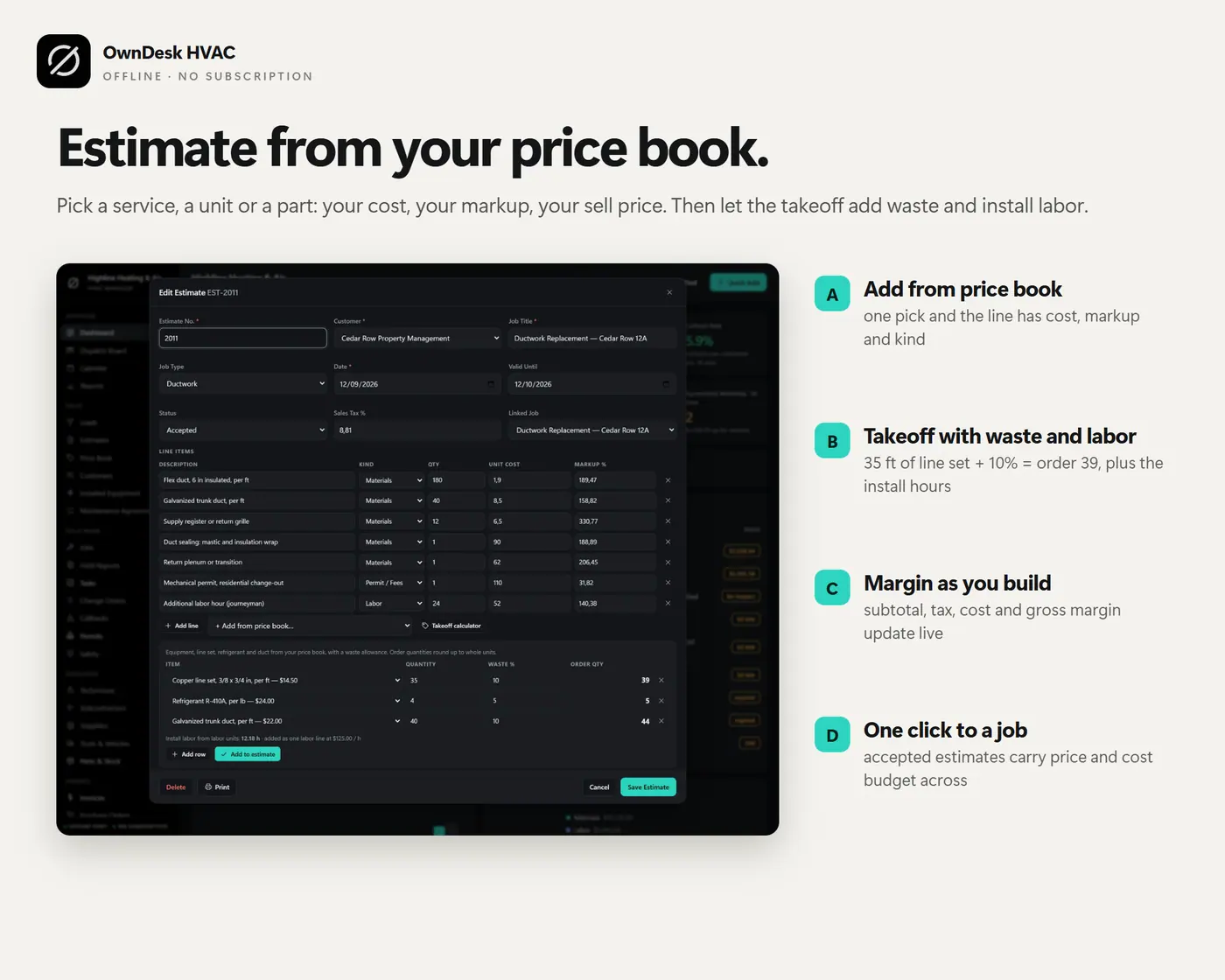
Estimate from your price book, with a takeoff that counts the labor

Set your service calls, equipment, refrigerant, duct and parts once, each with a cost, a sell price and the hours one unit takes to install. Add them to an estimate in one pick, with the markup that gets you to your sell price. The takeoff turns 35 ft of line set, 4 lb of refrigerant and 40 ft of trunk duct, plus a waste allowance, into the quantity to order, rounded up, and adds one labor line at your own cost and billing rate.

A dispatch board for your technicians

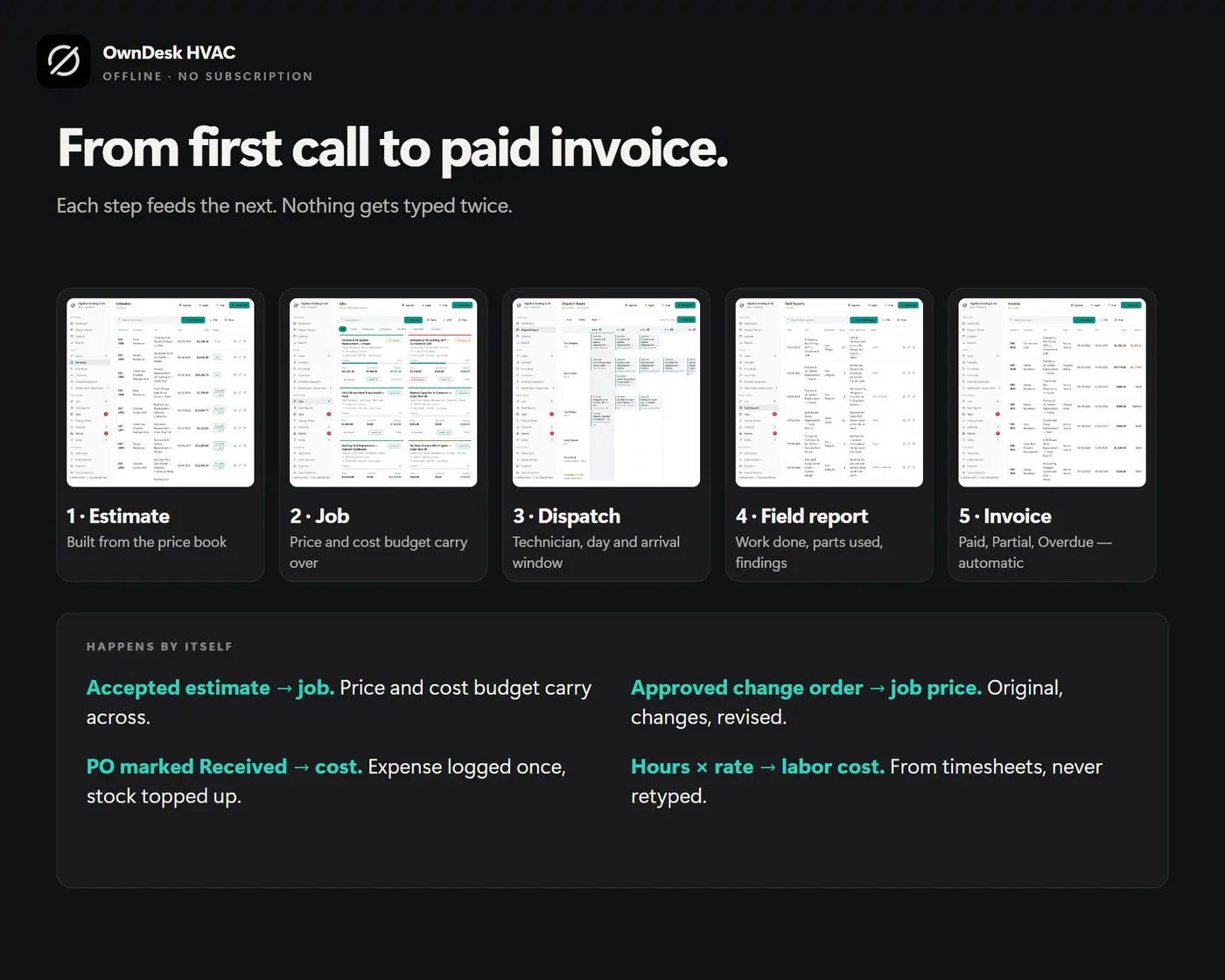
One row per tech, one column per day, one card per job with its arrival window. Urgent and emergency calls are colored, so a no-cooling call stands out, unassigned jobs are called out, and the + in an empty cell books a job straight into that slot. An accepted estimate becomes a job in one click, with its price and cost budget.

Maintenance agreements and the equipment you already look after

Spring and fall tune-ups, priority plans and filter programs, each with a price, visits per year, next visit and renewal date. Every customer can carry the units at their site: model, serial number, refrigerant, where it sits, install date and warranty end. A warranty about to expire shows up on your attention list, which is a good time to offer an agreement.

Real margin, backlog and average ticket

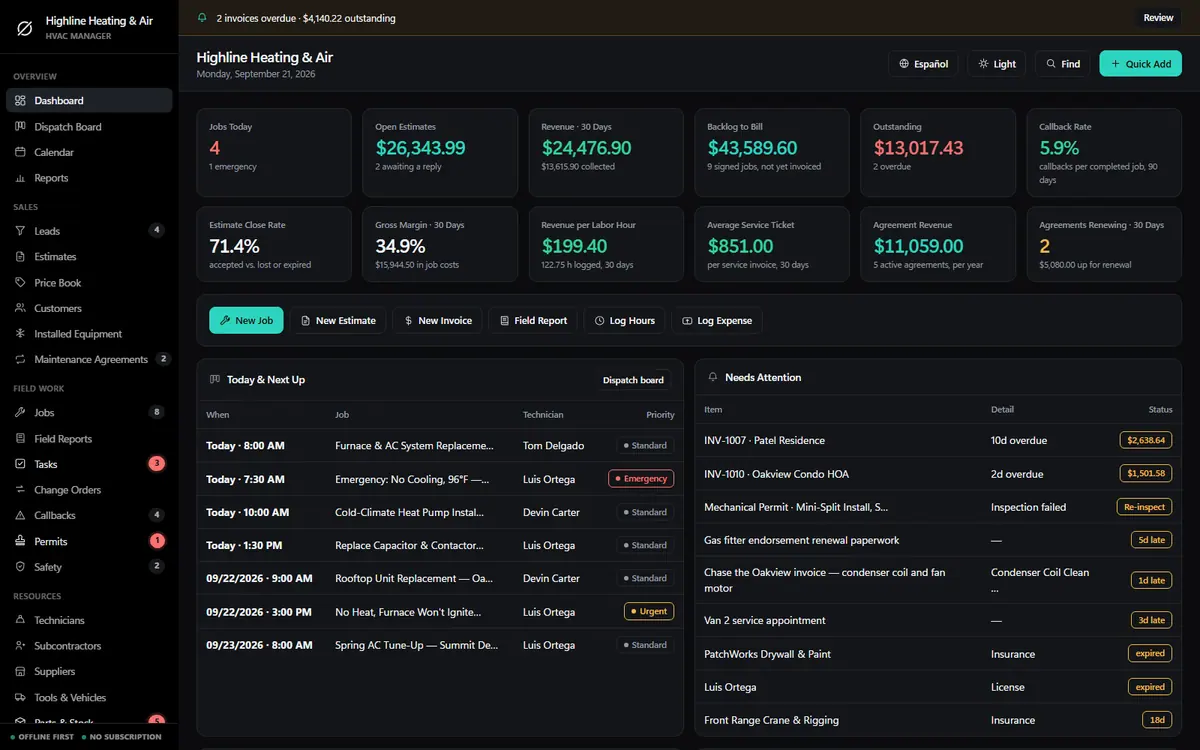
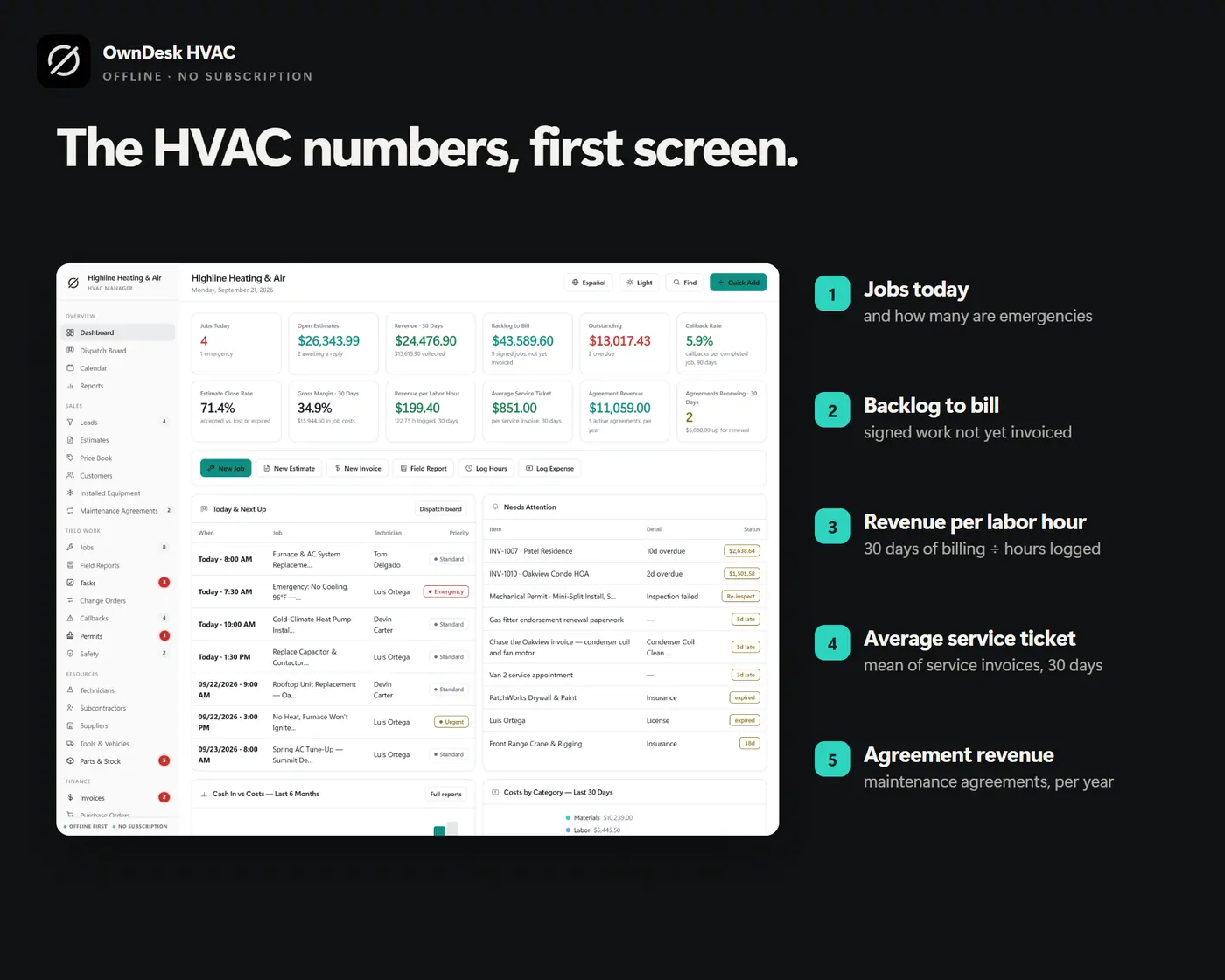
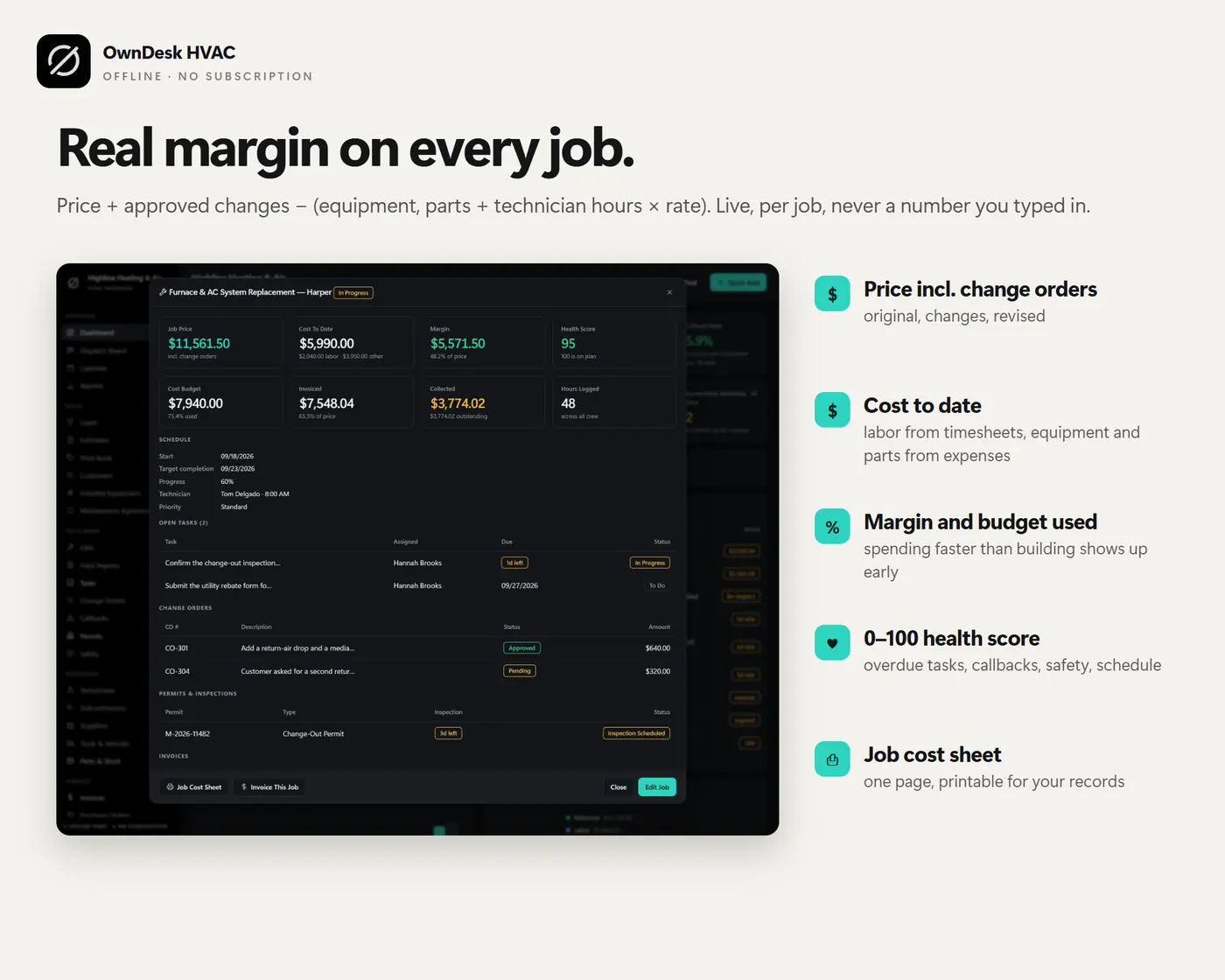
Job price plus approved change orders, minus equipment, parts and technician hours at their rate. It is calculated from the records you already entered, so it cannot go stale. The dashboard adds the numbers an HVAC contractor steers by: jobs today, backlog still to bill, average service ticket, revenue per labor hour, estimate close rate, callback rate, gross margin and agreement revenue.

What you get

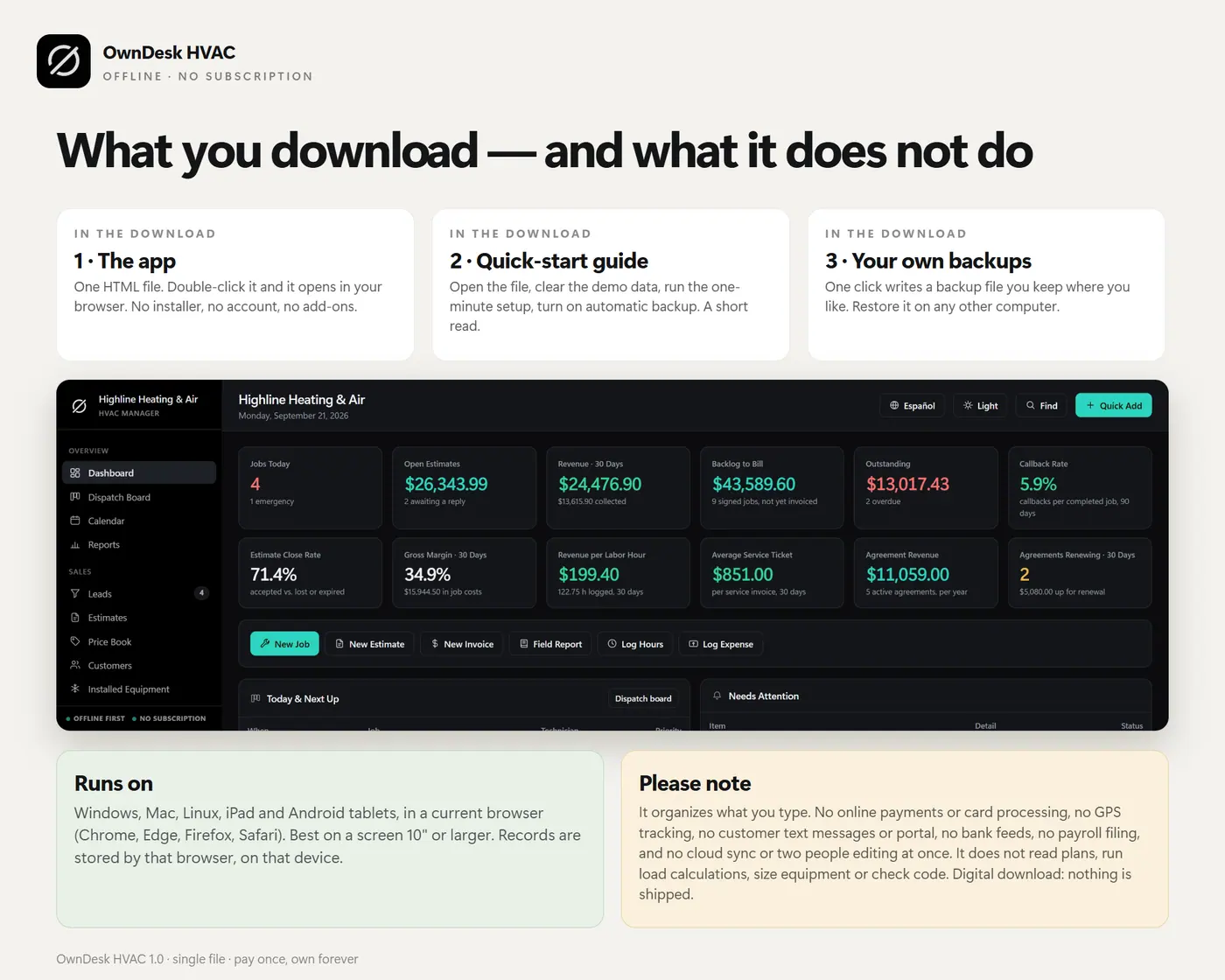
  • One HTML file that opens in your browser, with a sample HVAC company already loaded so every screen can be seen full
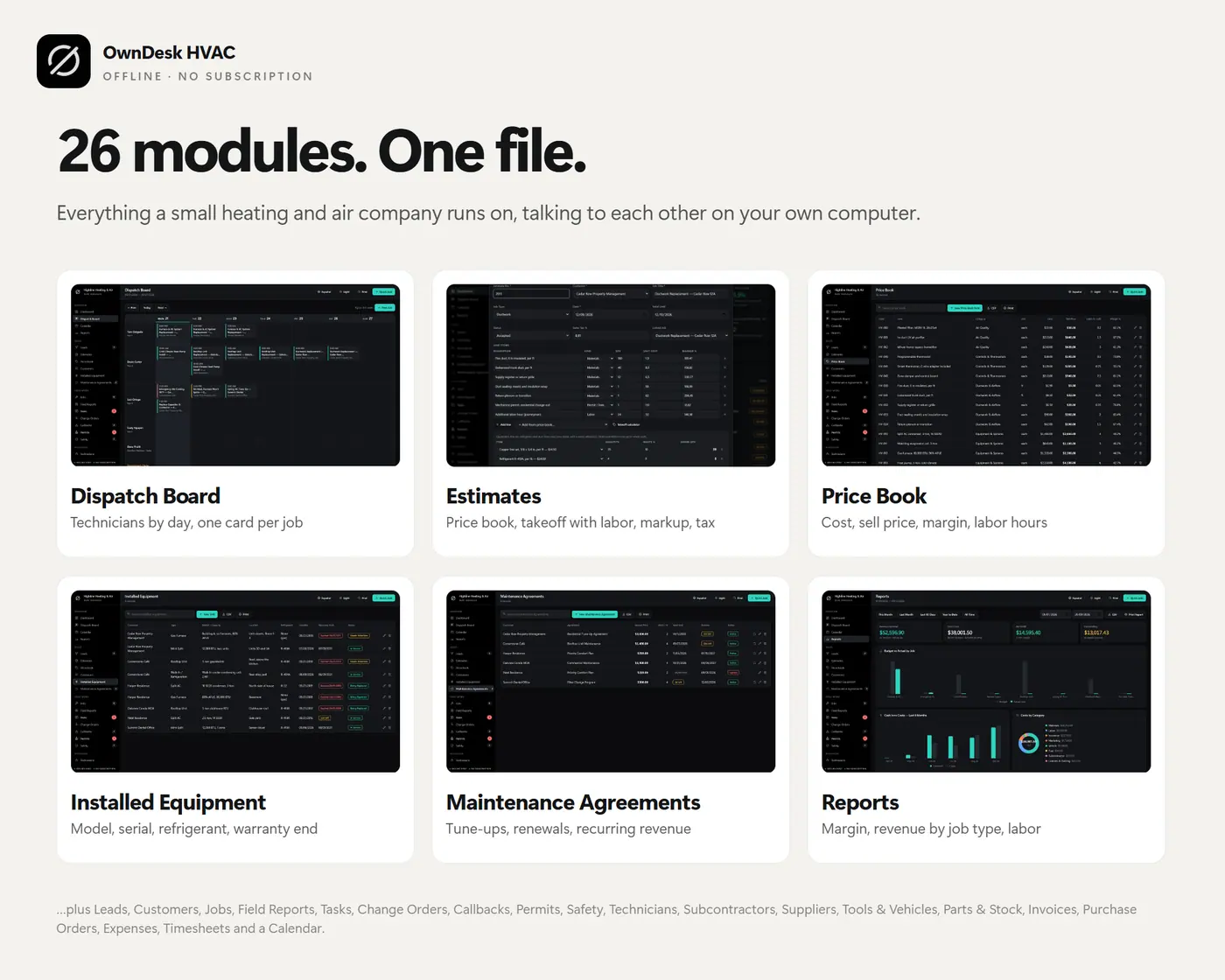
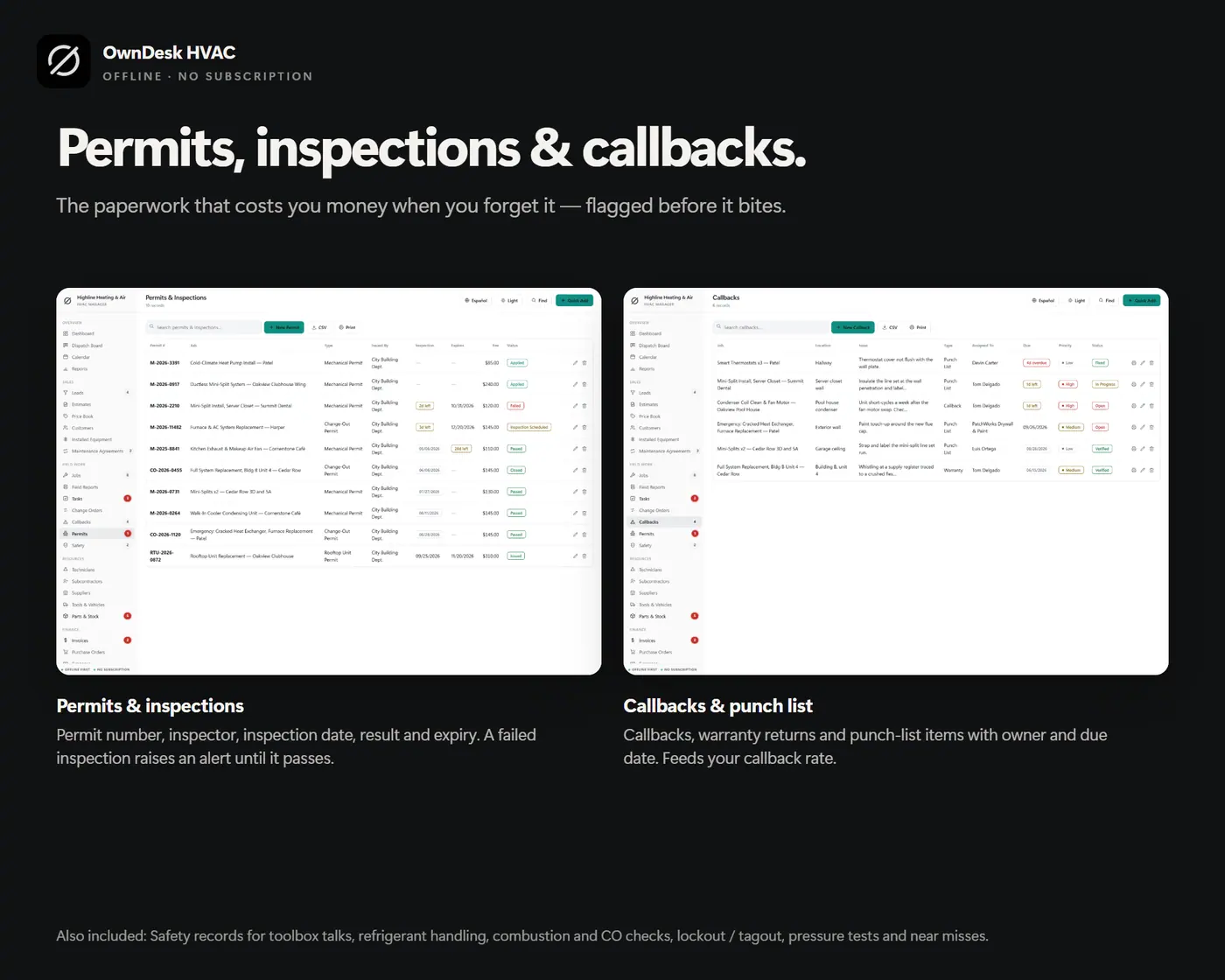
  • Twenty-six modules: dashboard, dispatch board, calendar, reports, leads, estimates, price book, customers, installed equipment, maintenance agreements, jobs, field reports, tasks, change orders, callbacks, permits, safety, technicians, subcontractors, suppliers, tools and vehicles, parts and stock, invoices, purchase orders, expenses and timesheets
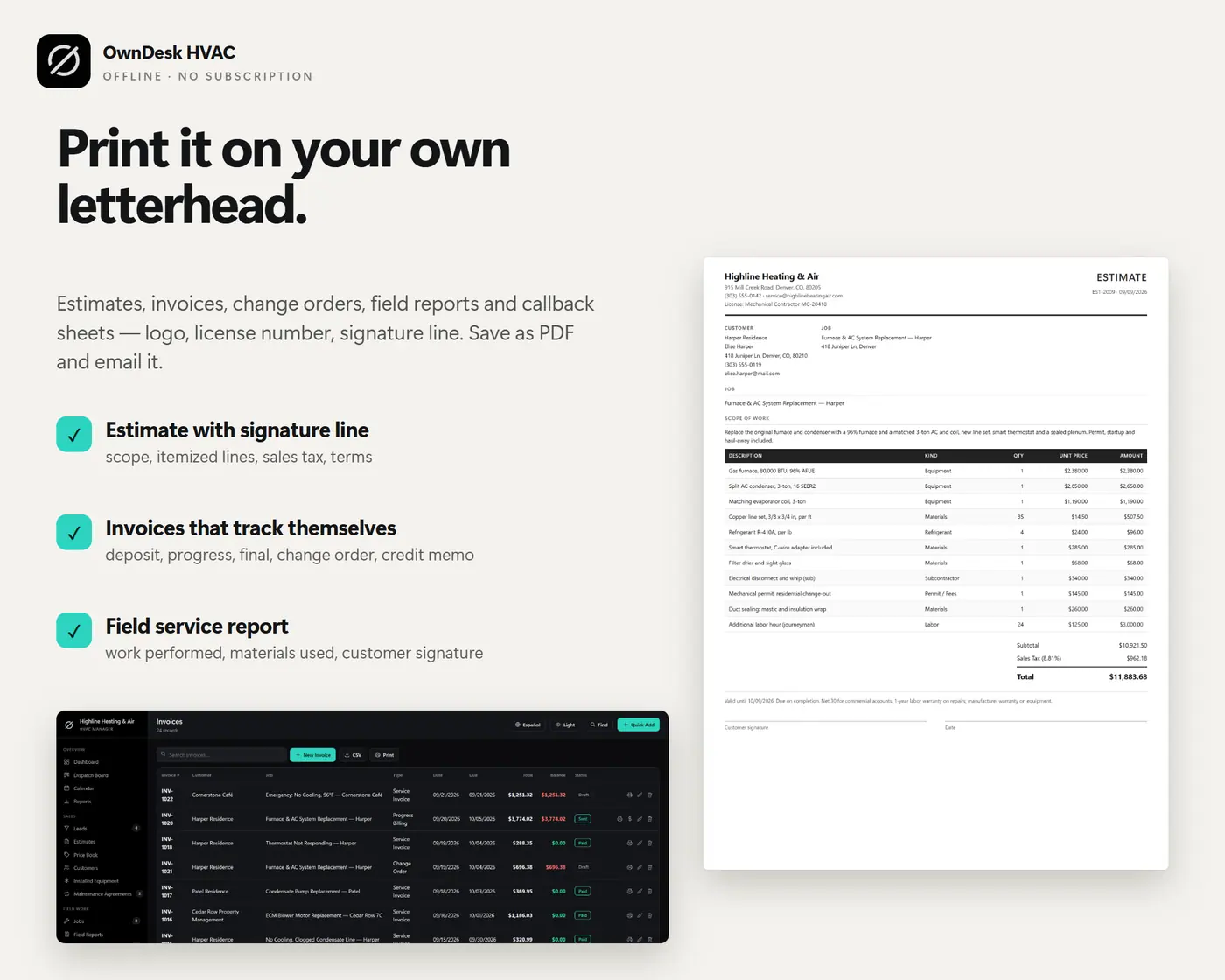
  • Printable estimates, invoices, change orders, field reports and callback sheets on your own letterhead, CSV export of every list, JSON backup and restore, and an optional automatic backup file
  • English and Spanish in the same file, ten currencies, and light and dark themes
  • A quick-start guide included in the download

Before you buy

What is HVAC business software, and what does this one do?
It is the program a heating and air company runs the business in: estimates, jobs, schedule, costs and invoices. This one builds an estimate from your own price book, so every service call, unit and part carries your cost and your sell price. It adds a takeoff that includes install labor, a dispatch board for your technicians, maintenance agreements, a record of the equipment at each customer, job costing and invoices, all in one file that works offline.
Is this HVAC management software or service software?
It is both, for a small shop. Each job has a customer, a technician, a date and an arrival window, a price, a cost budget, change orders, field reports, permits and invoices. The job cost sheet shows price against cost and the margin so far. It is a single-computer tool, so it suits an owner-operator or a small crew with one office computer.
Does it do HVAC estimating?
It does a quantity takeoff. You type feet of line set, pounds of refrigerant, feet of duct and counts of parts, add a waste percentage, and it shows the quantity to order rounded up. If you entered an install time for each item it also adds the labor. The times are your own, and it does not ship with a published labor-unit book.
Is it HVAC load calculation software?
No. It does not run a Manual J load calculation, size equipment or design ductwork. Keep the tool you already use for that. This is the business side: the estimate, the schedule, the invoice and the follow-up.
Is it HVAC scheduling and dispatch software?
It has a dispatch board that lays jobs out by technician and day, with arrival windows and priority colors, and a month calendar with every date the software knows about. You enter and move the jobs yourself. It does not optimize routes, track vans by GPS or text customers.
Can it work as a simple HVAC CRM?
For a small company, yes. Leads move from the first call to won or lost, one button turns a lead into a customer, and each customer keeps their jobs, invoices, agreements and installed equipment. It does not send email campaigns or text messages.
Does it handle invoicing and service agreements?
Yes. Service, deposit, progress, final, change-order and credit-memo invoices, with Paid, Partial and Overdue worked out for you. Maintenance agreements keep their next visit and renewal date and roll up into agreement revenue on the dashboard. It is not a general ledger, so payroll, bank feeds and tax filing stay with your bookkeeping program.
Can several people use it at once?
No, and it is worth knowing before you buy. There is no cloud sync and no shared database, so it is one computer at a time. Another office computer can work from a copy by restoring a backup file, but the two copies do not merge.
Is there a subscription?
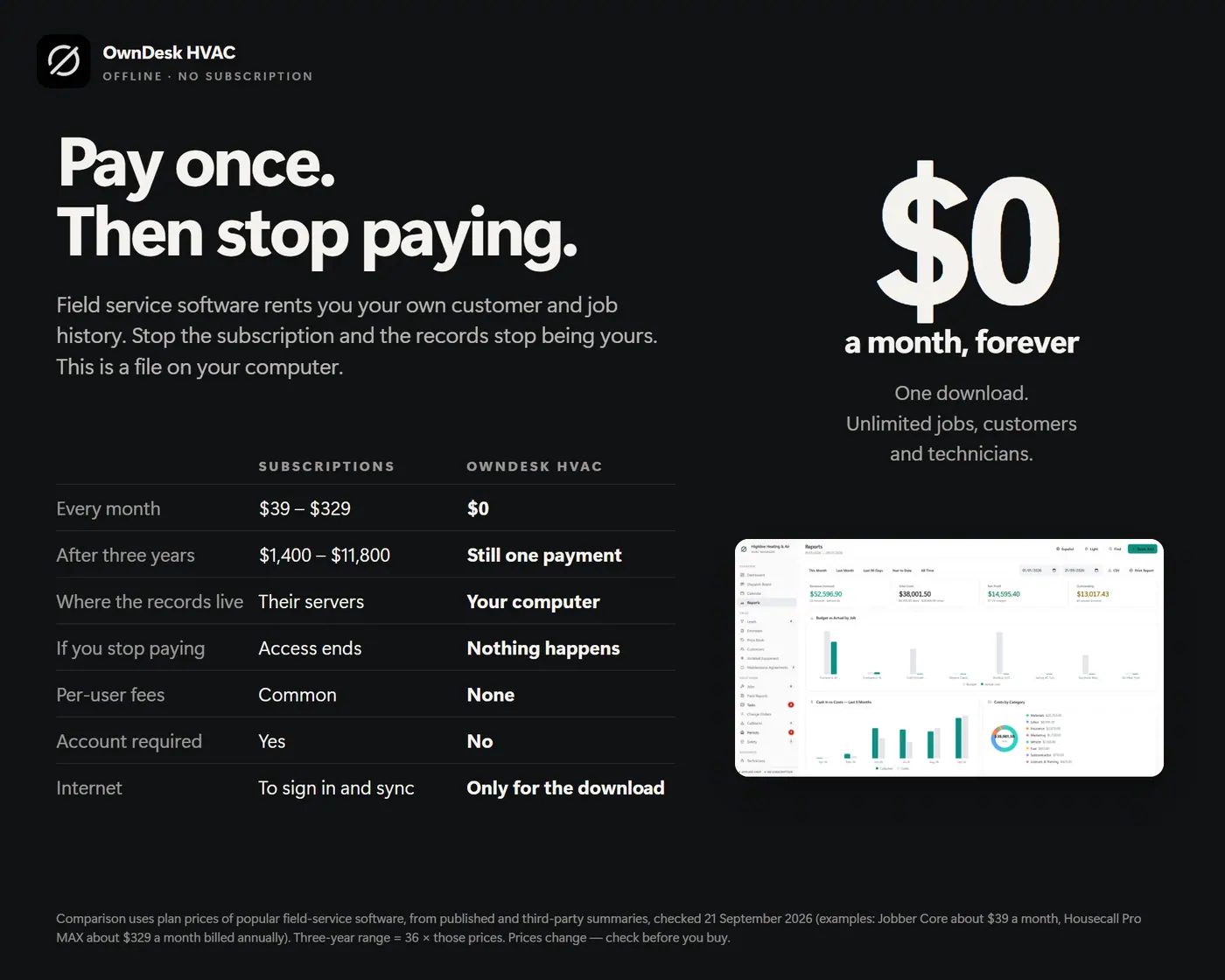
No. One payment for the file, no account, no server and no monthly fee. HVAC software is usually rented by the month. Your records stay in your own browser and nothing is uploaded anywhere, so keep a backup file somewhere else.