OwnDesk Detail

$ 49.00

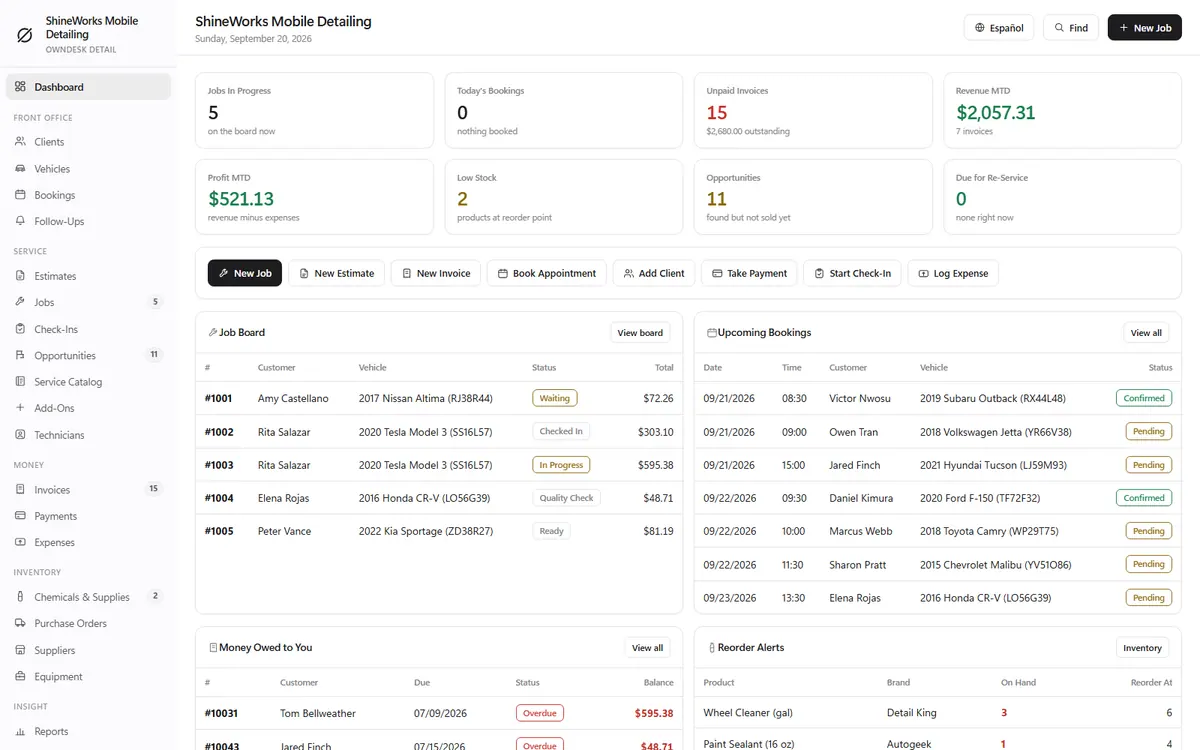
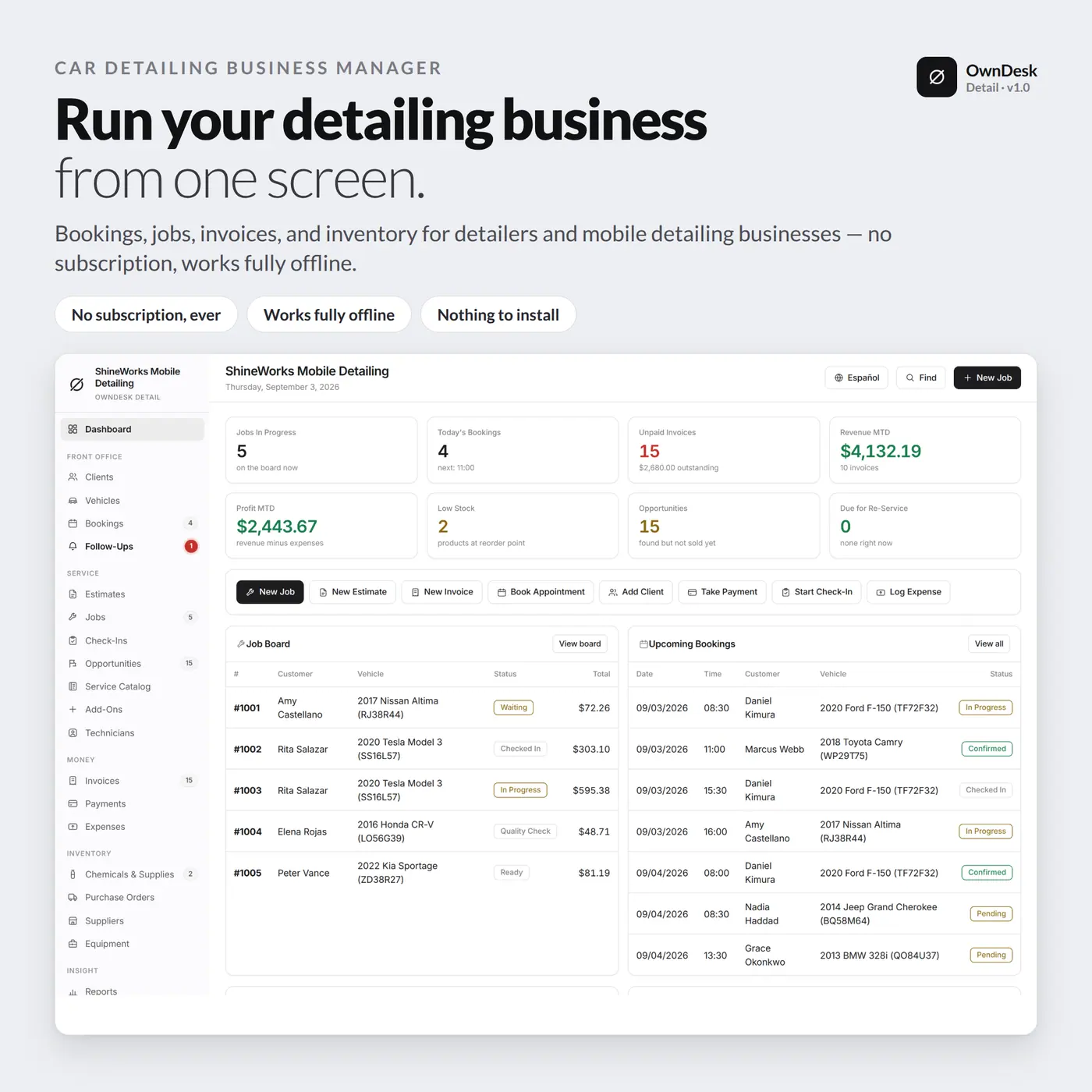
Auto detailing software for a detailing shop or a mobile detailing business: bookings, jobs on a job board, check-in photos, estimates, invoices, vehicle-size pricing and chemical inventory in one offline file. No subscription, no account.

Try the live demo first
14-day money-back guaranteeSecure checkout with Stripe
  • 14-day money-back guarantee. Email me and you get a refund, no questions.
  • Download appears on screen the moment payment clears, and by email.
  • Written and supported by Adrián. Replies come from me, usually within a working day.
  • Also sold on Etsy since 2026, with independently moderated reviews.
SKU: owndesk-detail Category:

See the full auto detailing software page

Description

What it does

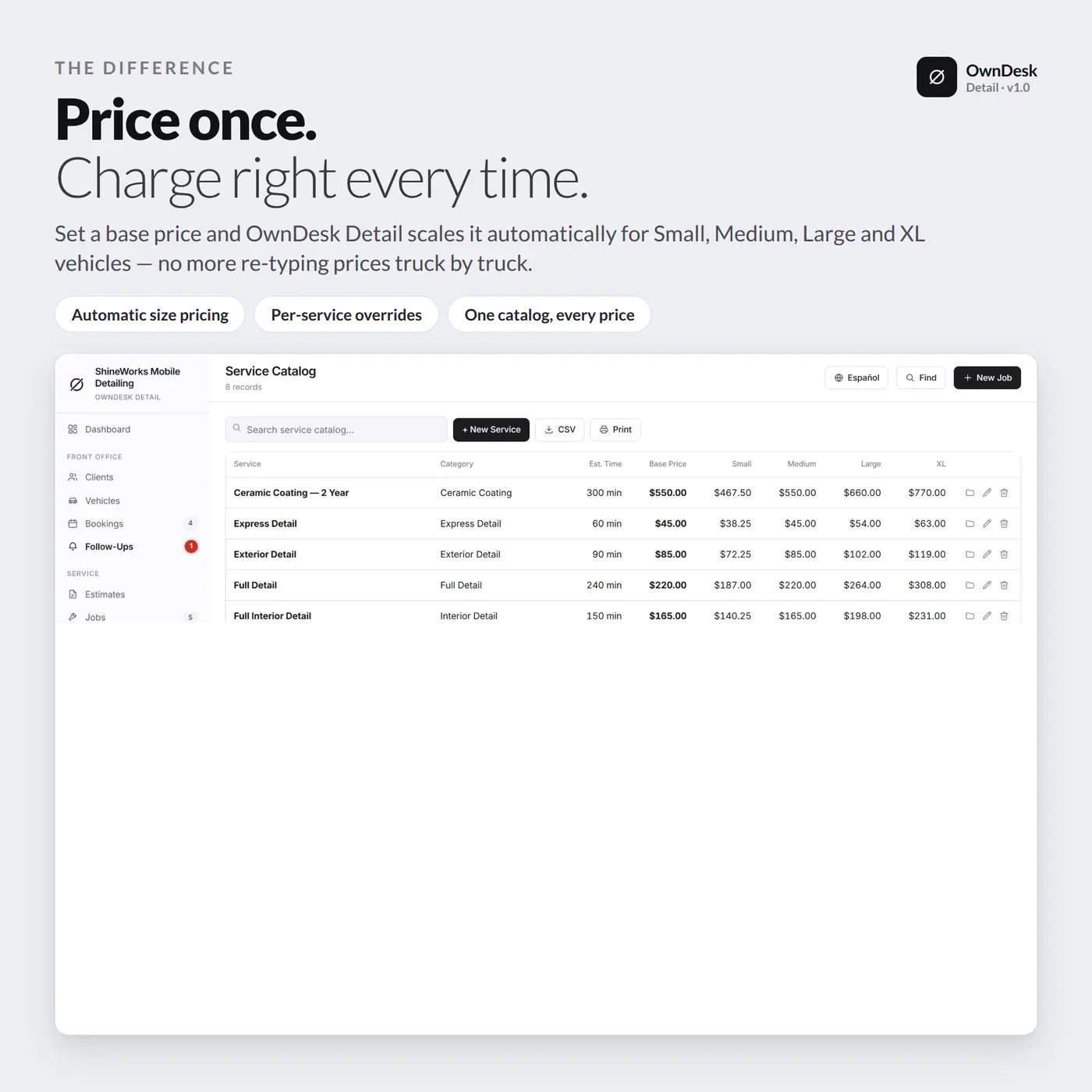
Price once, charge right every time

Set a base price for each service and the software scales it for Small, Medium, Large and XL vehicles from your own multipliers. A service can also carry its own price for any size, so a truck no longer means re-typing the quote.

From booking to paid, on one job board

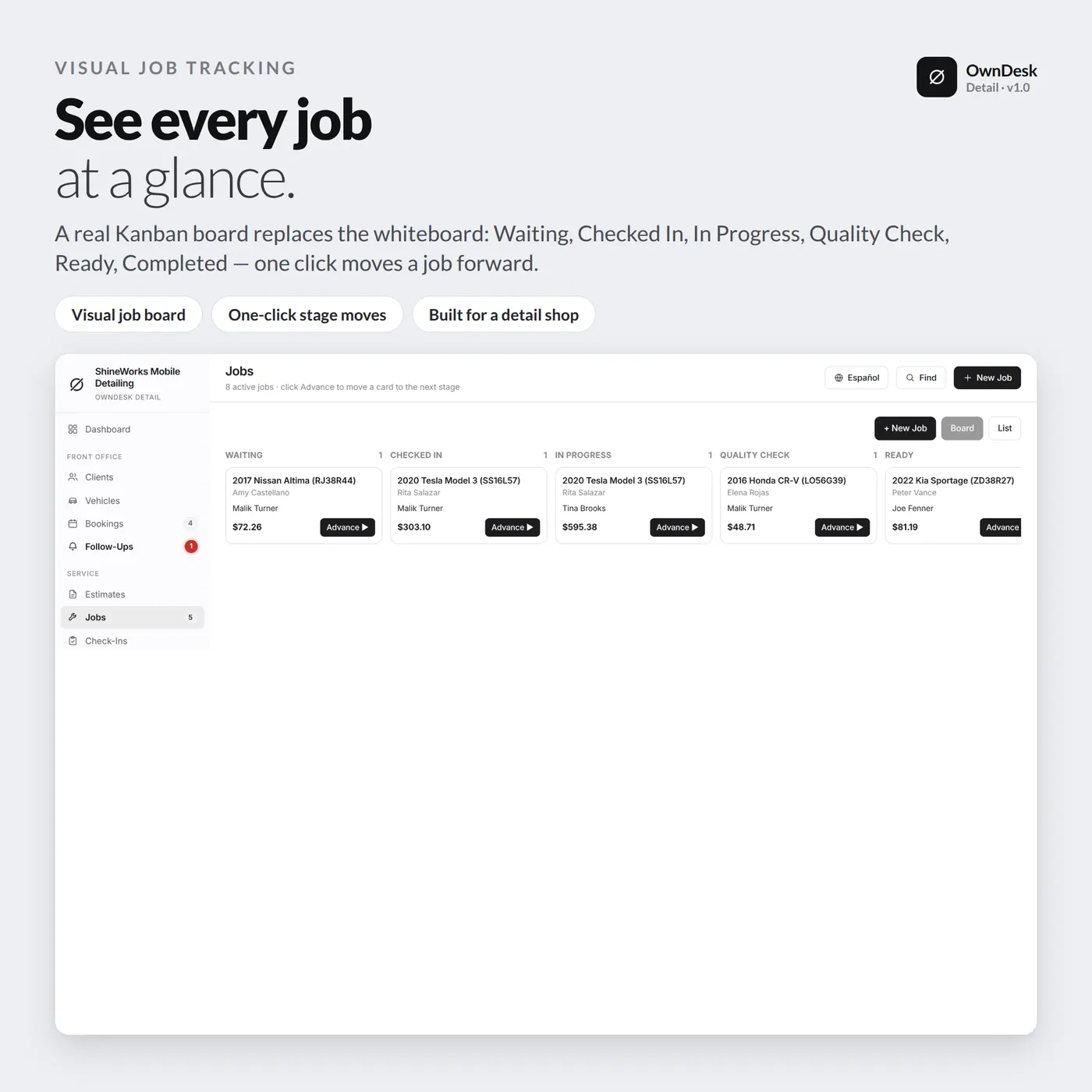
Turn a booking into a job, move it across Waiting, Checked In, In Progress, Quality Check, Ready and Completed, then convert it into an invoice and record the payment. Each booking is marked as at your shop or mobile at the customer’s location.

Check-in photos and money you would have missed

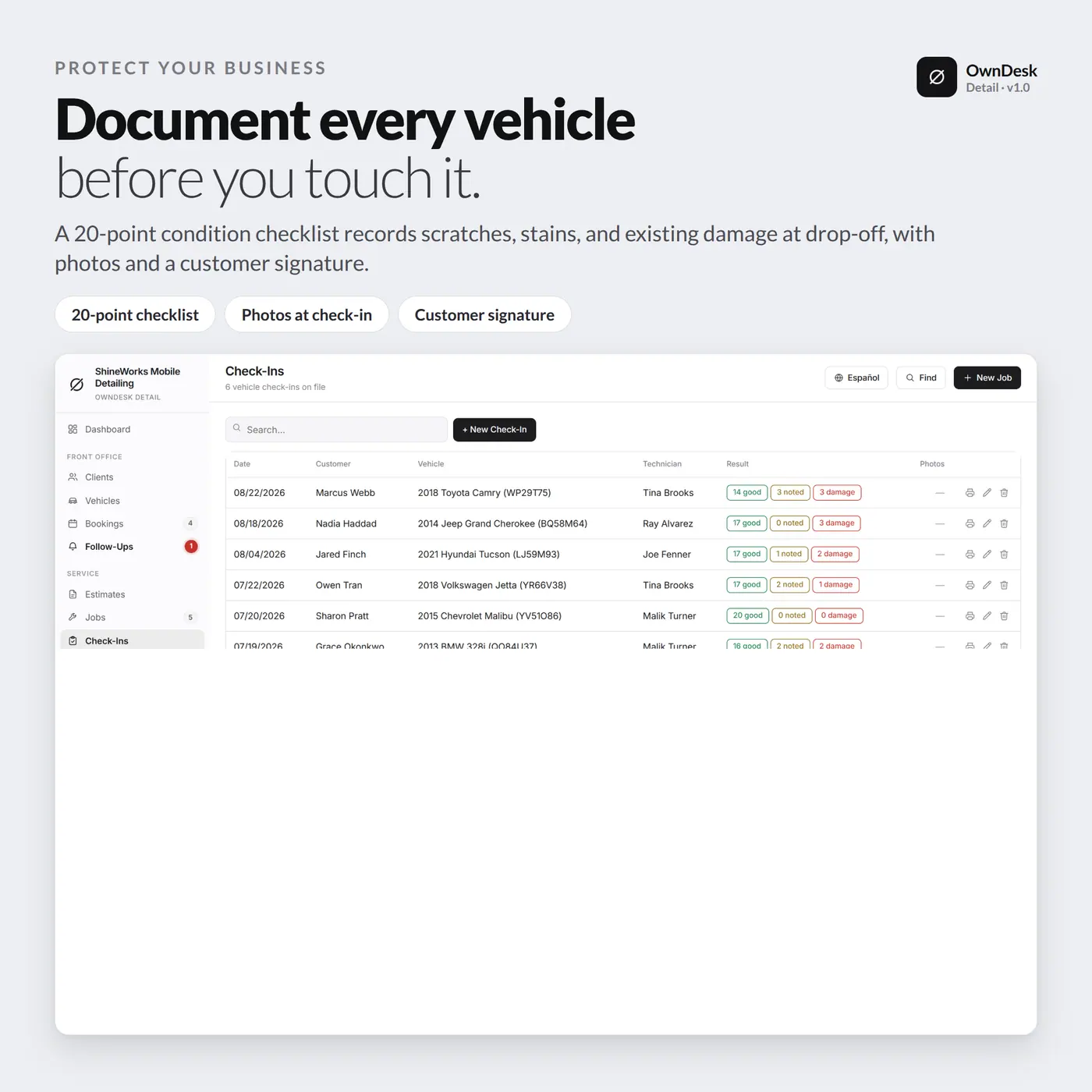
Record the condition of the vehicle at drop-off with a checklist and photographs. Anything found but not sold lands under Opportunities, so the callback happens before it is forgotten.

Clients, vehicles, chemicals and equipment

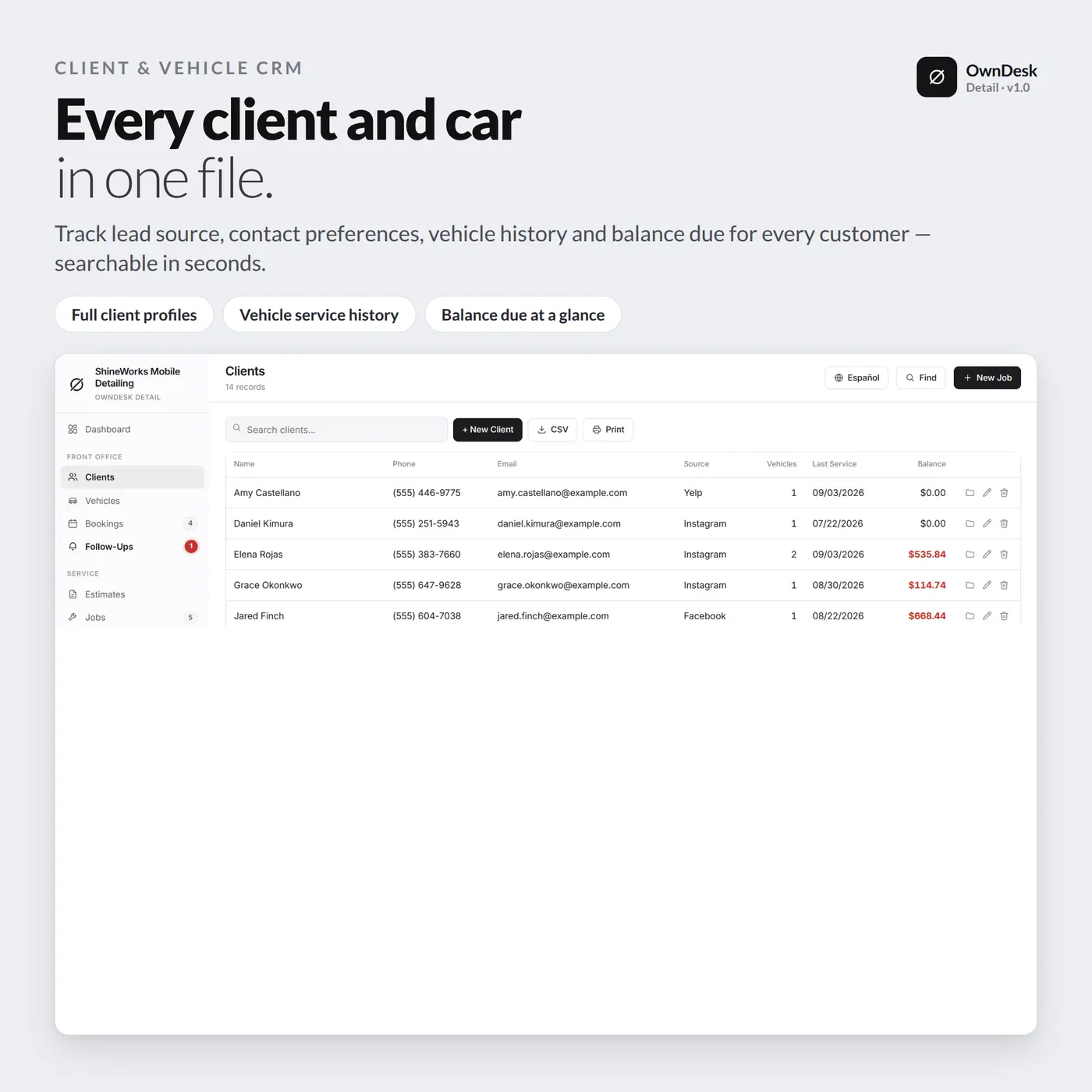
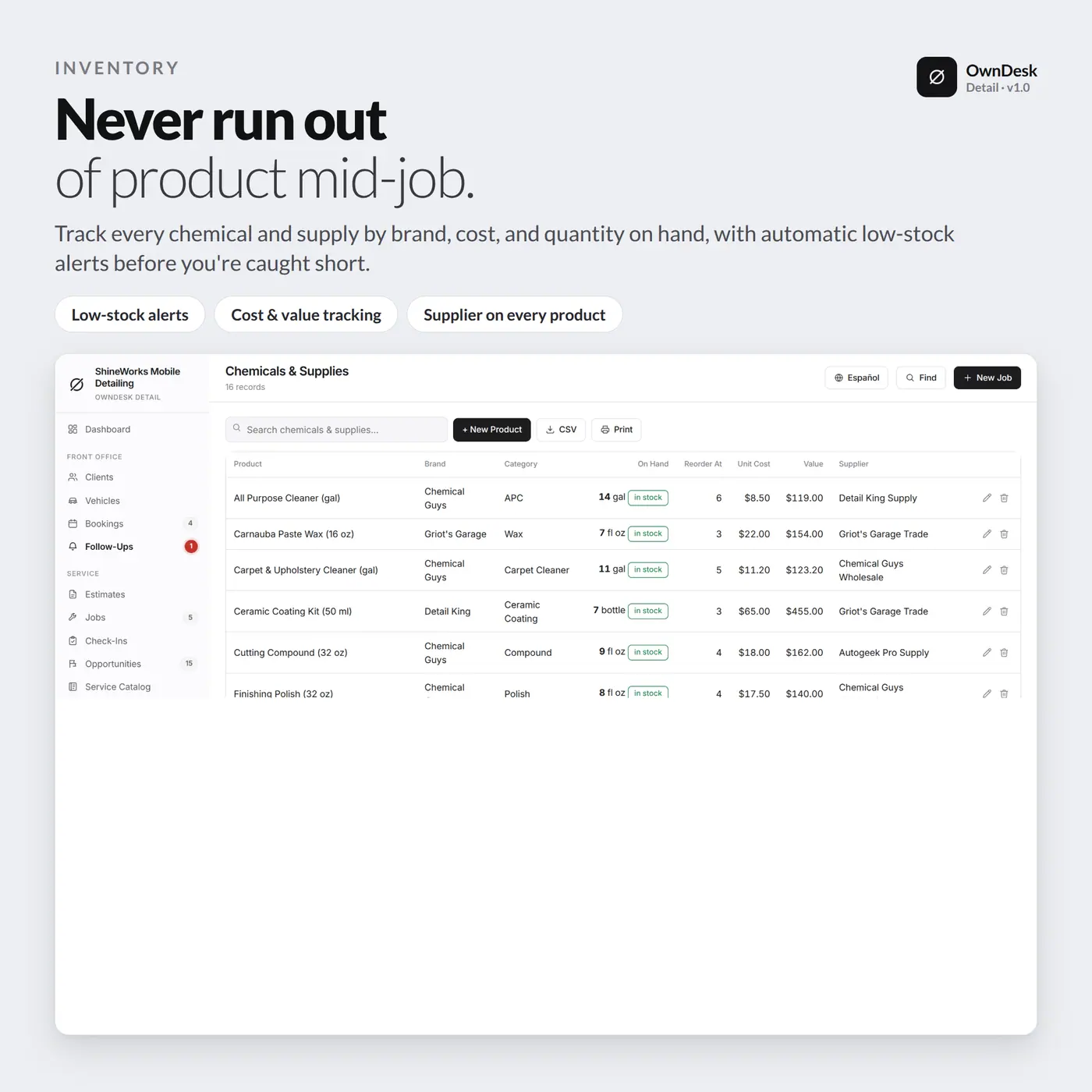
A client and vehicle history for every customer, follow-ups for callbacks and review requests, chemical and supply stock with low-stock alerts, purchase orders, and your machines with their service dates.

What you get

  • One HTML file that opens in your browser, with a sample detailing business already loaded so every screen can be seen full
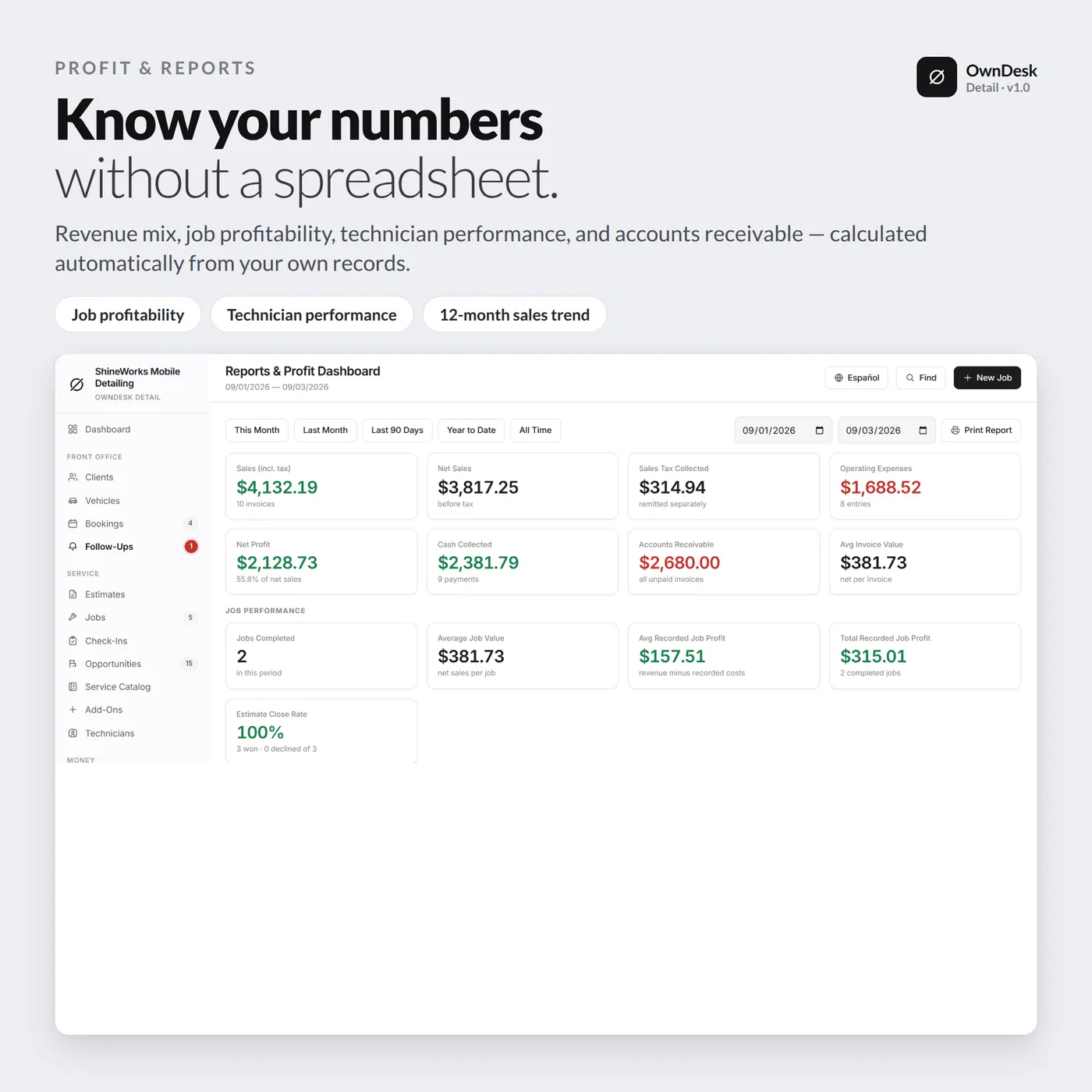
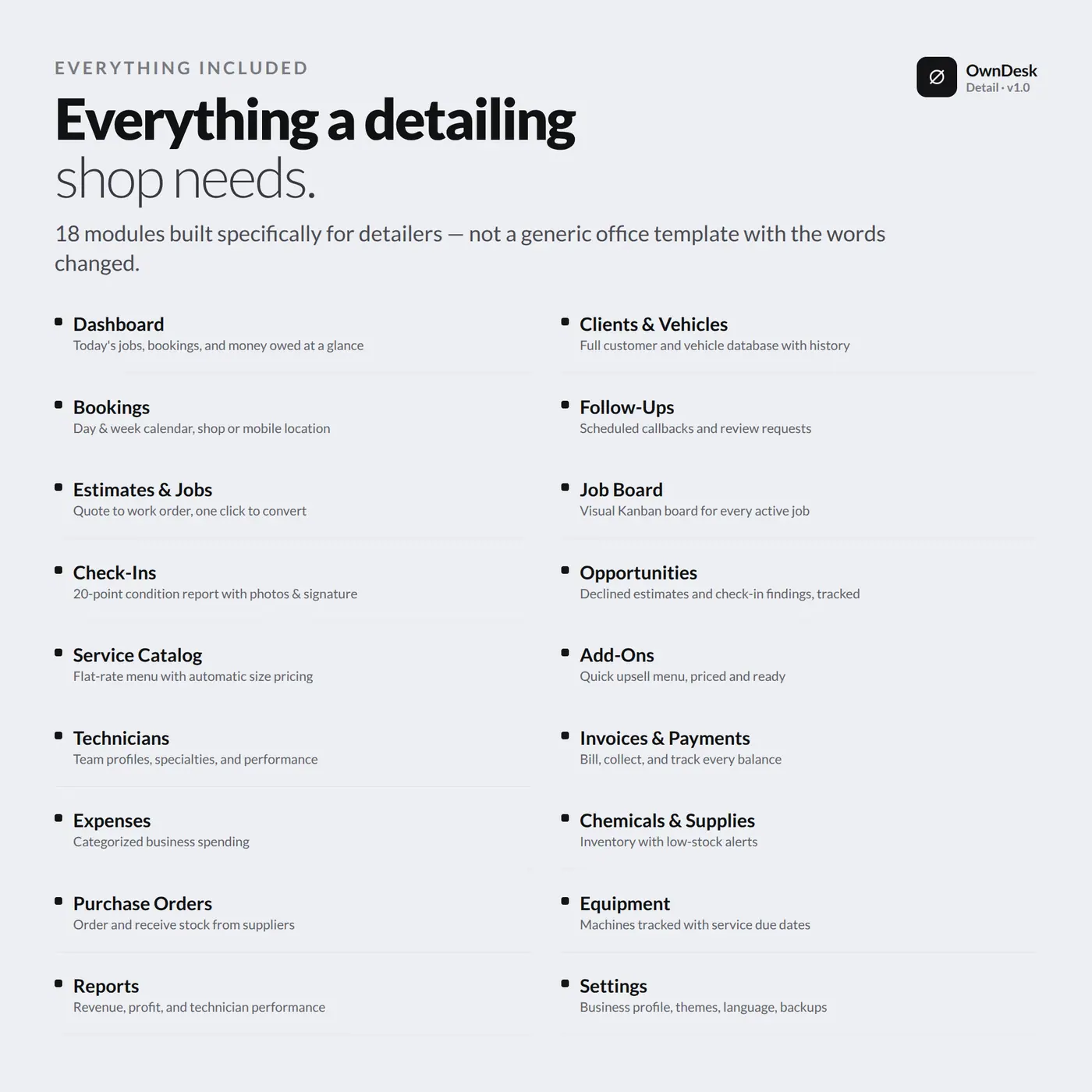
  • Front office, service, money and inventory: clients, vehicles, bookings, follow-ups, estimates, jobs, check-ins, opportunities, service catalog, add-ons, technicians, invoices, payments, expenses, chemicals and supplies, purchase orders, suppliers, equipment and reports
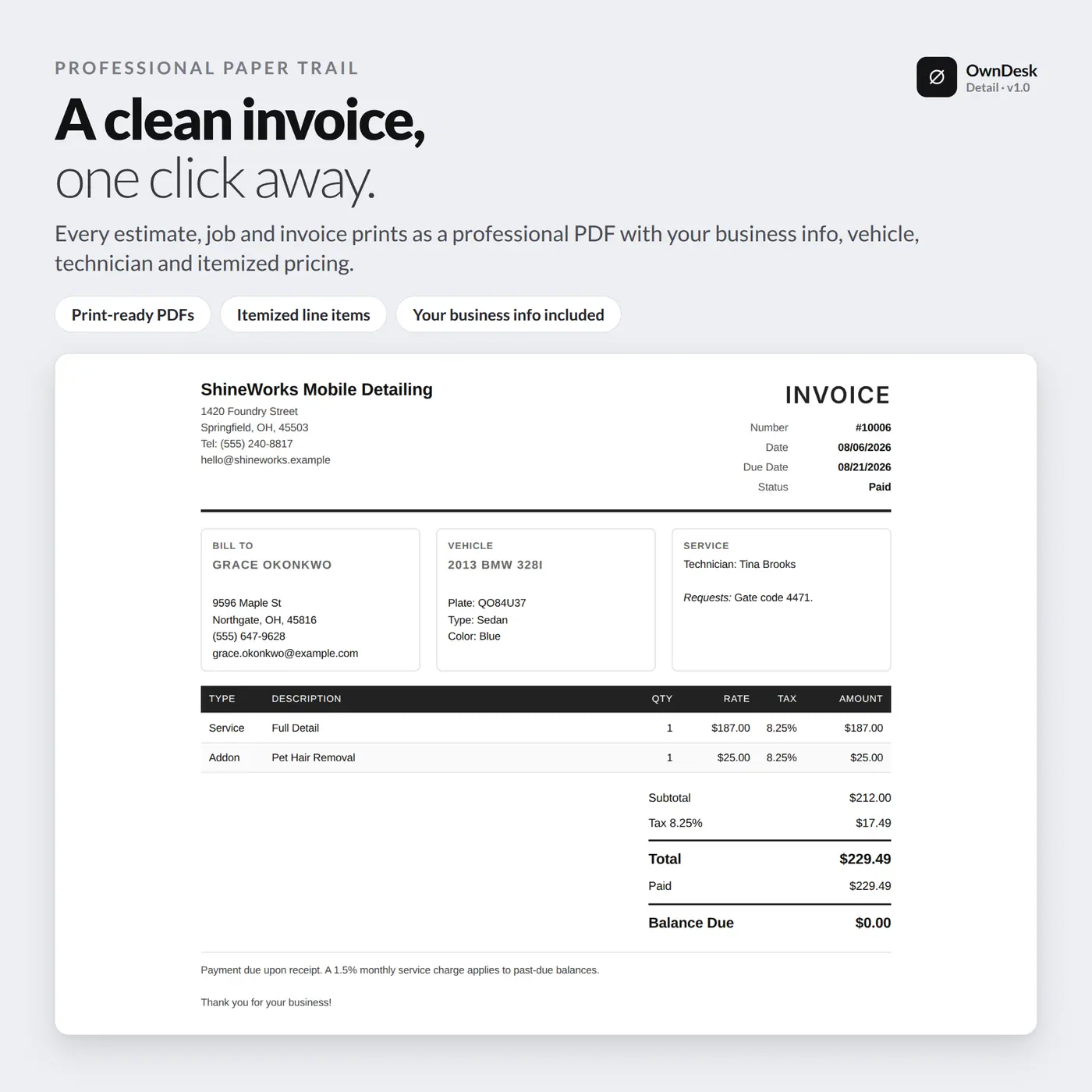
  • Printable estimates, jobs and invoices with customer signature, CSV export of every list, JSON backup and restore, and an optional automatic backup file
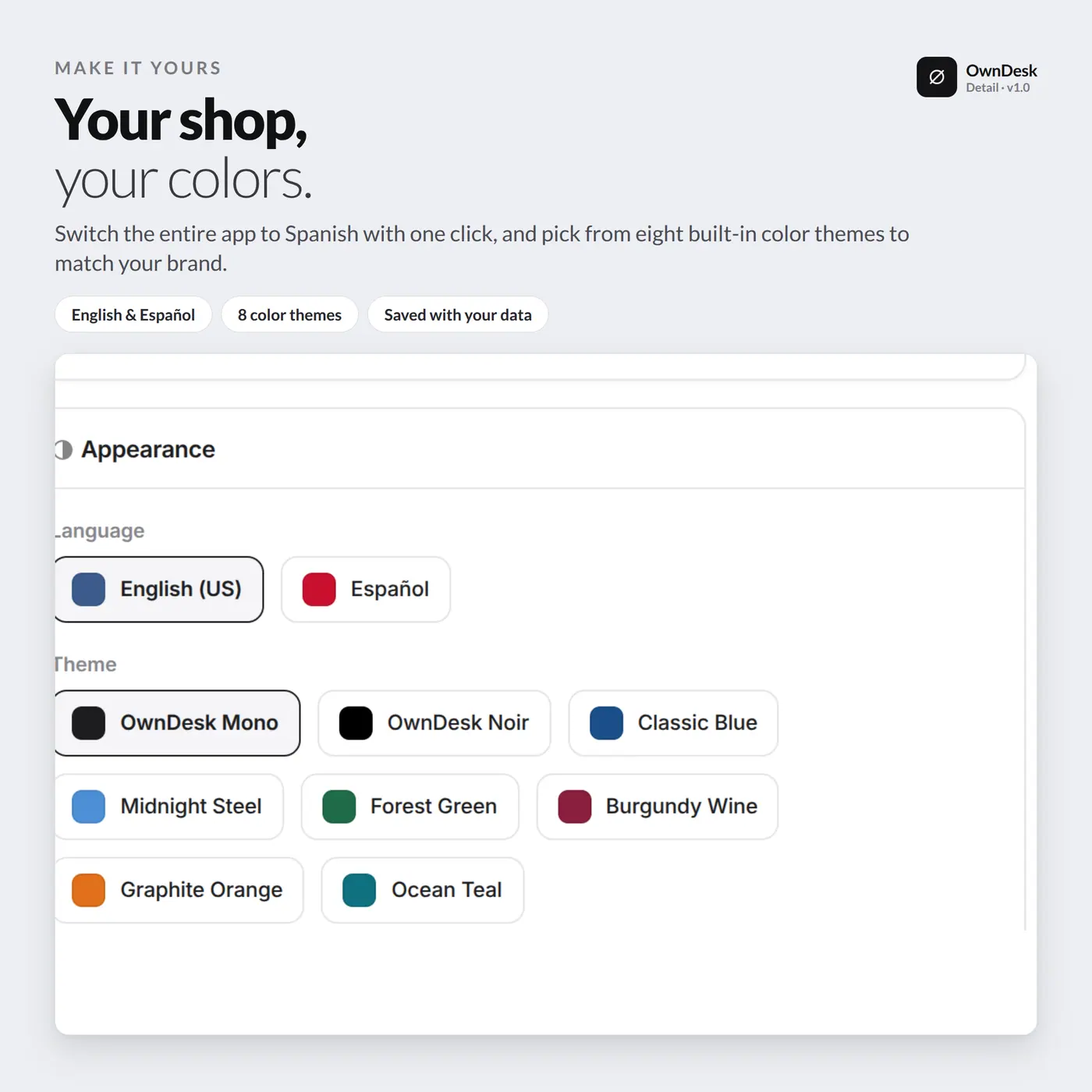
  • English and Spanish, 13 currencies, eight colour themes, light and dark, and a Manager View that hides the figures behind a PIN
  • A quick-start guide included in the download

Before you buy

What does auto detailing software actually do?
It runs the paperwork of a detailing business: clients and their vehicles, bookings, estimates, jobs, invoices, payments, and the chemicals and equipment behind the work. The parts built for detailing are pricing that scales by vehicle size, a job board, a check-in report with photos, and a list of services you found but did not sell.
Is it car detailing software for a mobile detailing business?
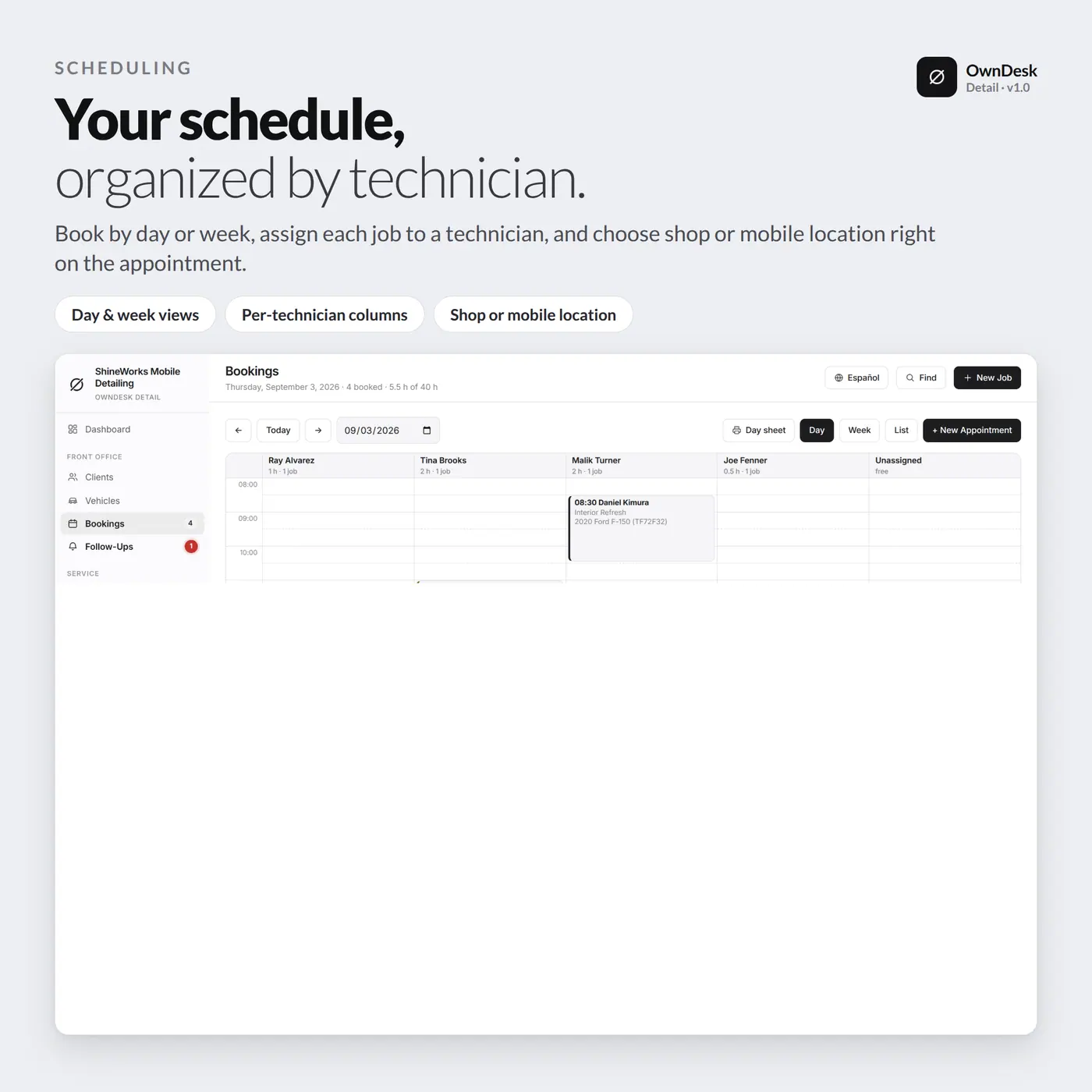
Yes. Every booking is marked as at your shop or mobile at the customer’s location, and the schedule has day and week views. It does not plan routes or track your van, so it will not replace a mapping app, but it keeps the business side of a mobile detailing business in one place.
Does it work as an auto detailing CRM and client tracking tool?
Yes. Each client has a file with their vehicles, bookings, estimates, jobs, invoices and payments, plus tags such as VIP or ceramic, a preferred contact method and follow-ups for callbacks and review requests. It does not send texts or emails for you; it tells you who to contact.
Is it auto detailing scheduling and booking software?
It has a bookings calendar with day and week views, technician assignment and status, and a booking turns into a job in one click. Bookings are entered by you when the customer calls or messages. There is no online page where customers book themselves.
How does vehicle-size pricing work?
Every service is priced once for a Medium vehicle. Settings holds the multipliers for Small, Large and XL, with defaults provided, and when you add a service to a document the software reads the size of the vehicle on it and fills in the price. Any single service can override the multiplier for one size.
Can it take card payments?
No. It records payments against an invoice, cash, card, Zelle, Venmo and other methods, with a reference, and shows what is still owed. The money moves through whatever terminal or app you already use.
Can several people use it at once?
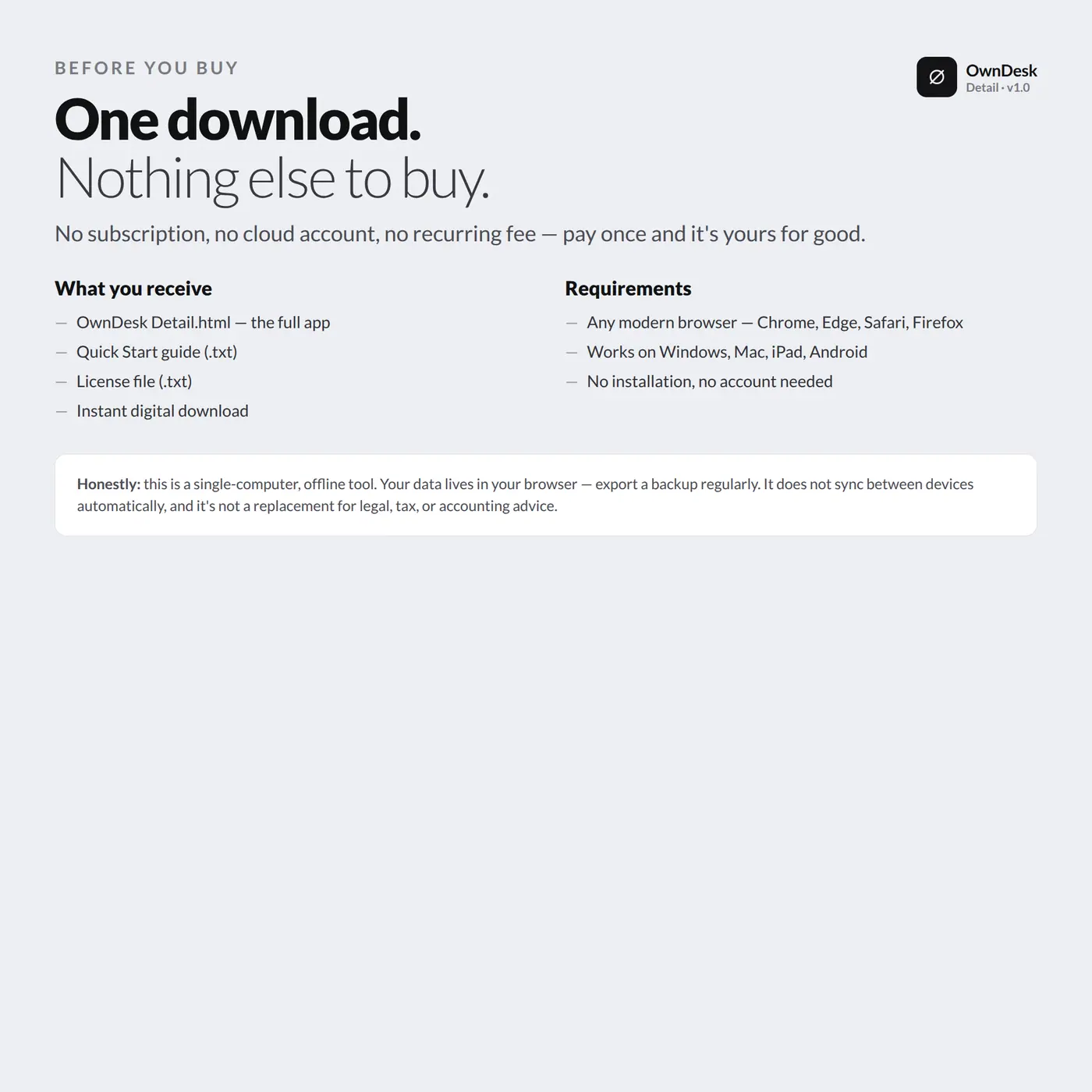
No, and it is the honest limit worth knowing before you buy. There is no cloud sync and no shared database, so it is one computer at a time. A second technician can see the schedule by restoring a backup on another machine or working from one shared computer at the front desk.
Is there a subscription?
No. One payment for the file, no account, no server and no monthly fee. Most detailing software charges every month. Your records stay in your own browser and nothing is uploaded anywhere, so keep a backup file somewhere else.