OwnDesk Budget Sheets

$ 14.99

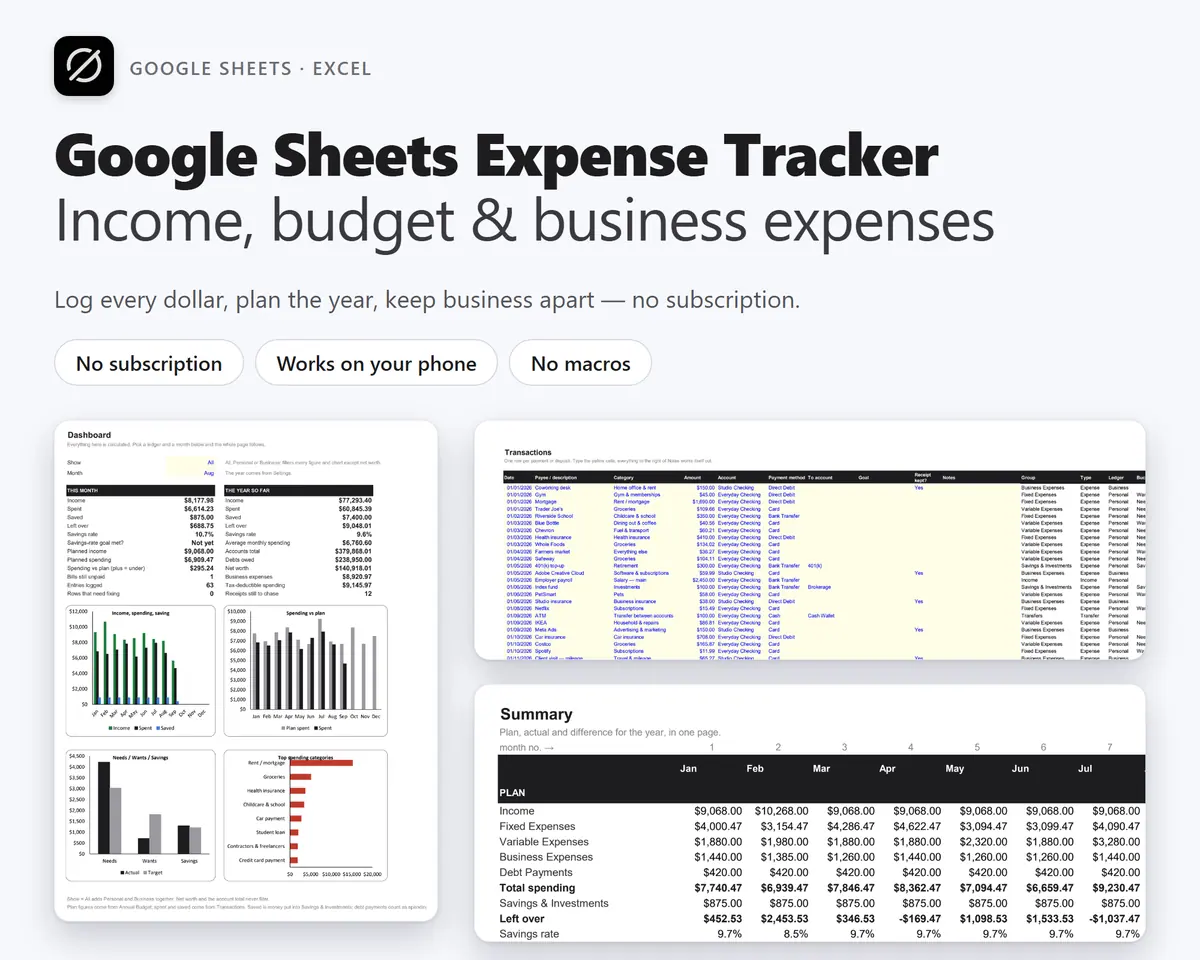
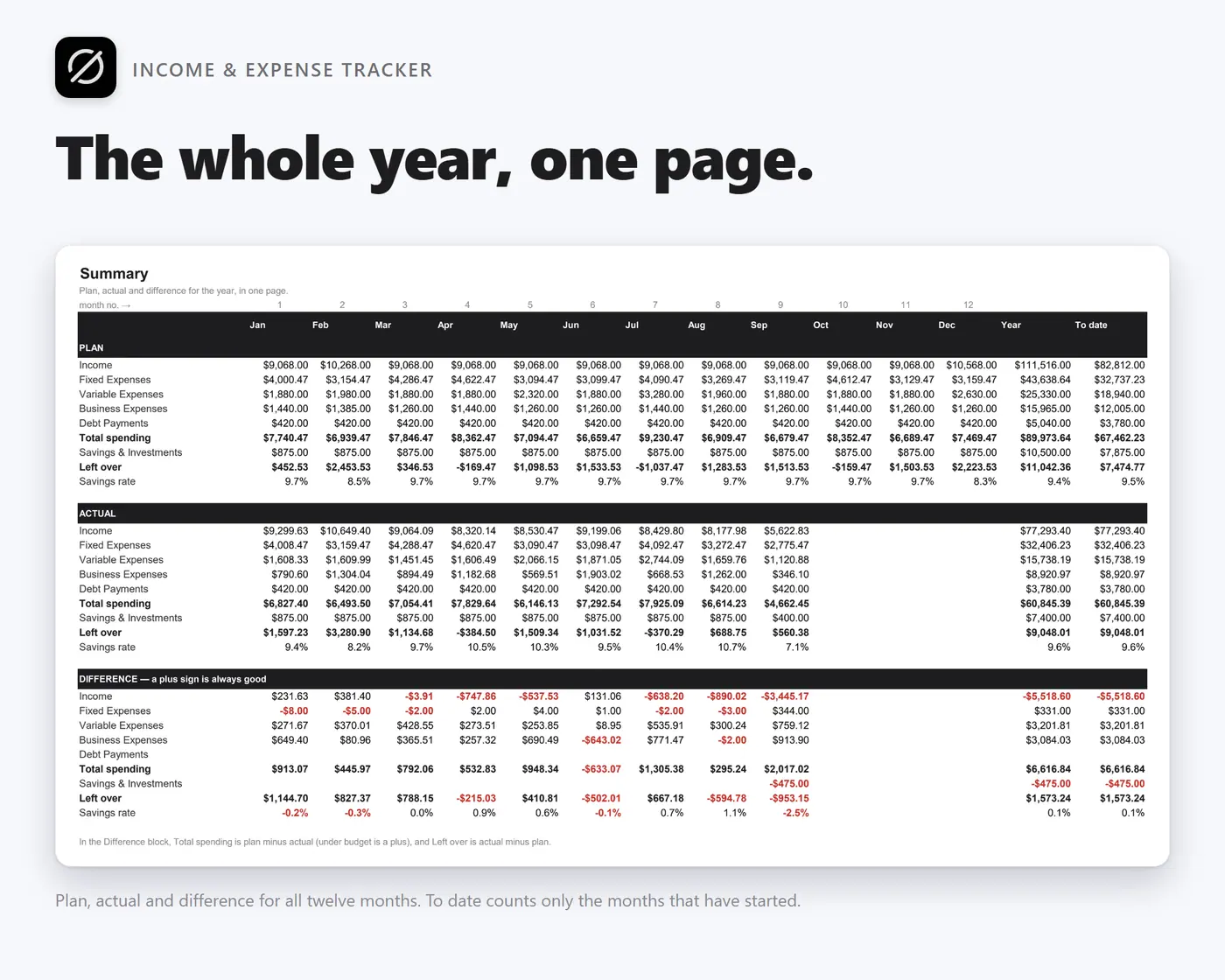
A Google Sheets expense tracker that is also an income and expense tracker, annual budget planner and small business expense log. Also works in Excel. No macros, no add-ons – one payment, and the file lives in your own Google Drive.

Try the live demo first
14-day money-back guaranteeSecure checkout with Stripe
  • 14-day money-back guarantee. Email me and you get a refund, no questions.
  • Download appears on screen the moment payment clears, and by email.
  • Written and supported by Adrián. Replies come from me, usually within a working day.
  • Also sold on Etsy since 2026, with independently moderated reviews.
SKU: owndesk-budget-sheets Category:

See the full Google Sheets expense tracker page

Description

What it does

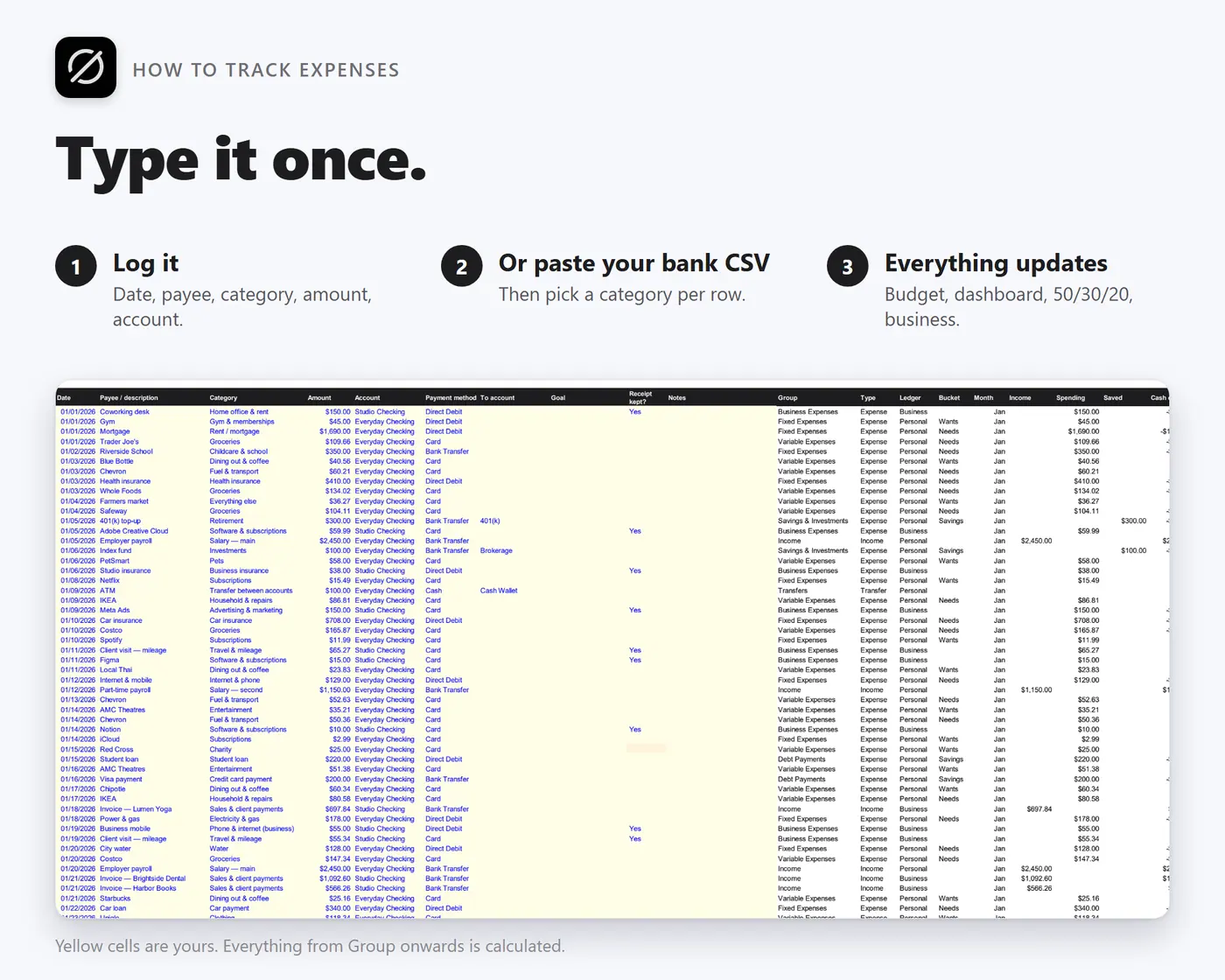
Type a transaction once

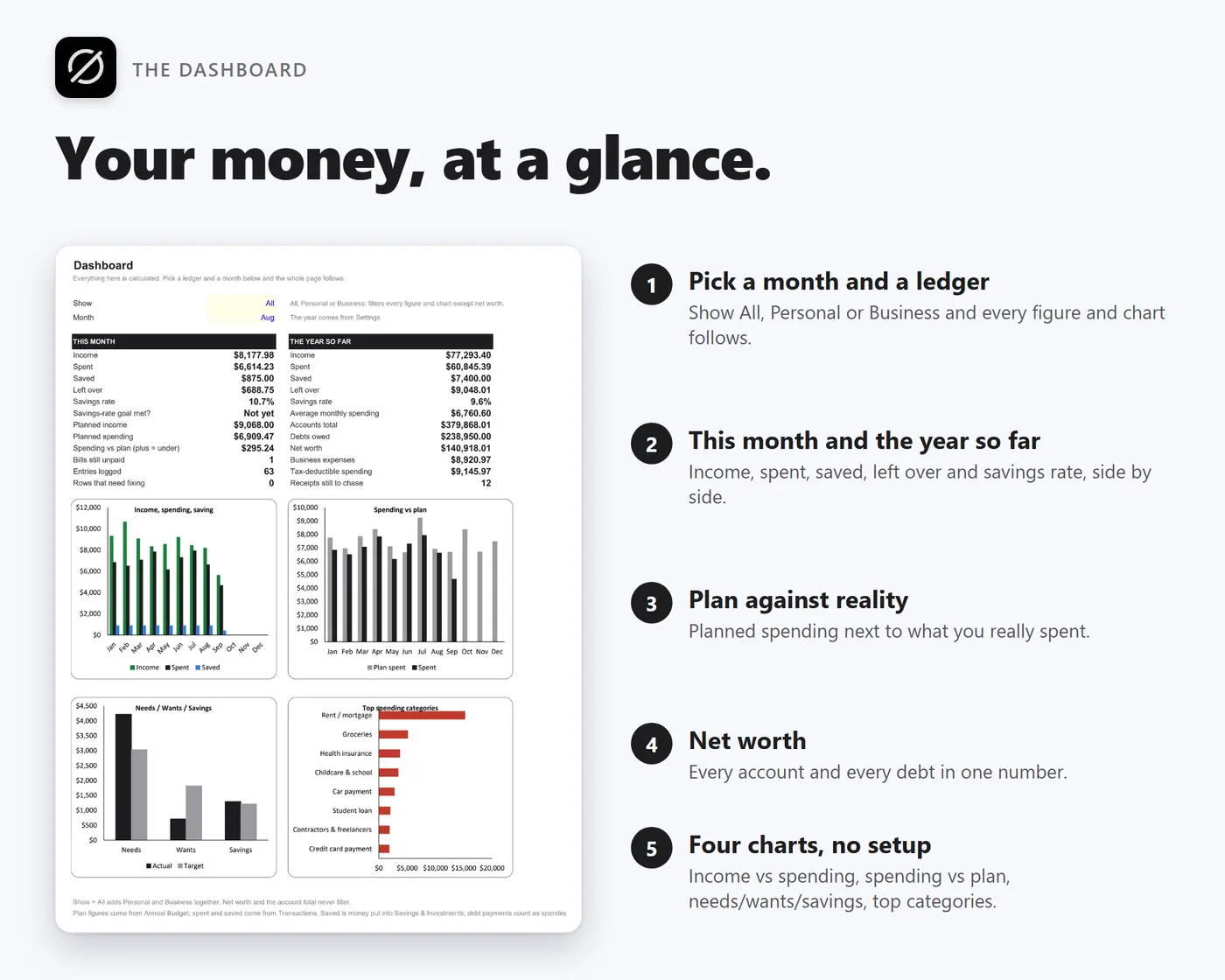
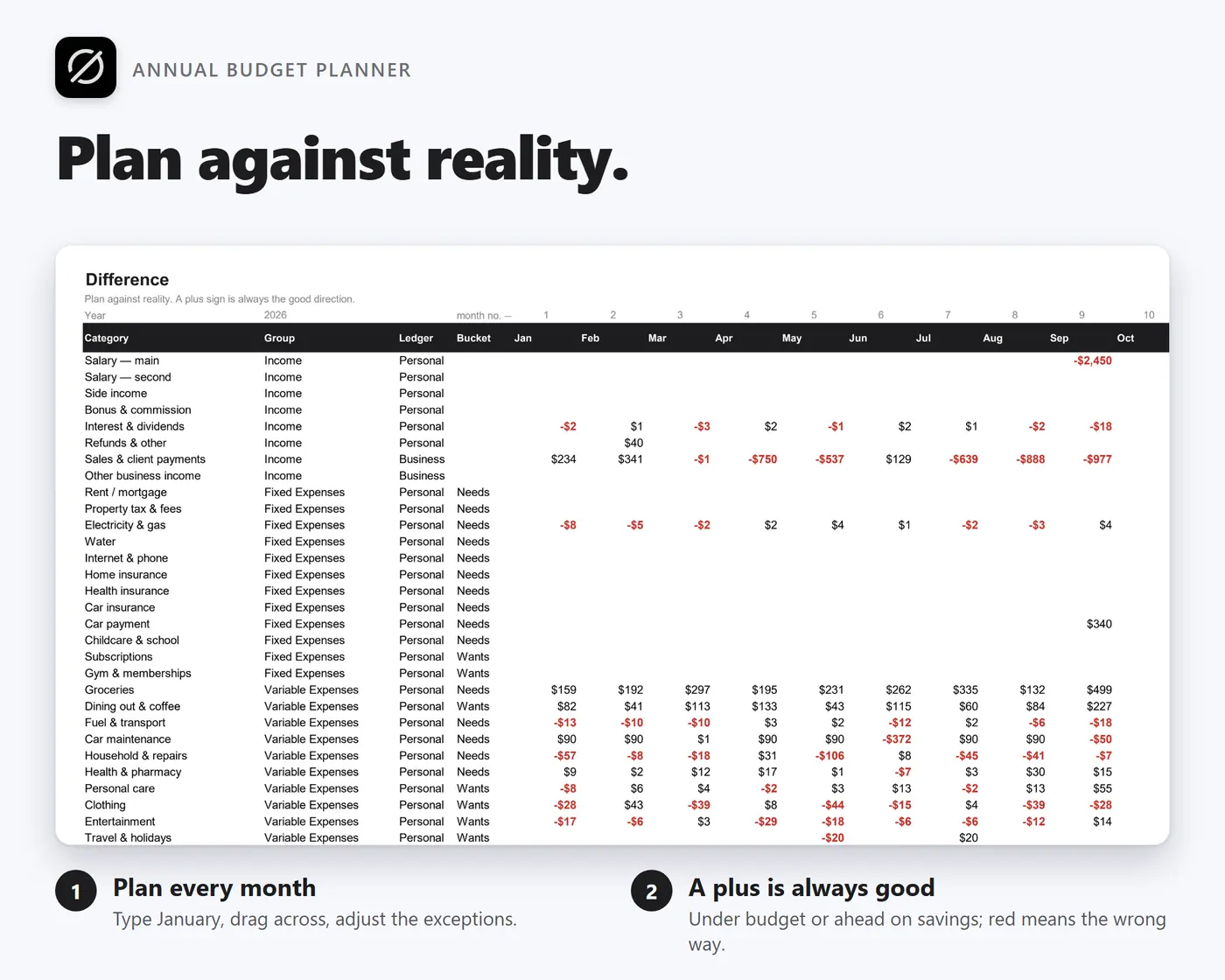
Log the date, payee, category, amount and account. The monthly budget, the yearly summary, the dashboard, the 50/30/20 check and the business report all update.

Works from any device

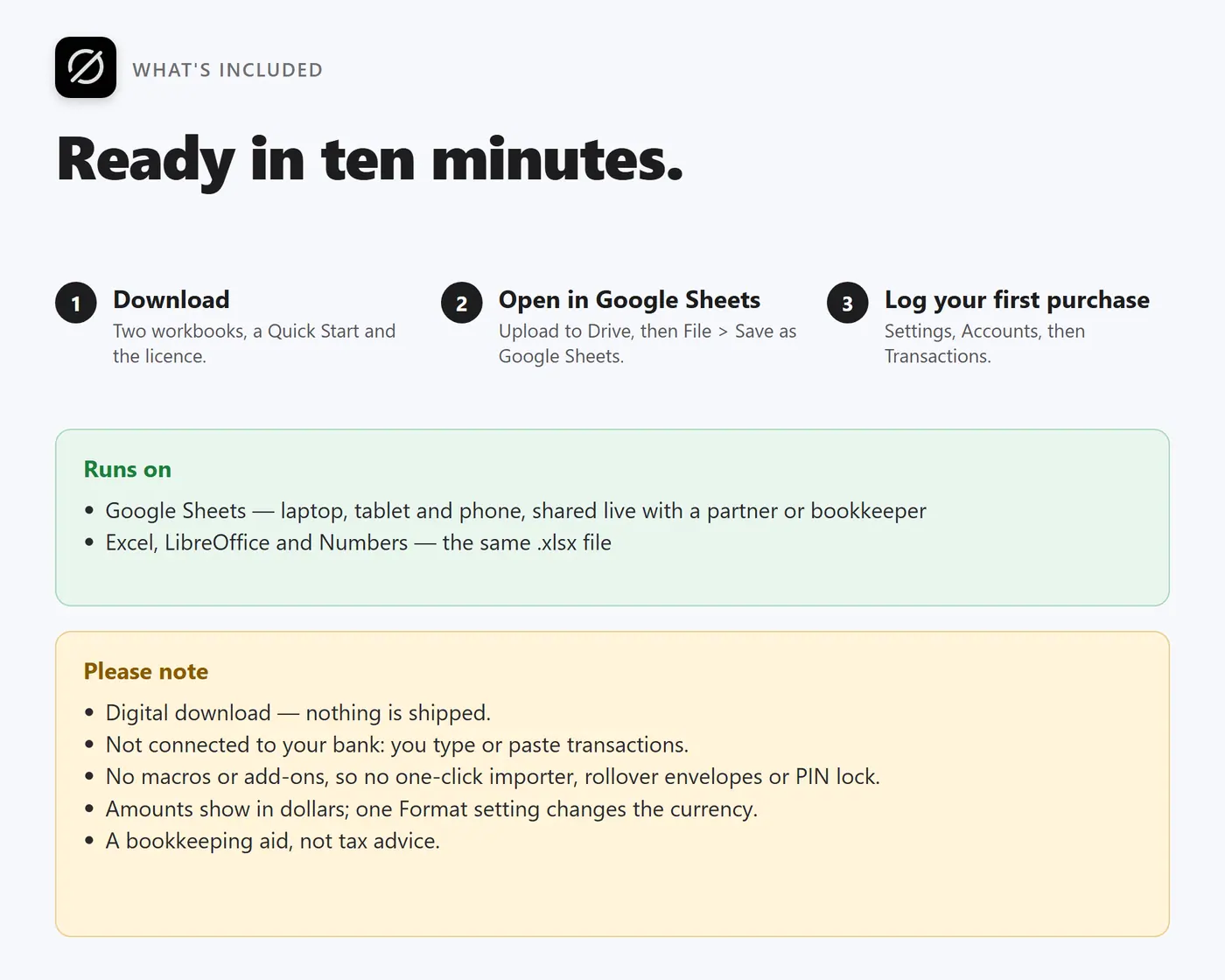
Open it in Google Sheets on a laptop, tablet or phone, log a purchase in ten seconds, and share it with a partner or a bookkeeper to edit together, live.

Small business expenses, built in

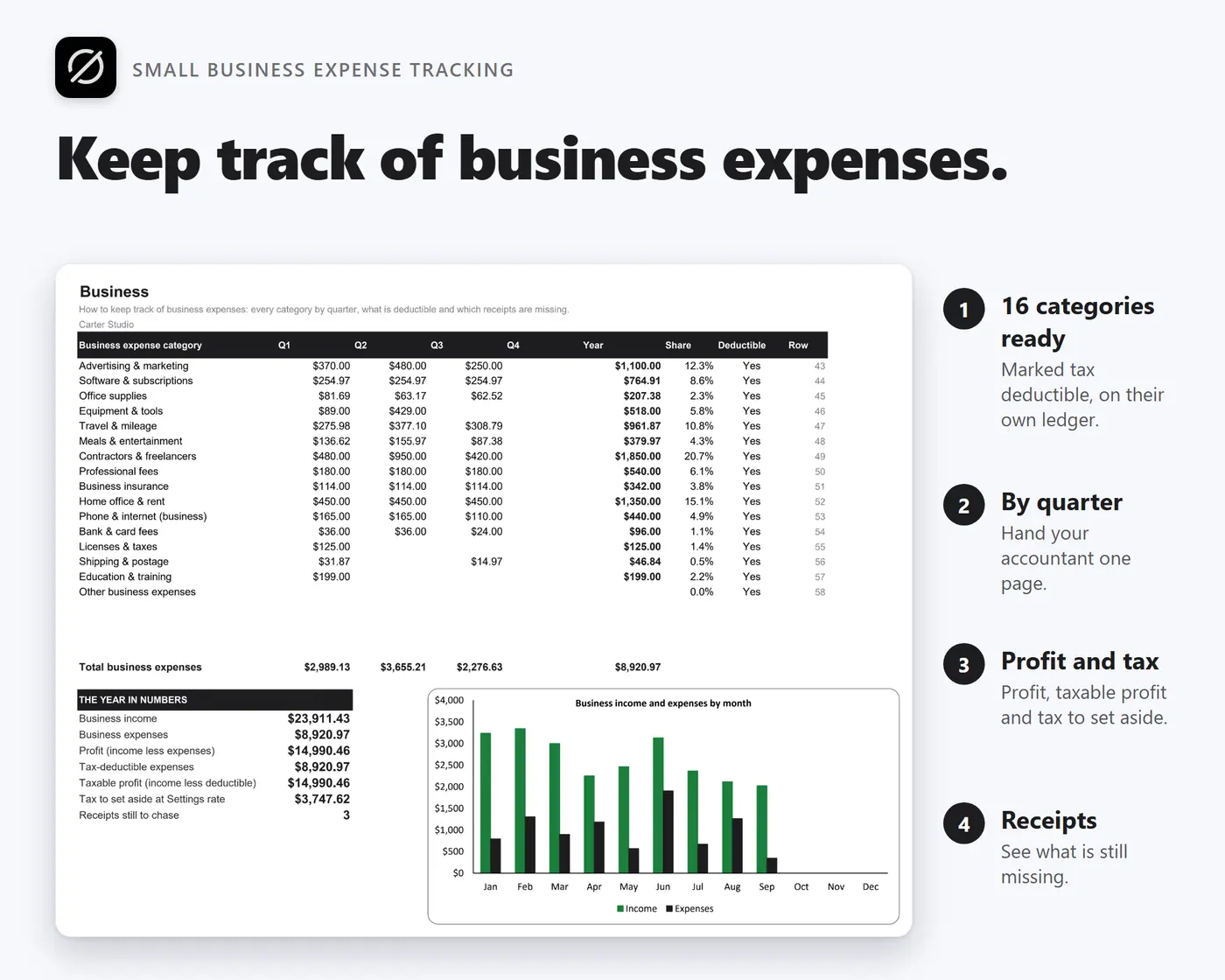
Sixteen business categories marked tax deductible, personal and business ledgers kept apart in one file, a quarterly Business tab for your accountant and a receipt check that shows what is still missing.

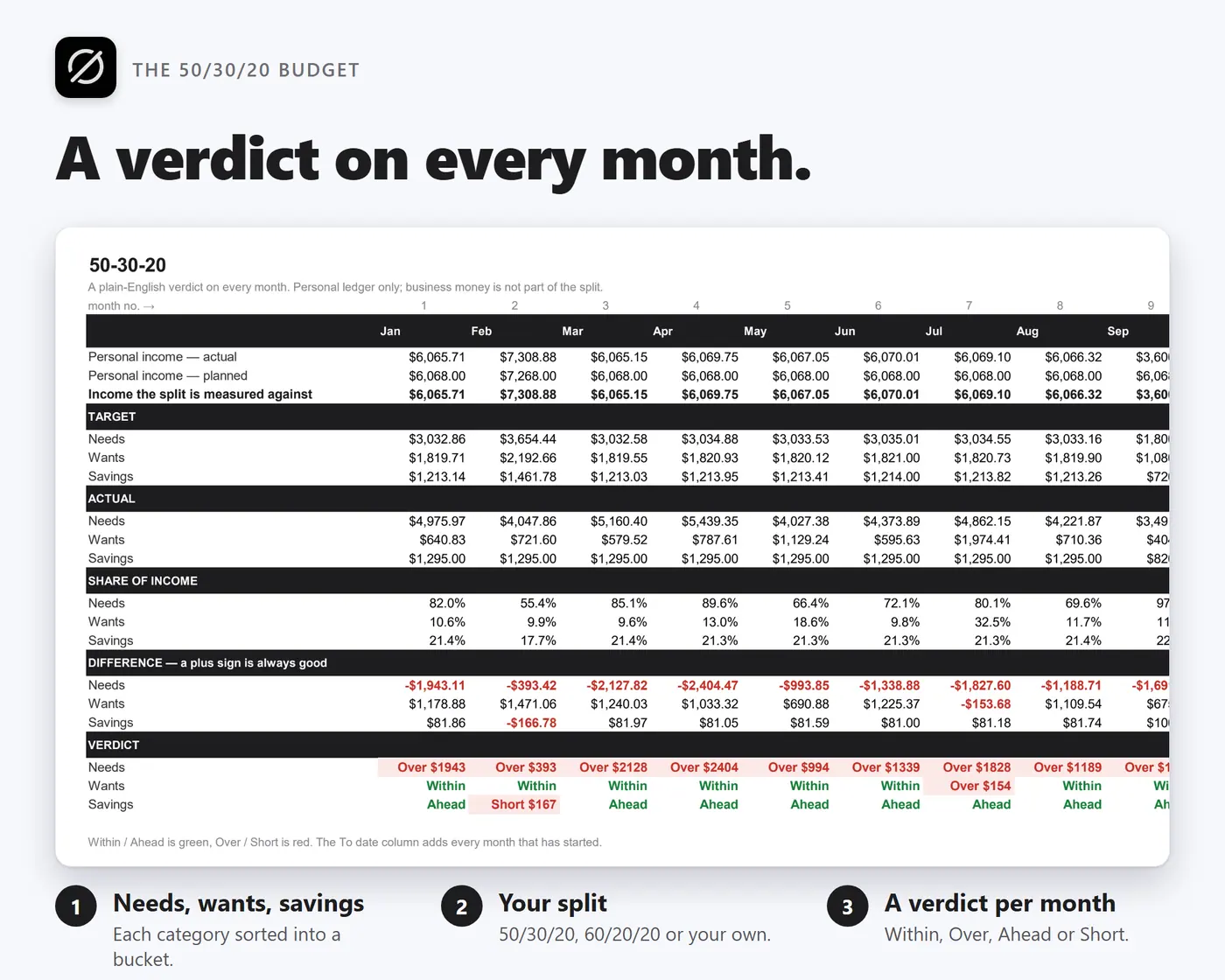
The 50/30/20 rule, done properly

Every personal category sorted into needs, wants or savings, a split you can change, and a written verdict on each month rather than just a red cell.

What you get

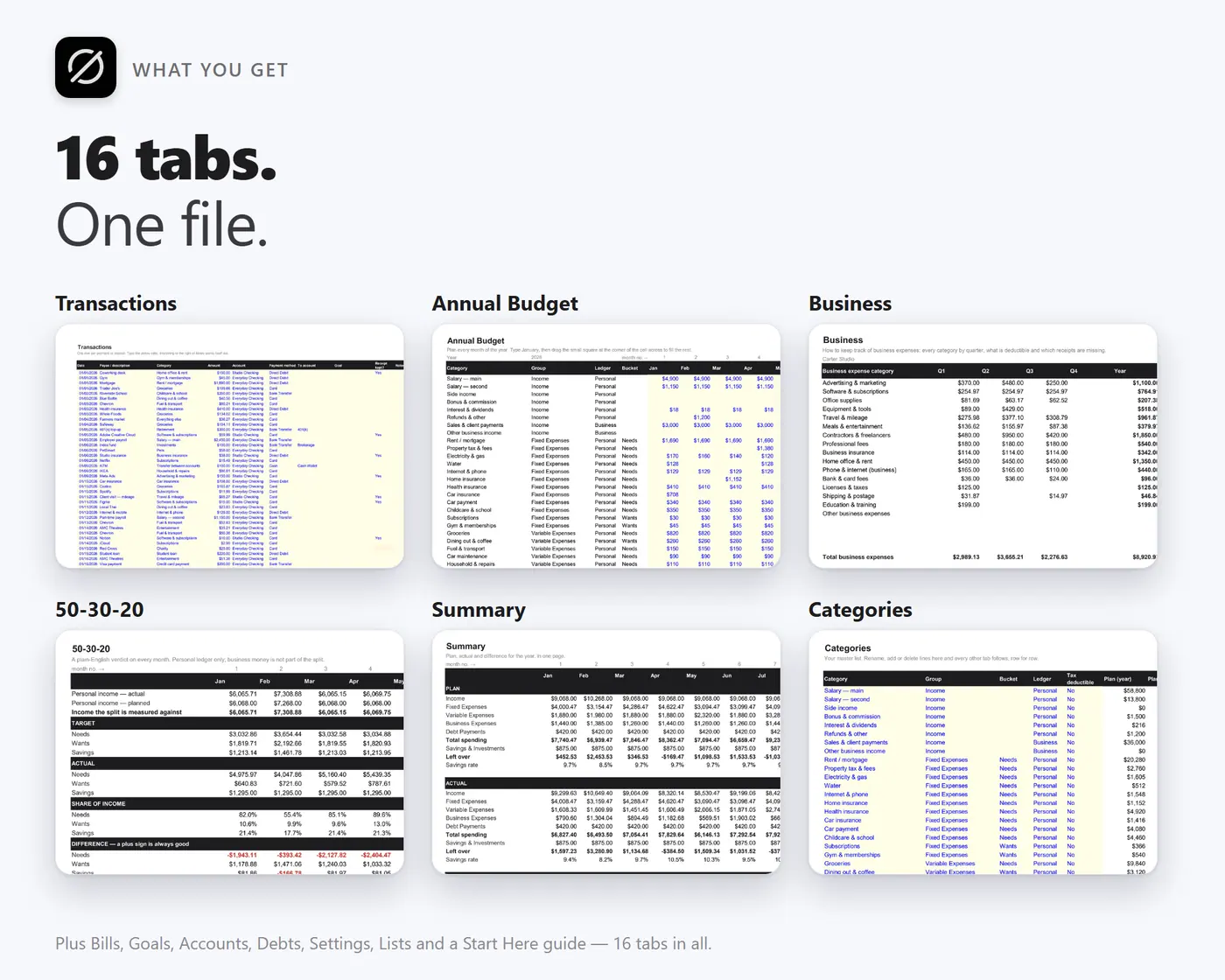
  • OwnDeskBudget-BLANK.xlsx – 16 tabs, ready for your own numbers
  • OwnDeskBudget-SAMPLE.xlsx – a fictional family and their design studio, so you can see everything working
  • Quick Start guide (TXT)
  • Free bug-fix updates

Before you buy

Is this a Google Sheets expense tracker template?
Yes. It is an .xlsx workbook with no macros: upload it to Google Drive, open it with Google Sheets and choose File, Save as Google Sheets. From then on it is a live document you can use from the Google Sheets app on a phone. It also opens in Excel, LibreOffice and Numbers.
How do I keep track of business expenses with it?
Log each business payment against one of sixteen business categories, all marked tax deductible, and say whether you kept the receipt. The Business tab then shows every category by quarter, the profit, the taxable profit, an estimate of tax to set aside and the number of receipts still missing. It is a bookkeeping aid, not tax advice.
Does it connect to my bank?
No. It is not a bank app: you record what happened and it does the arithmetic. If your bank lets you export a CSV, you can paste the date, description and amount columns straight into the Transactions tab and pick a category on each row.
Can my partner or bookkeeper edit it at the same time?
Yes, once it is a Google Sheet in your Drive: share it and you both edit the same file live, with every change saved and versioned automatically.
How is this different from the OwnDesk Budget app?
OwnDesk Budget is a one-file app that runs offline on a single computer and adds rollover, PIN login, CSV import and 13 currencies. Budget Sheets is the choice if you want to use it from any device through Google Drive, share it, or keep a business ledger.
Is there a subscription?
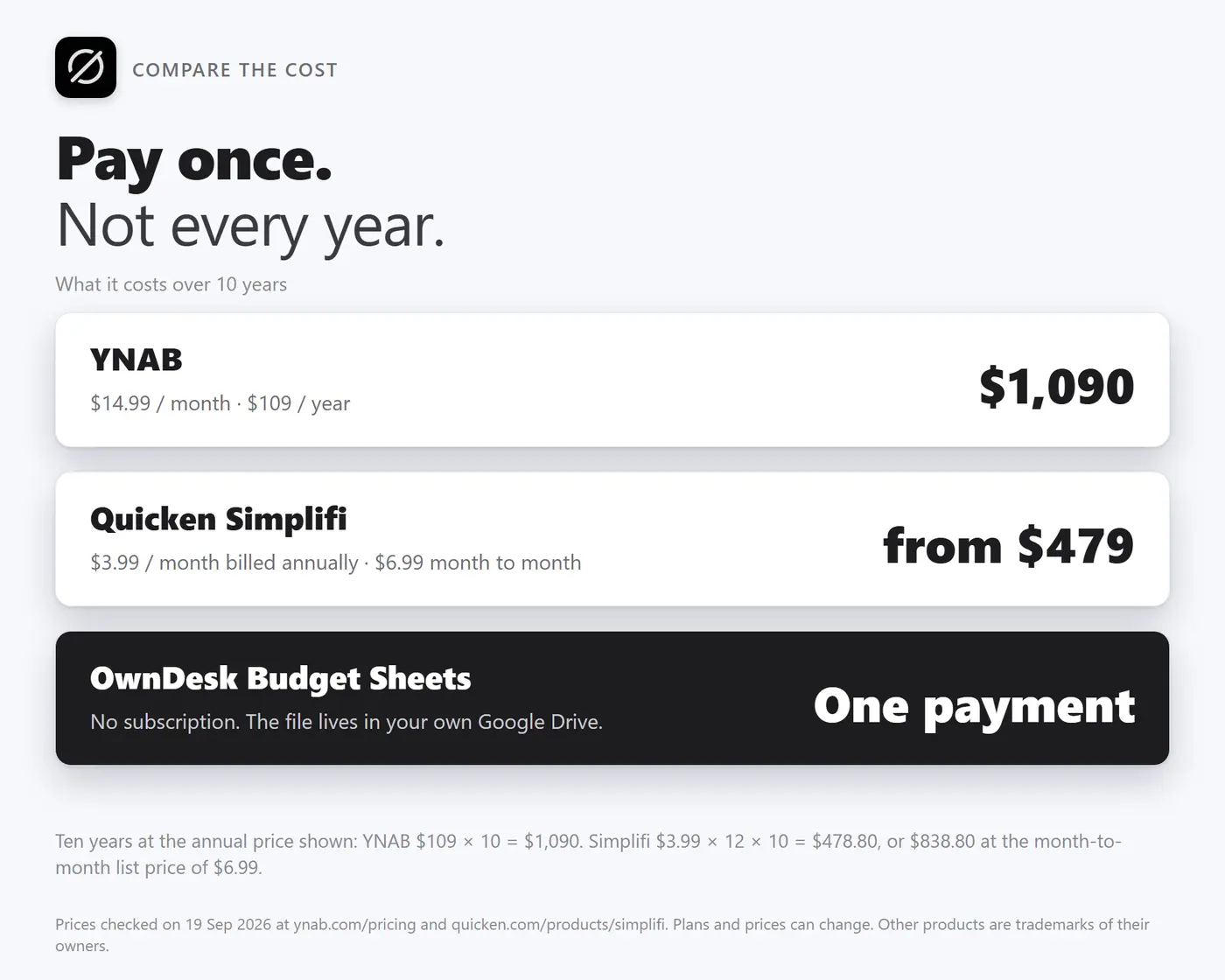
No. One payment, and the file is yours for good. Budgeting apps charge about $100 a year, and the history you typed into them stops being yours the day you stop paying.