
OwnDesk Practice
$ 49.00
Law practice management software for a solo attorney or small firm: matters with deadline flags, a conflict check, time tracking that feeds invoices, a trust ledger, calendar and reports in one offline file. No subscription, no account.
- 14-day money-back guarantee. Email me and you get a refund, no questions.
- Download appears on screen the moment payment clears, and by email.
- Written and supported by Adrián. Replies come from me, usually within a working day.
- Also sold on Etsy since 2026, with independently moderated reviews.
Description
What it does
Matters with a deadline that cannot be missed
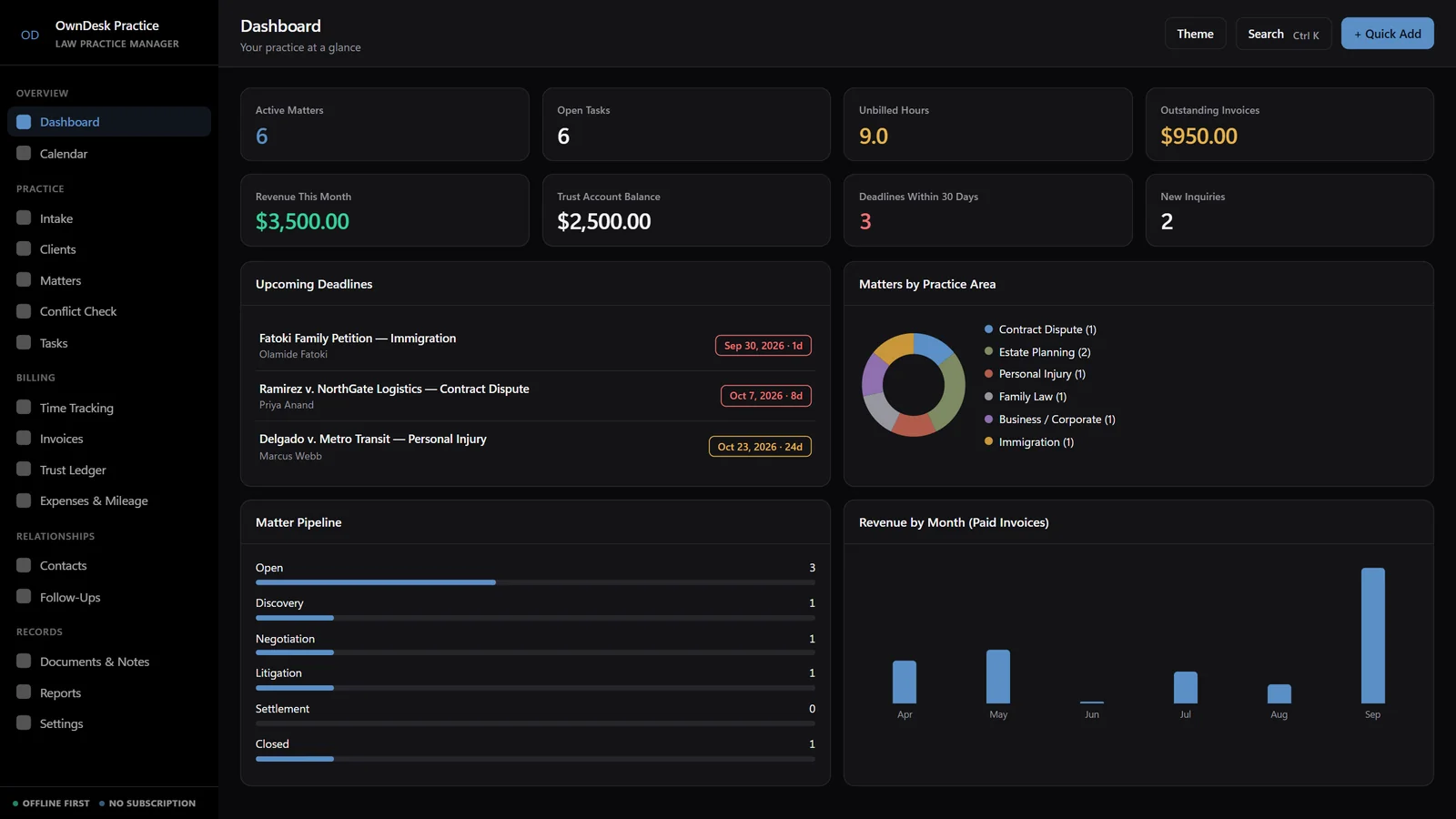
Every case has a practice area, responsible attorney, billing type and a critical-deadline field for statutes of limitations and filing dates, flagged in amber and red on the dashboard and calendar as the date approaches. A task board tracks the case work: To Do, In Progress, Waiting on Client, Done.
A conflict check before you take the client
Search every client, matter and contact already on file, including opposing counsel and opposing parties, in one box before you accept a new case. It checks your own records only and does not replace your firm’s formal conflict procedure.
Time to invoice without retyping
Log billable and non-billable hours by matter, with hourly, flat-fee, retainer and contingency billing. Click Import Unbilled Time on a new invoice and every logged hour becomes a line, with tax and discount worked out as you type, then print it on your own letterhead.
A trust ledger next to your billing
Deposits, withdrawals and fee transfers per client, with a running balance and a firm-wide trust liability total. It is a simple ledger you enter yourself, not a compliant IOLTA reconciliation.
What you get
- One HTML file that opens in your browser, with a sample law firm already loaded so every screen can be seen full
- Sixteen modules: dashboard, intake and conflict check, clients, matters, tasks, calendar, time tracking, invoices, trust ledger, expenses and mileage, contacts, follow-ups, documents, notes and templates, reports and settings
- Printable invoices and reports, Ctrl/Cmd+K search across the whole practice, JSON backup and restore, and light and dark themes
- Quick Start guide and licence included in the download
- No limit on matters, clients or invoices, and no per-seat pricing