
OwnDesk Team
$ 49.00
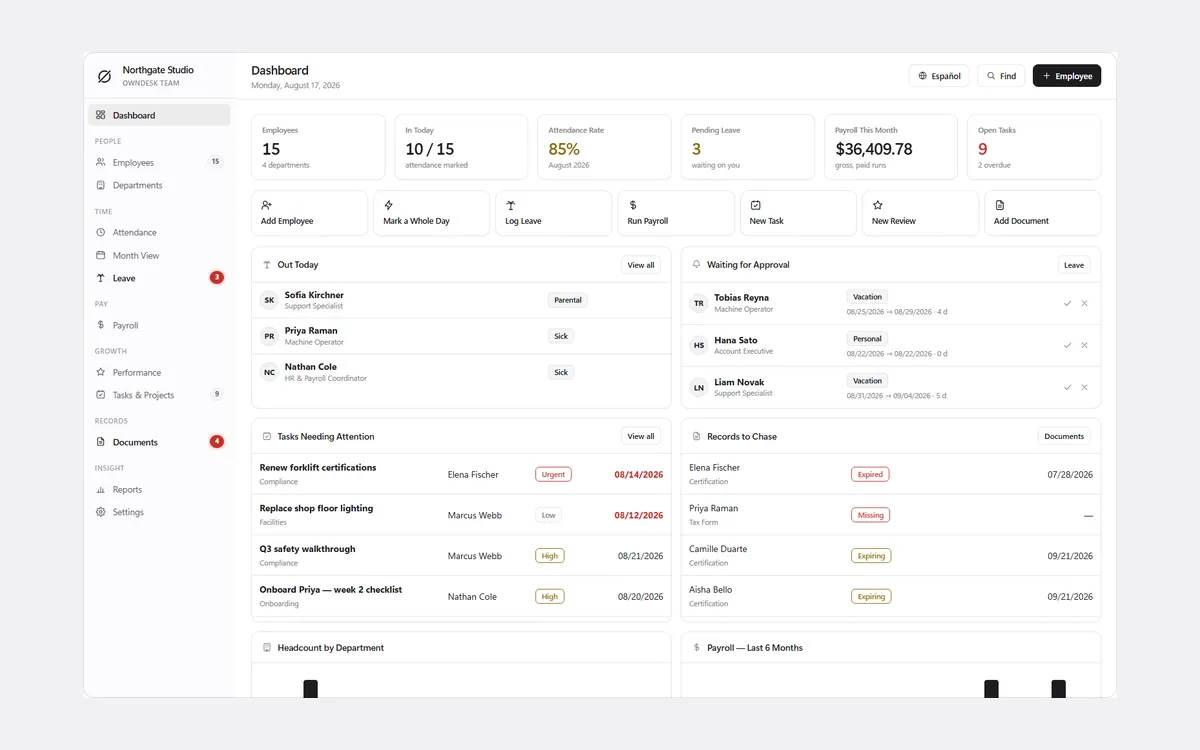
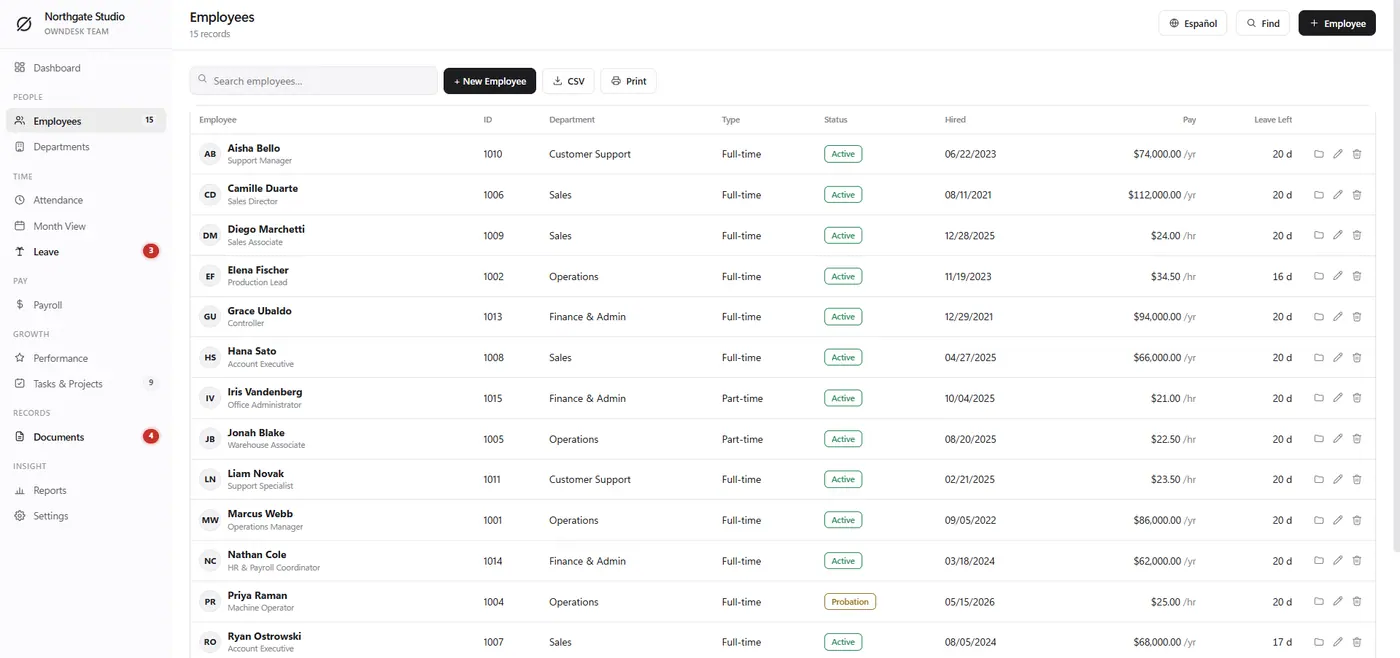
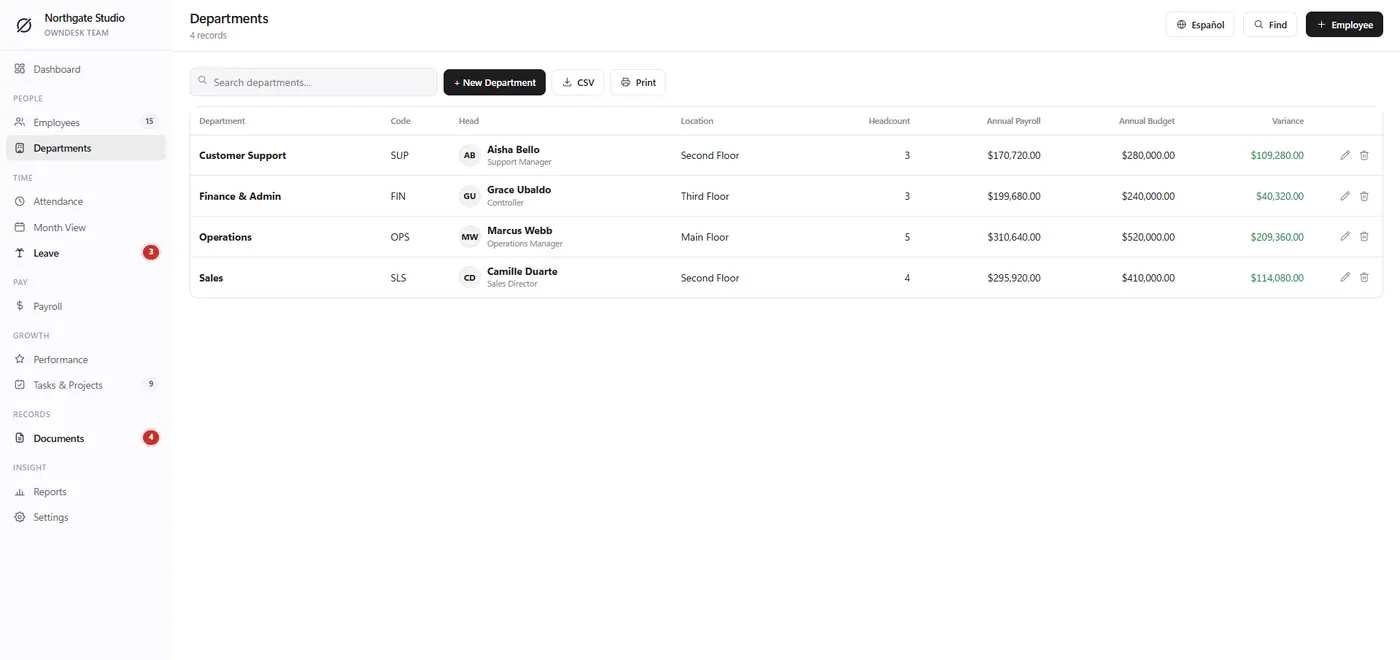
HR software for a small business: employee records, attendance, leave and absence, payroll figures, performance reviews and documents – without paying per seat, per month, forever.
14-day money-back guaranteeSecure checkout with Stripe
- 14-day money-back guarantee. Email me and you get a refund, no questions.
- Download appears on screen the moment payment clears, and by email.
- Written and supported by Adrián. Replies come from me, usually within a working day.
- Also sold on Etsy since 2026, with independently moderated reviews.
Description
What it does
Attendance and leave that agree with each other
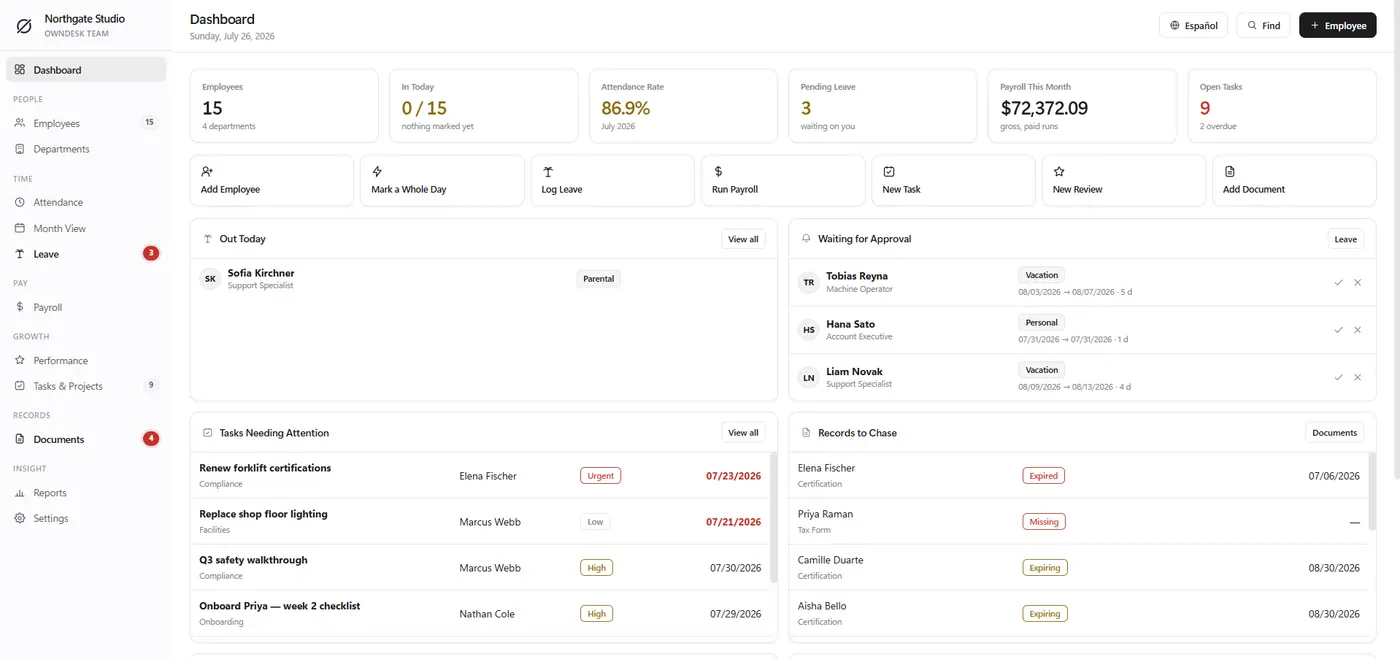
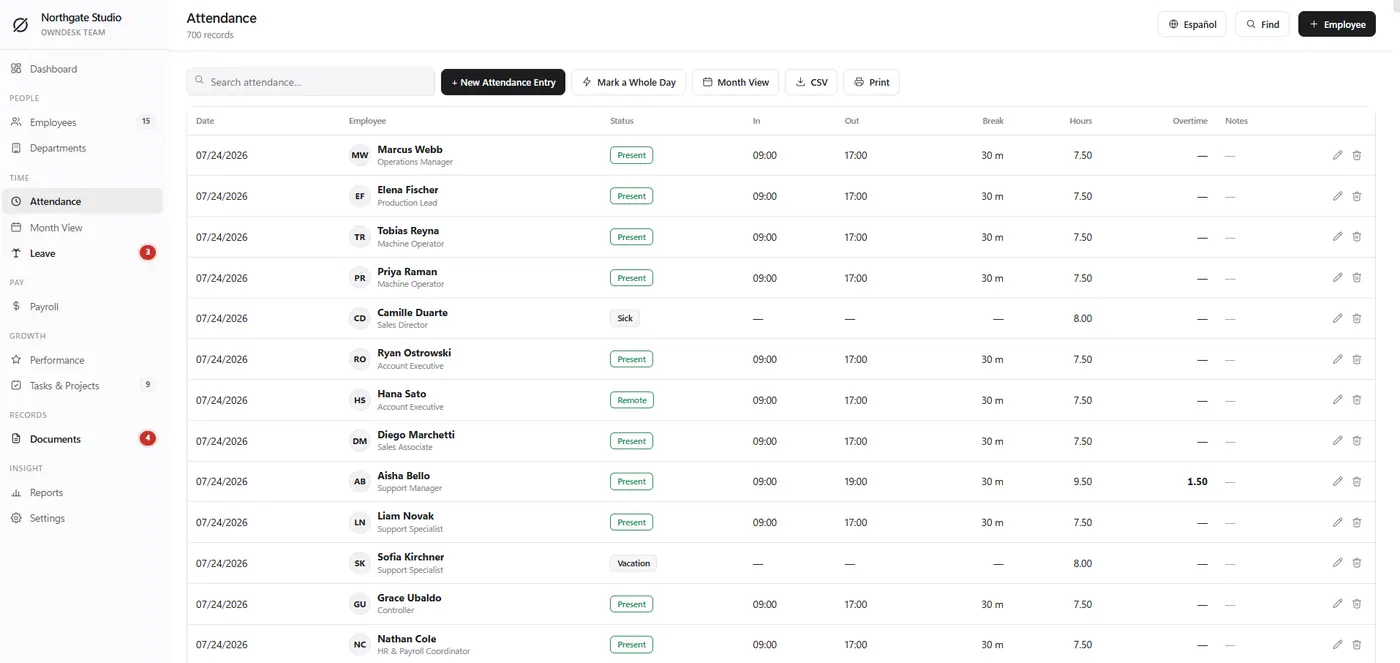
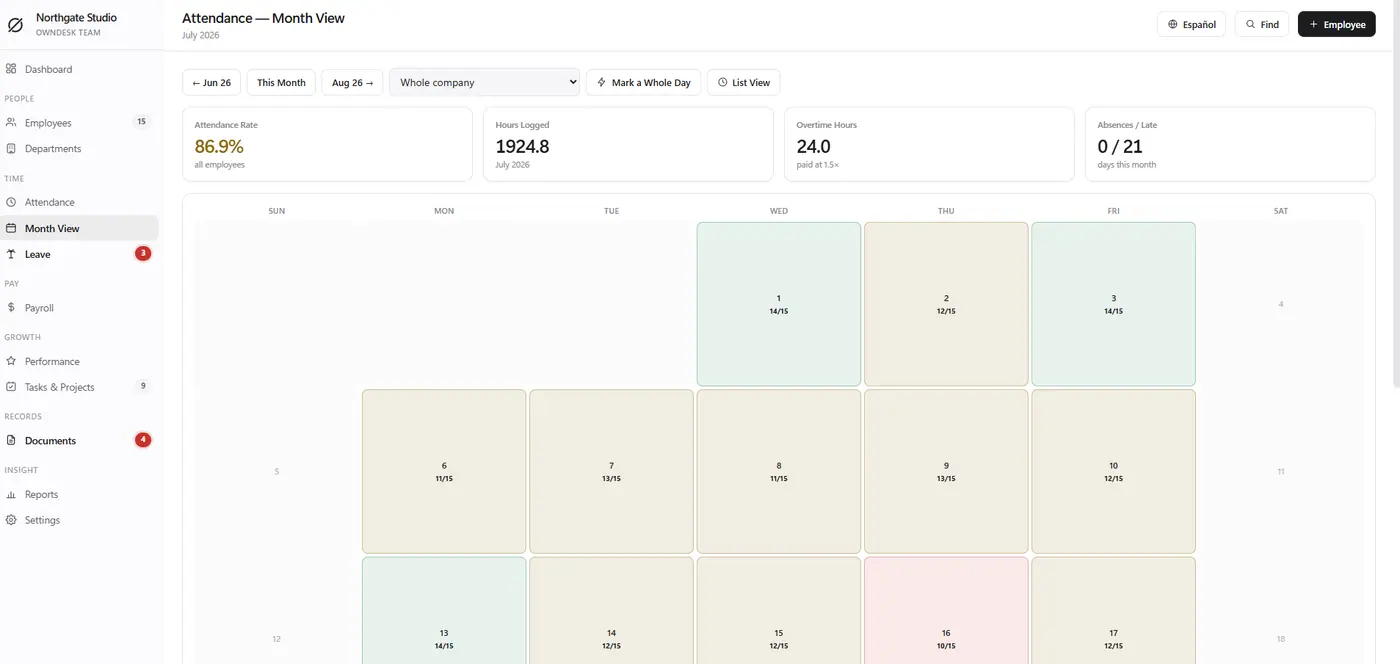
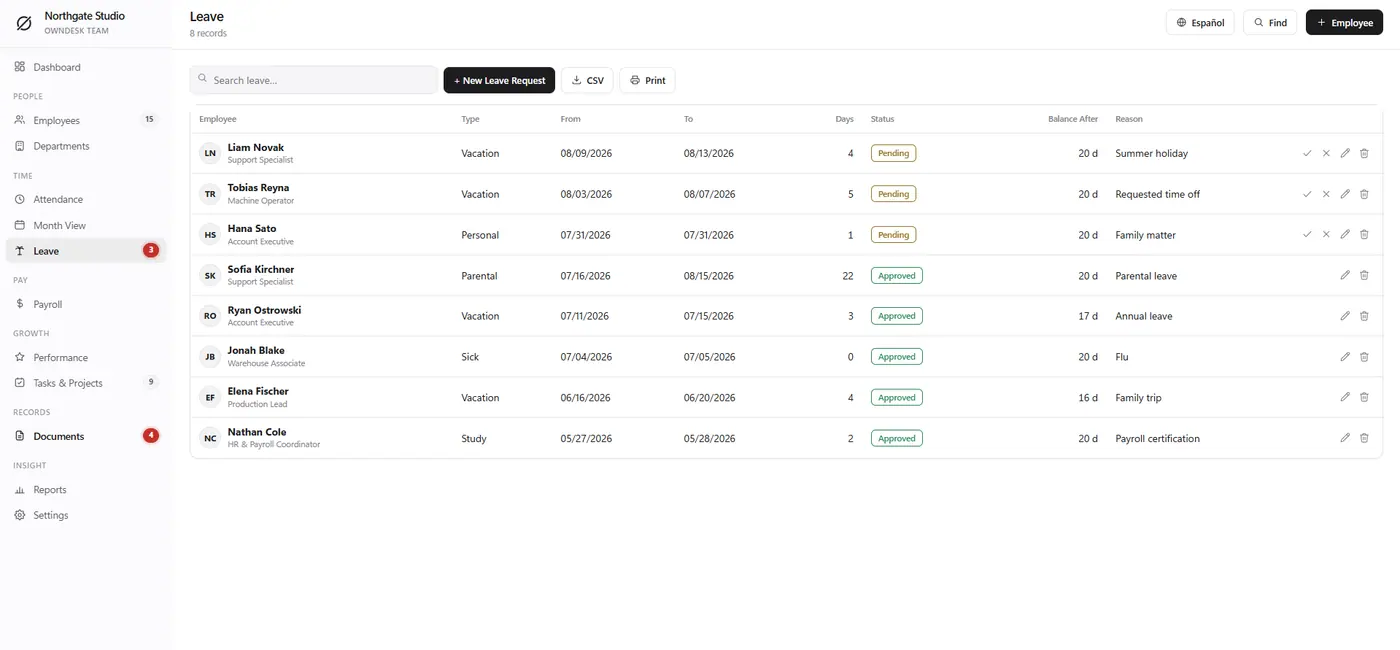
Day view, month view and a leave calendar built from the same records, so the holiday balance is never argued about.
Payroll figures, not payroll software
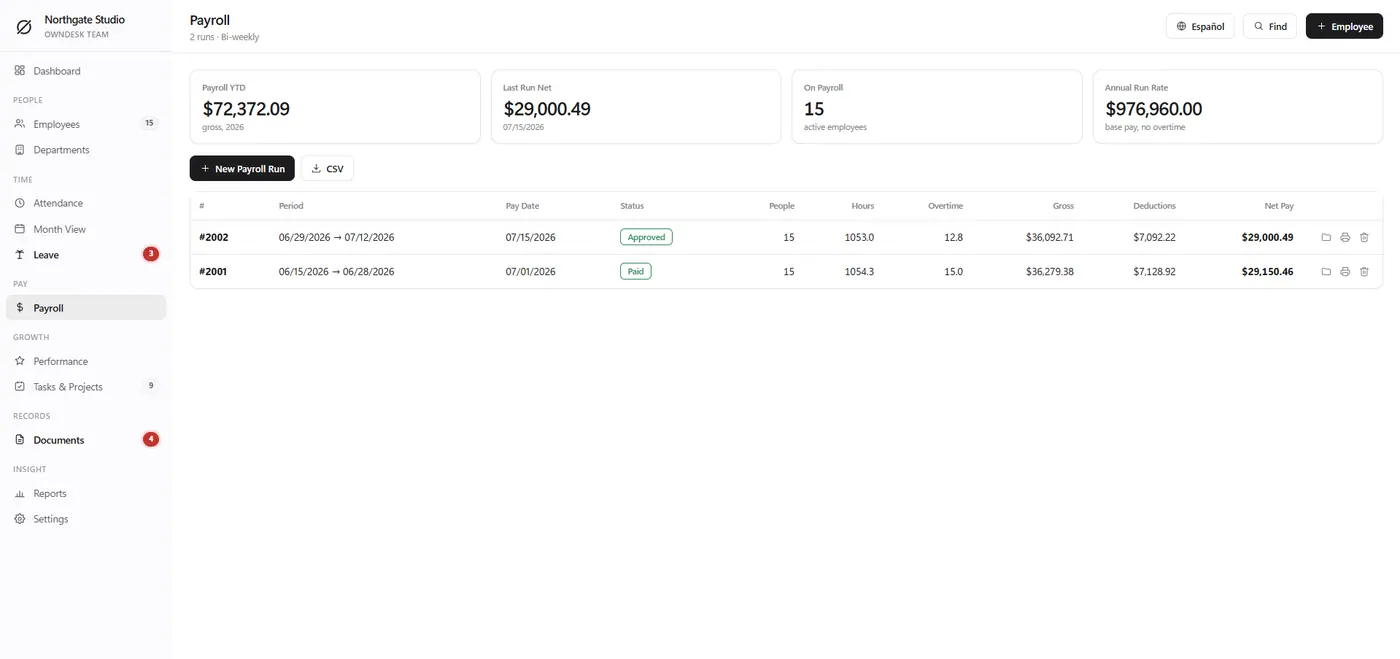
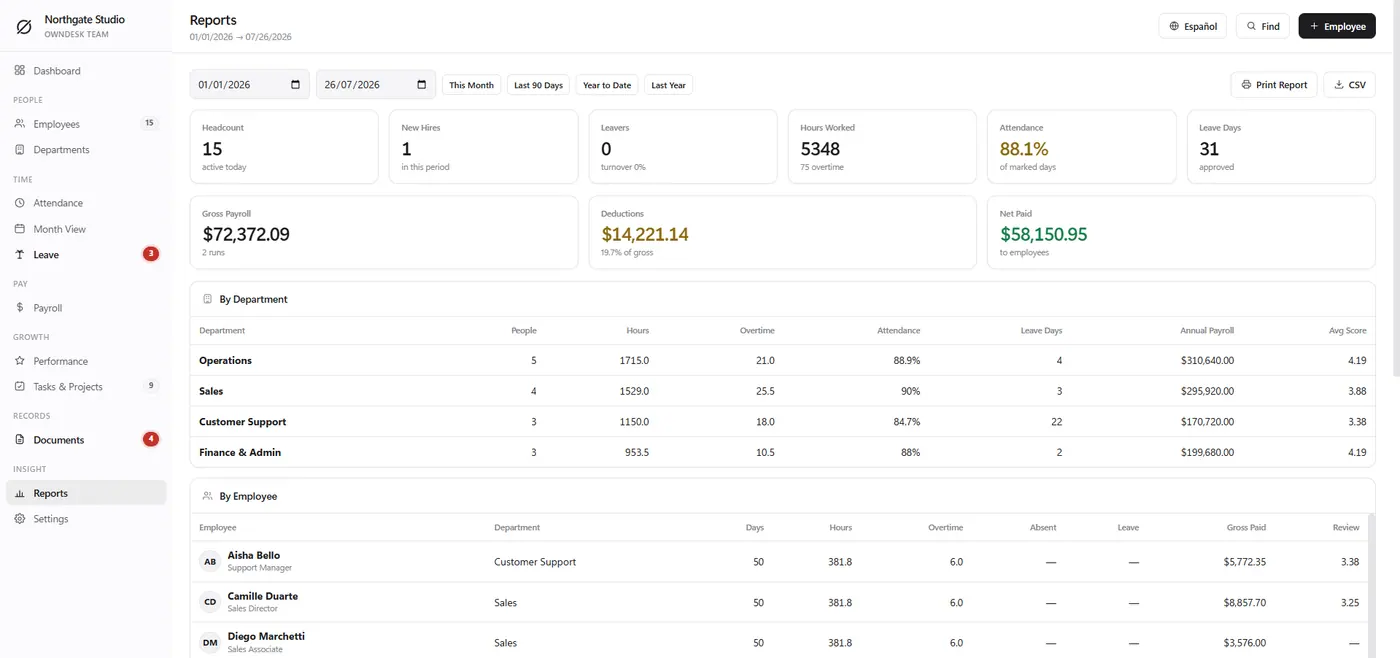
Hours, overtime, deductions and totals per period, ready to hand to your accountant. It calculates; it does not pay.
Reviews with a paper trail
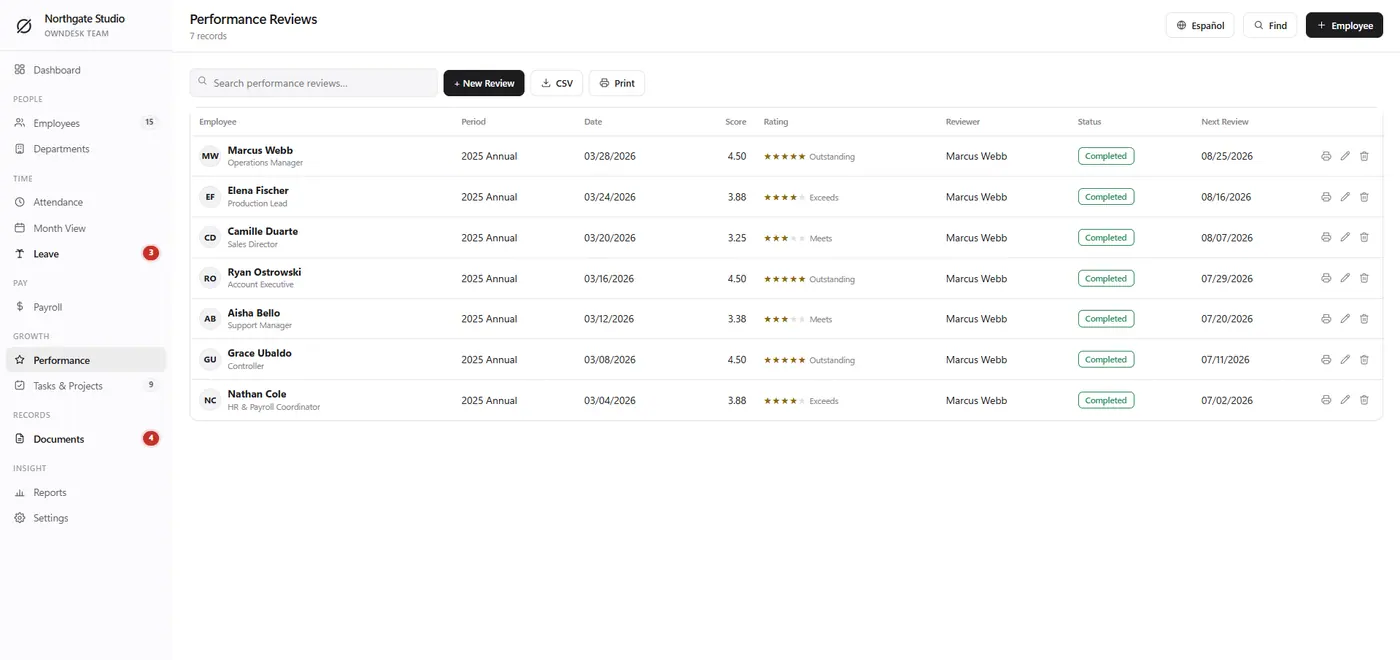
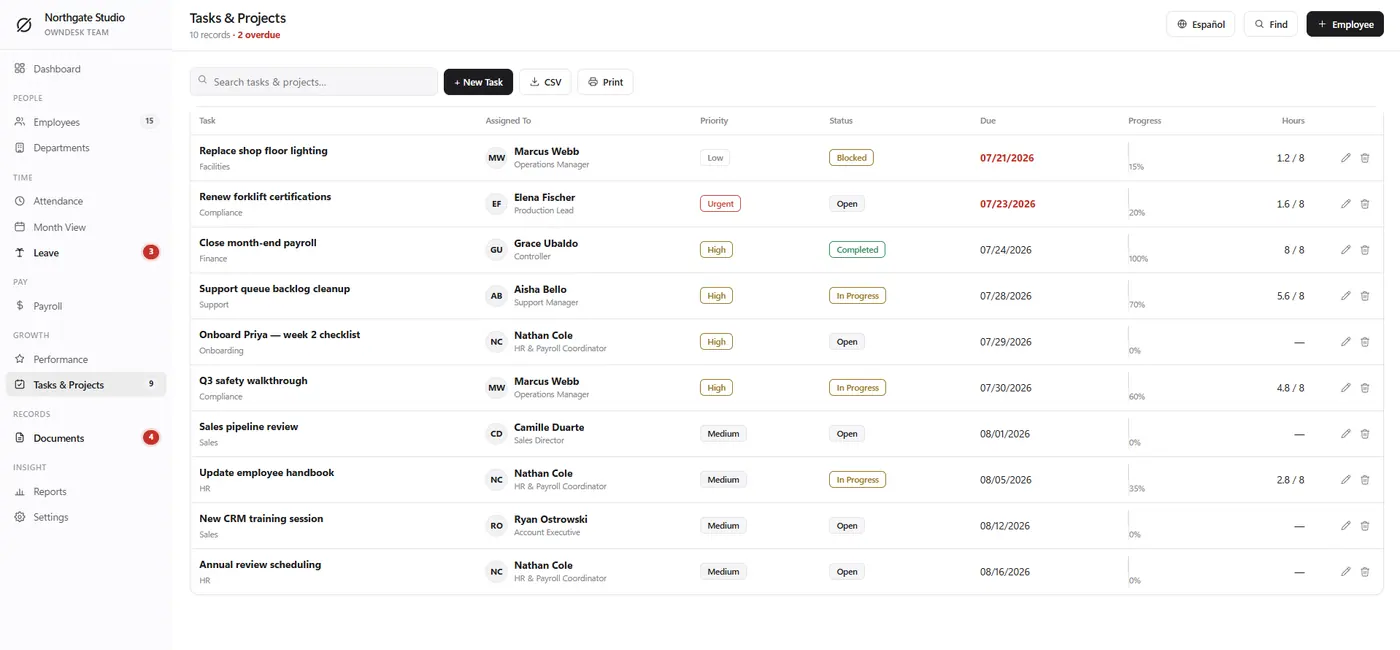
Performance cycles, goals and notes stay attached to the employee record instead of a folder nobody can find.
Documents in one vault
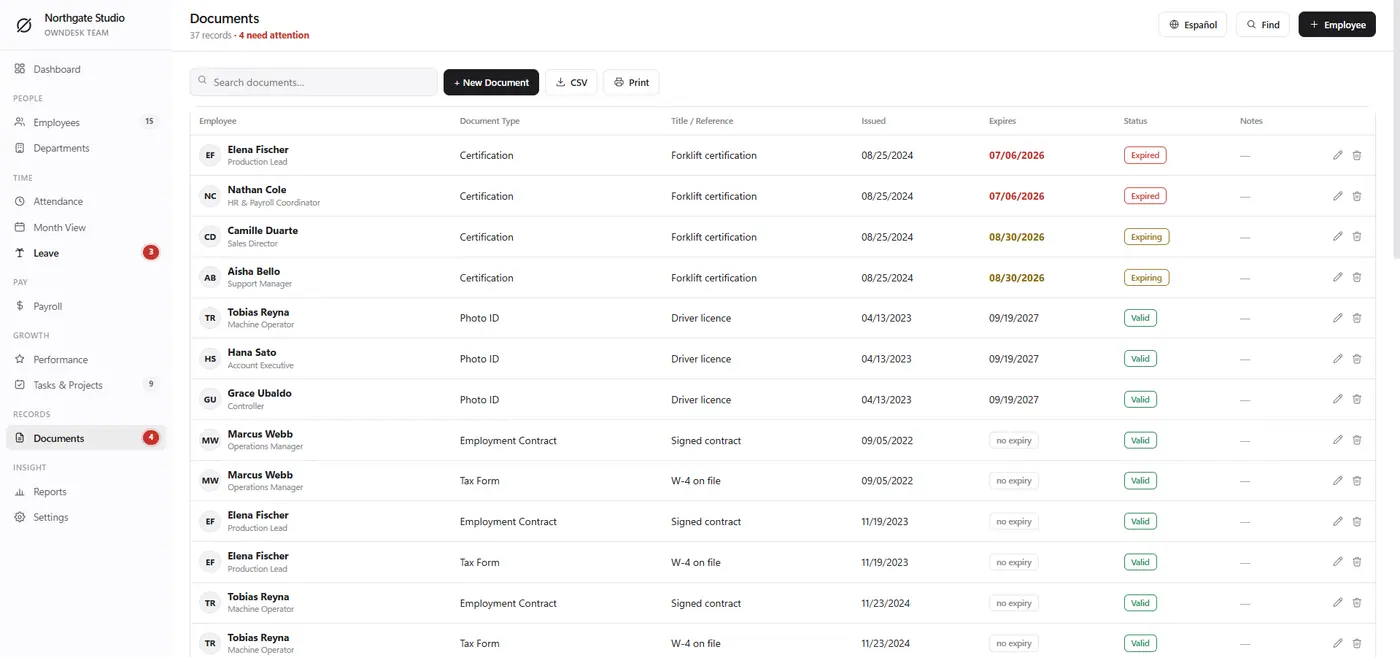
Contracts, certificates and IDs with expiry reminders, so nothing lapses quietly.
What you get
- The complete application, one HTML file
- Quick Start guide
- Licence for one company, lifetime use
- Demo team included
Before you buy
What is the best HR software for a small business with under 25 employees?
Below about 25 people the honest problem with BambooHR, Gusto, Rippling and Deputy is not the features, it is the pricing model: $6-$12 per employee per month means a 15-person company pays $1,000-$2,000 a year to store fifteen records. OwnDesk Team keeps employee records, attendance, leave, payroll figures, reviews and documents for a single payment. What it does not do is actually run payroll, file taxes or administer benefits – those need a licensed provider, and you should keep one. This replaces the spreadsheet and the folder, not your payroll company.
Is it cloud based?
No, and that is deliberate. It runs on your computer and keeps records on your own disk, so employee data – salaries, sick notes, ID documents – never sits on someone else’s server. The trade-off is real and you should know it: there is no phone app for staff, no self-service portal, and no live sync between two managers. If you need staff to book their own leave from a phone, buy a cloud HRIS.
Is there free employee management software?
There are free tiers, and they are usually capped at five or ten employees, which is exactly the point at which a spreadsheet was still working fine. The paid tier arrives at the moment you actually need the software. This is paid once, with no employee count, no seats and no upgrade path to be moved along.
Does it calculate payroll?
It calculates payroll figures – hours, overtime, deductions and totals per period – and prints or exports them for whoever runs your payroll. It does not pay anyone, file with a tax authority, or replace an accountant. The distinction matters: it does the arithmetic and the record-keeping, not the legal filing.
How does it handle leave and absence?
Attendance, a month view and a leave calendar are all built from the same records, so the holiday balance is a calculation rather than an argument. Requests carry a type and a date range, approvals are logged, and the dashboard shows who is out today.
What do you need to run it?
Any modern browser – Chrome, Edge, Safari or Firefox – on Windows, Mac, Linux, Chromebook, iPad or Android. Nothing to install, no account, no internet connection after the download.