OwnDesk Barbershop

$ 49.00

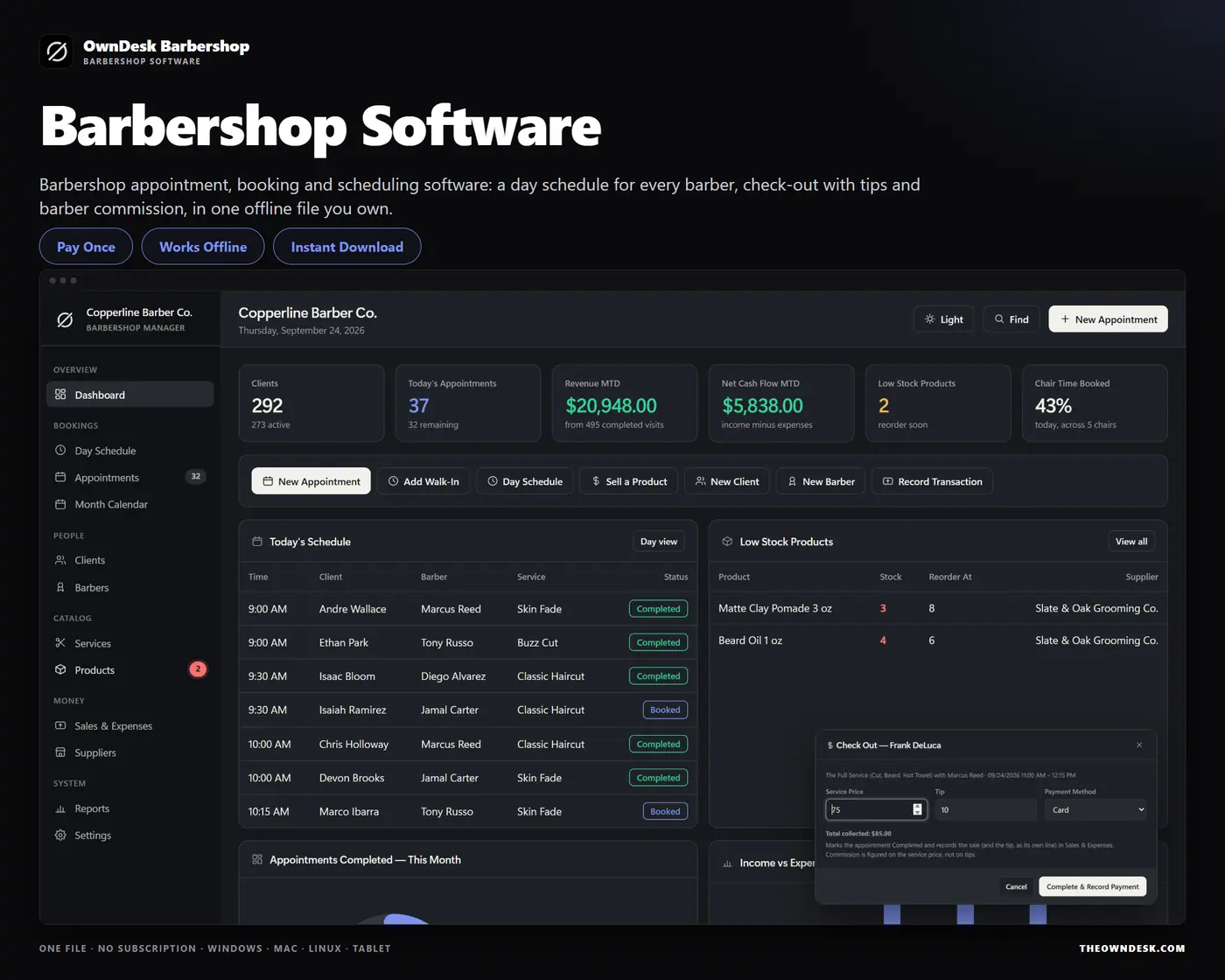
Barbershop management software for an independent shop or a small crew: appointment booking and scheduling with a day view for every barber, open times, double-booking warnings, check-out with tips, client cut notes, barber commission and retail stock, in one offline file. No subscription, no account.

Try the live demo first
14-day money-back guaranteeSecure checkout with Stripe
  • 14-day money-back guarantee. Email me and you get a refund, no questions.
  • Download appears on screen the moment payment clears, and by email.
  • Written and supported by Adrián. Replies come from me, usually within a working day.
  • Also sold on Etsy since 2026, with independently moderated reviews.
SKU: owndesk-barbershop Category:

See the full barbershop management software page

Description

What it does

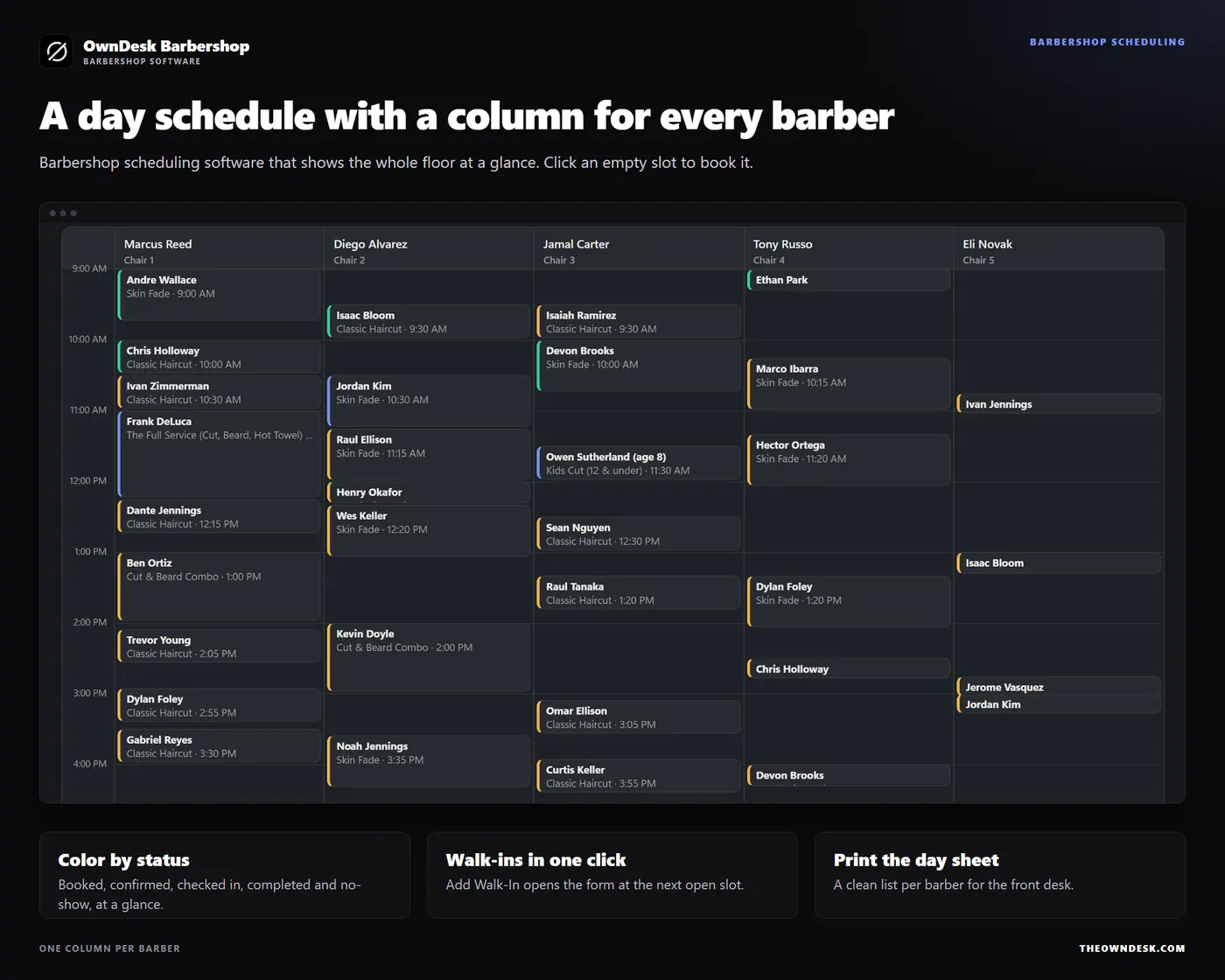
A day schedule with a column for every barber

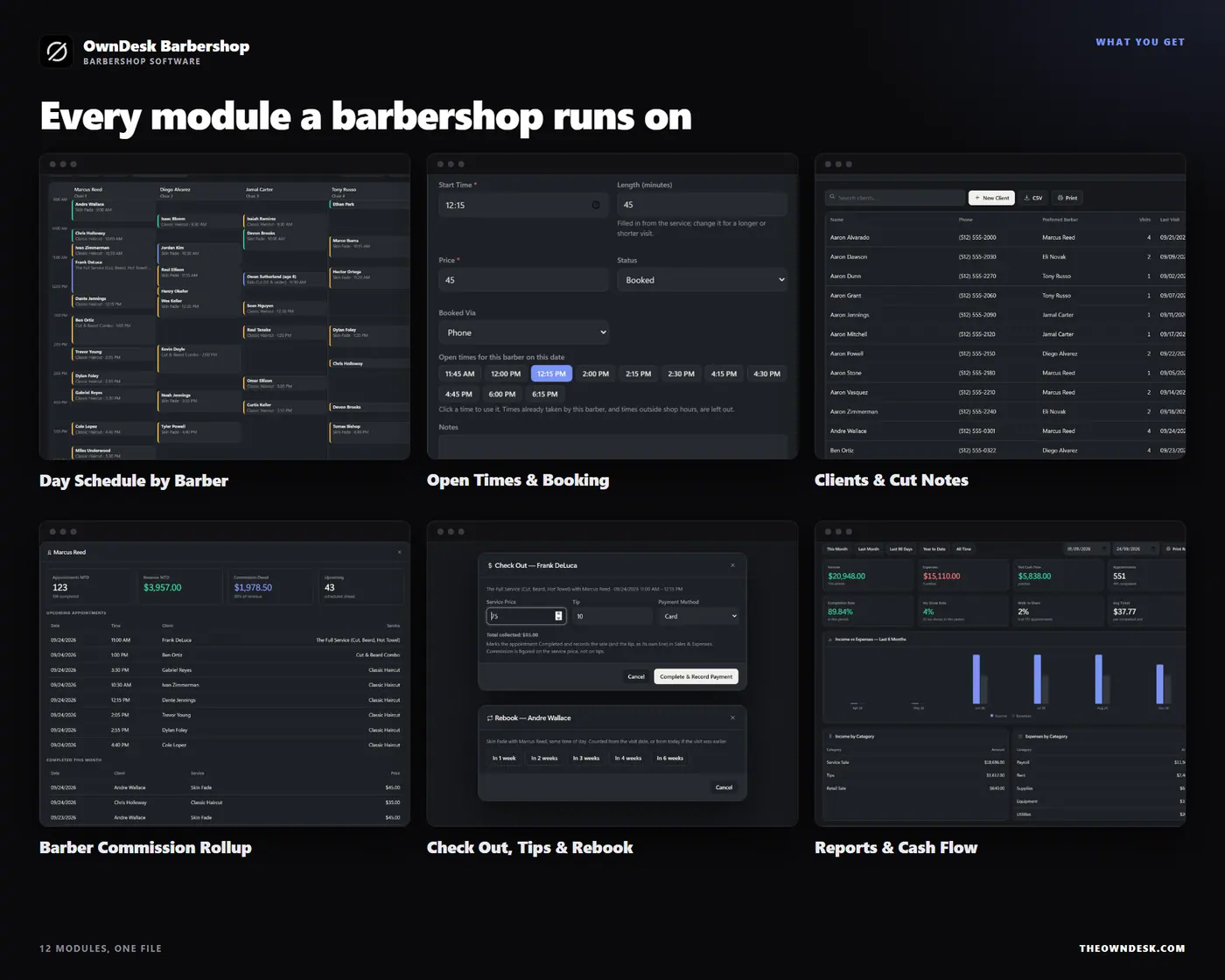
Barbershop scheduling software should show the whole floor at a glance. The Day Schedule lays the day out by the hour, one column per barber, each appointment a block colored by status. Click an empty slot to book it, click a block to open it, and print the day sheet for the front desk.

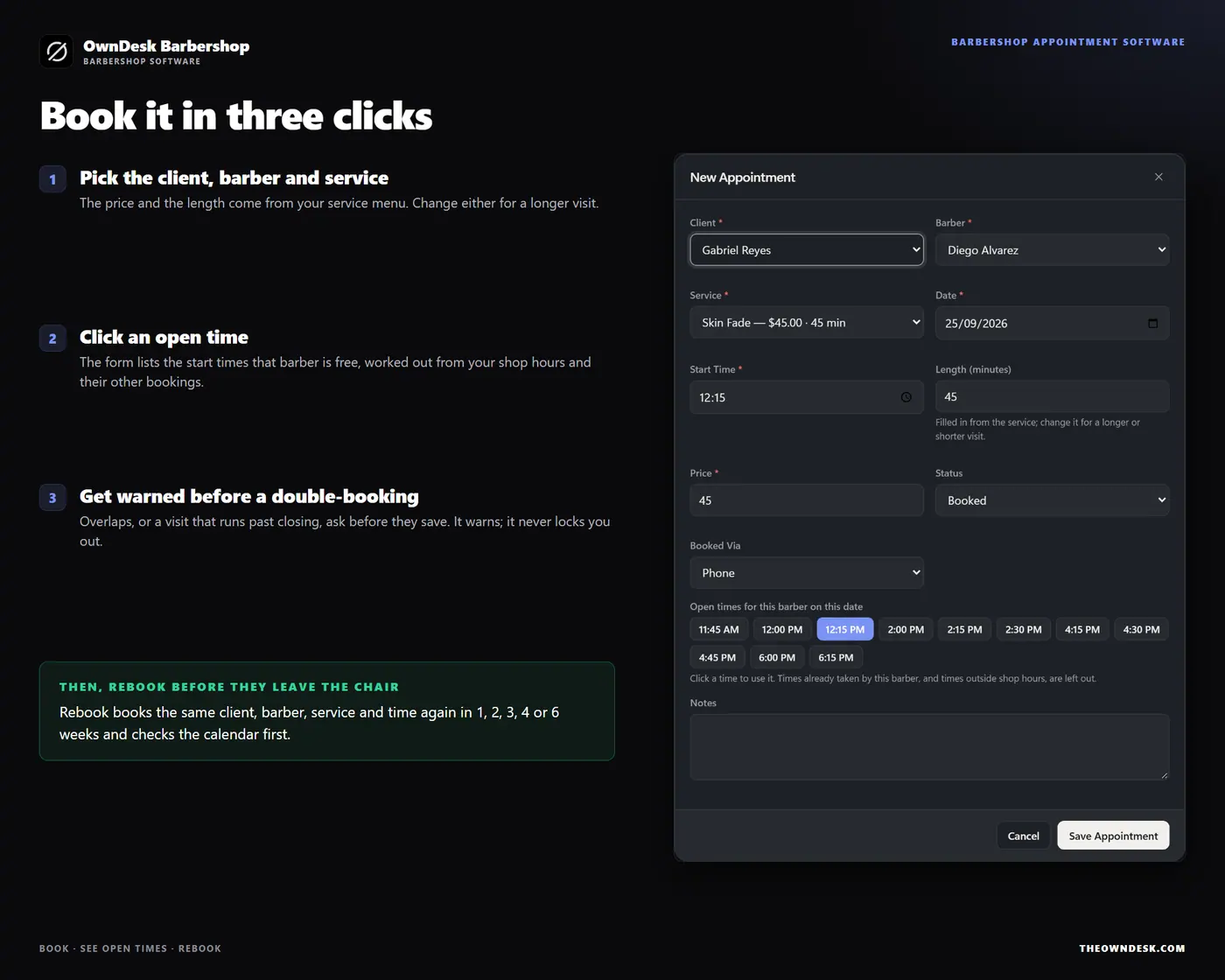
Open times, and a warning before you double-book

Pick a barber, a service and a date and the appointment form lists the open start times, worked out from your shop hours and that barber’s other bookings. Save an overlap, or a visit that runs past closing, and the app tells you who is already in the chair and asks first. It warns; it never locks you out.

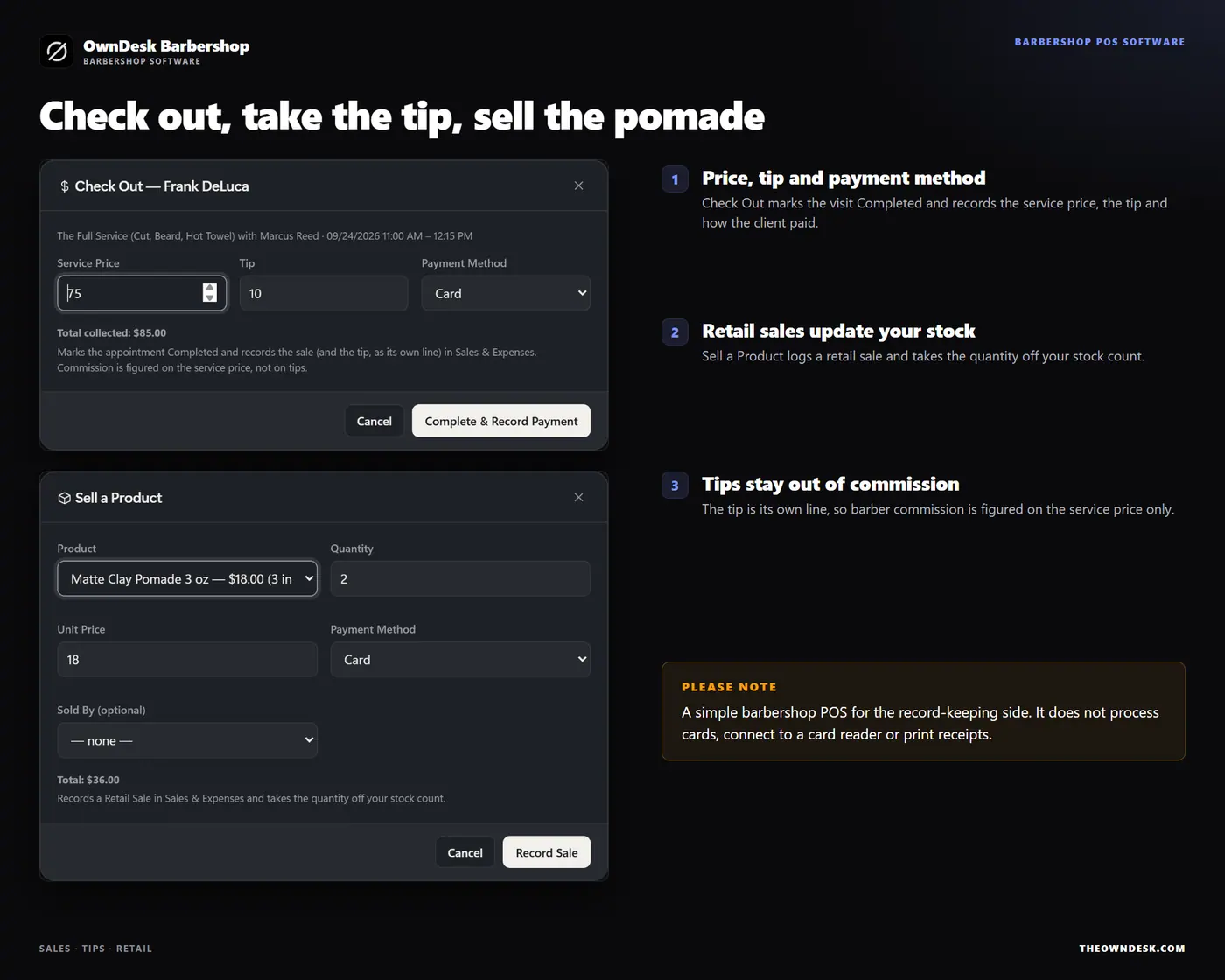
Walk-ins, rebooks, check-out and tips

Add Walk-In opens the form at the next slot. Rebook books the same client, barber, service and time again in 1 to 6 weeks and checks the calendar first. Check Out records the service price, the tip and how the client paid, and Sell a Product records a retail sale and takes it off your stock. It is the record-keeping side of a barbershop POS: it does not process cards.

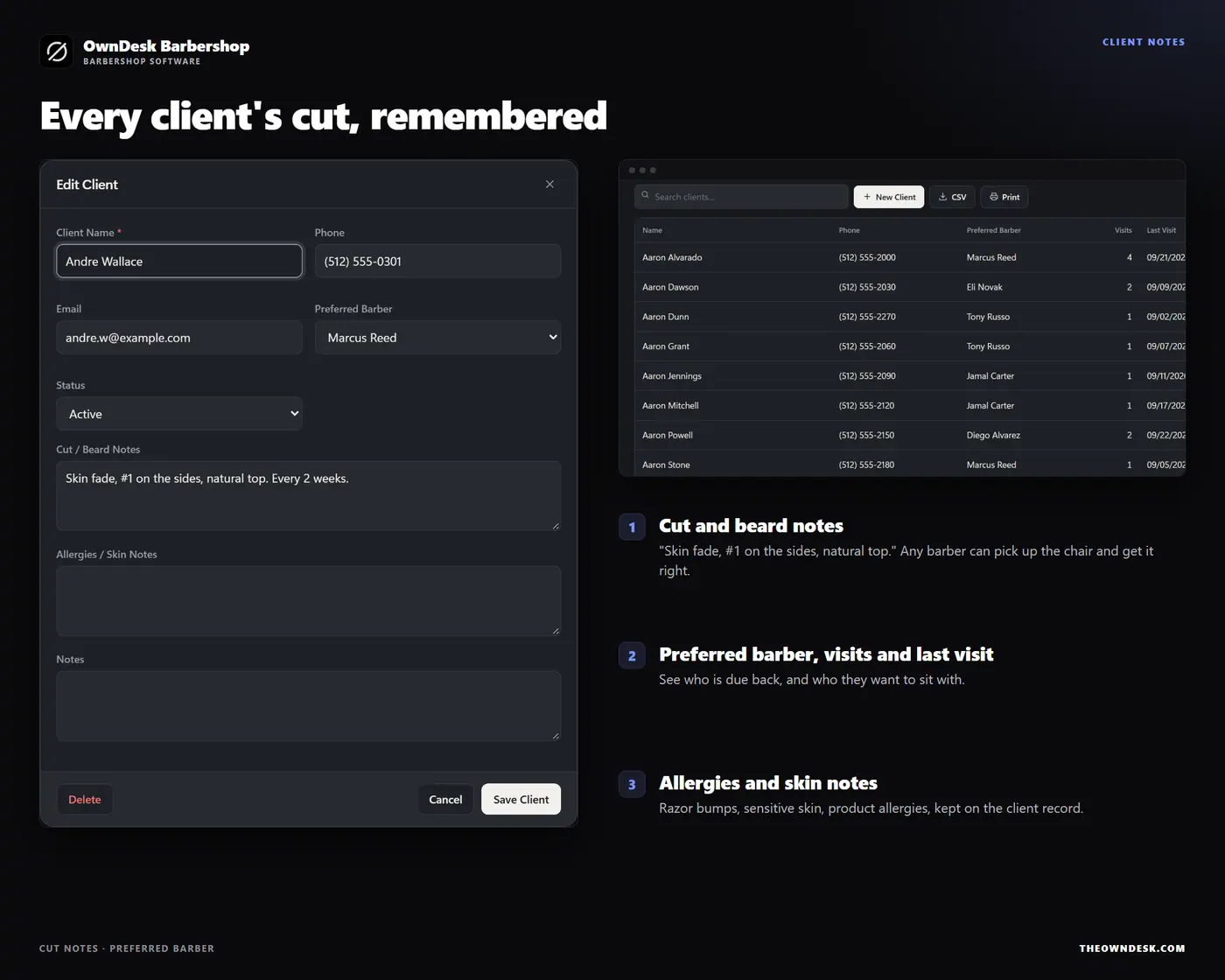
Client cut notes and barber commission

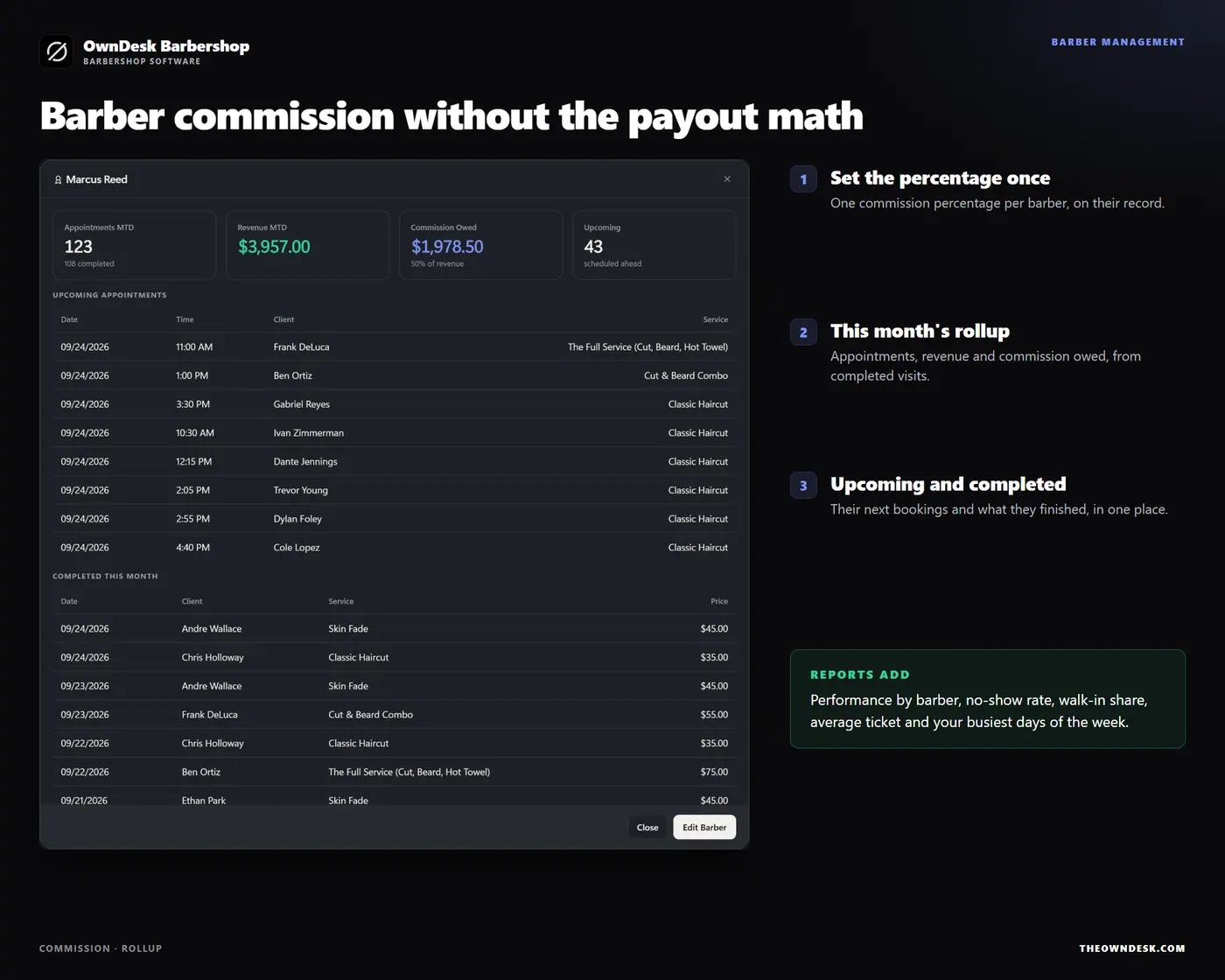
Every client carries their cut and beard notes, allergy or skin notes, preferred barber, visits and last visit. Set a commission percentage per barber once, and click a barber to see this month’s appointments, revenue and commission owed from completed visits, tips excluded.

What you get

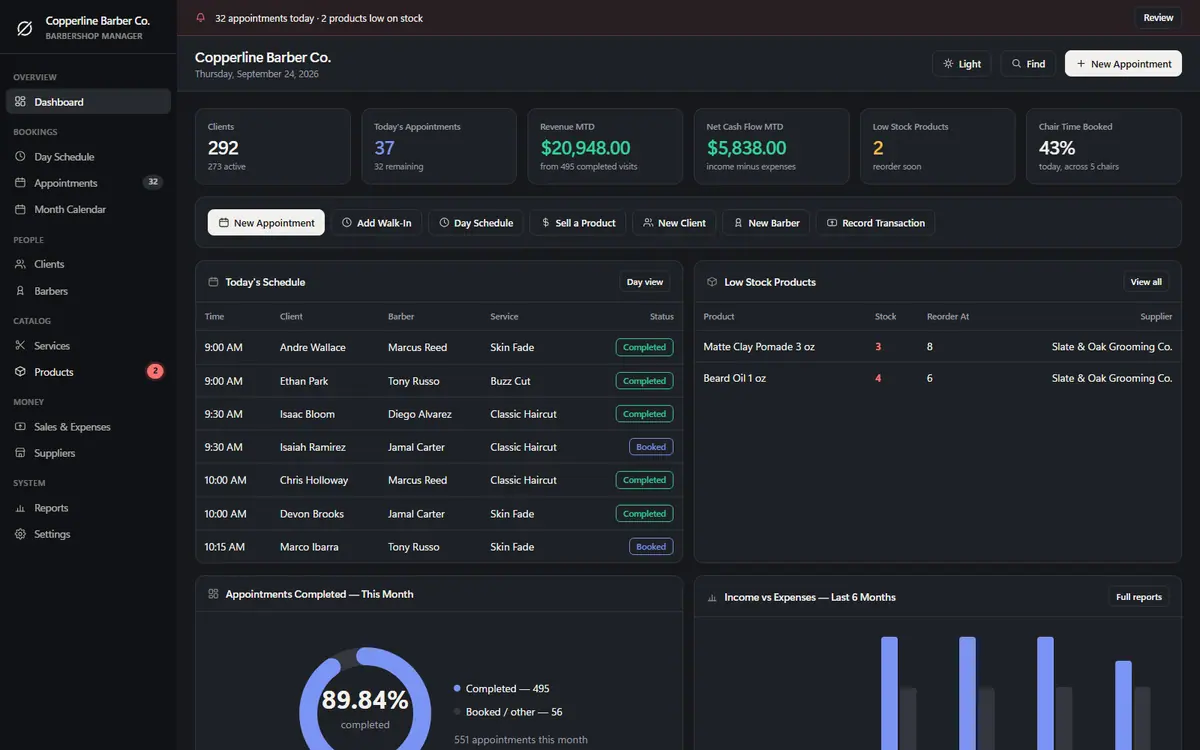
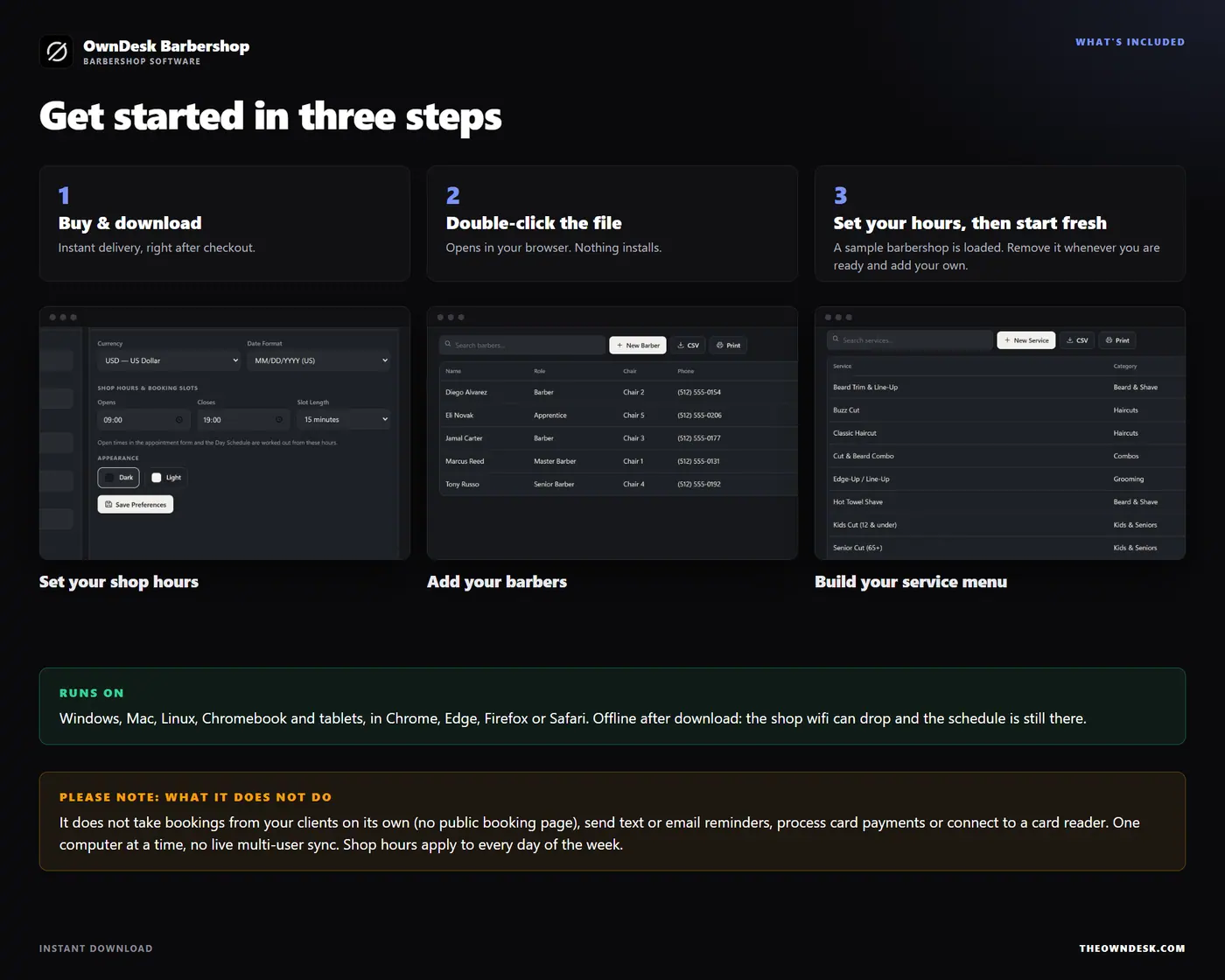
  • One HTML file that opens in your browser, with a sample barbershop already loaded so every screen can be seen full
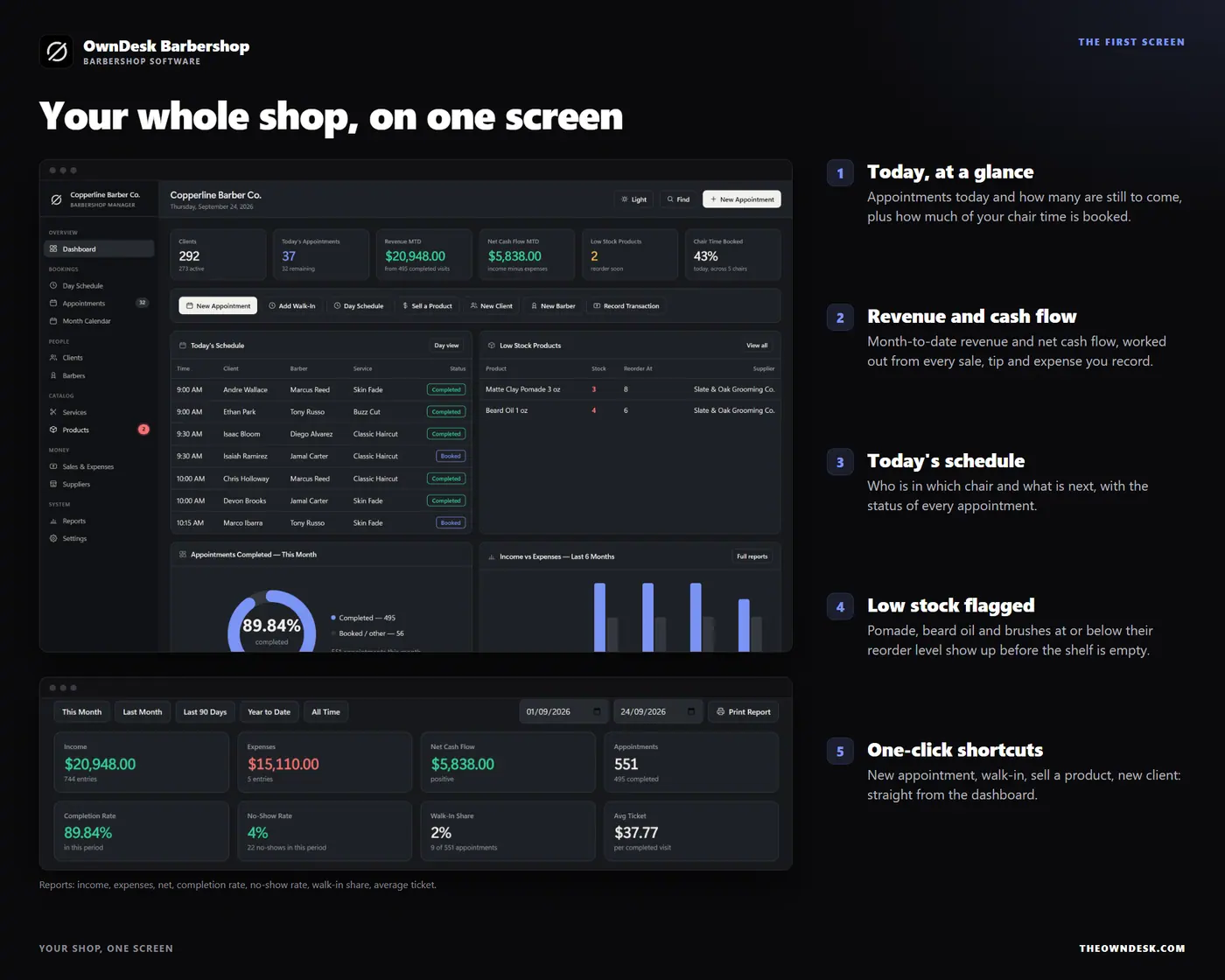
  • Twelve modules: dashboard, day schedule, appointments, month calendar, clients, barbers, services, products, sales & expenses, suppliers, reports and settings
  • Shop hours and slot length you set once, printable day sheets, reports and lists on your own letterhead, CSV export of every list, and JSON backup and restore
  • Reports with no-show rate, walk-in share, average ticket, performance per barber and your busiest days of the week
  • A quick-start guide included in the download

Before you buy

What is the best barbershop software for a small shop that does not want a subscription?
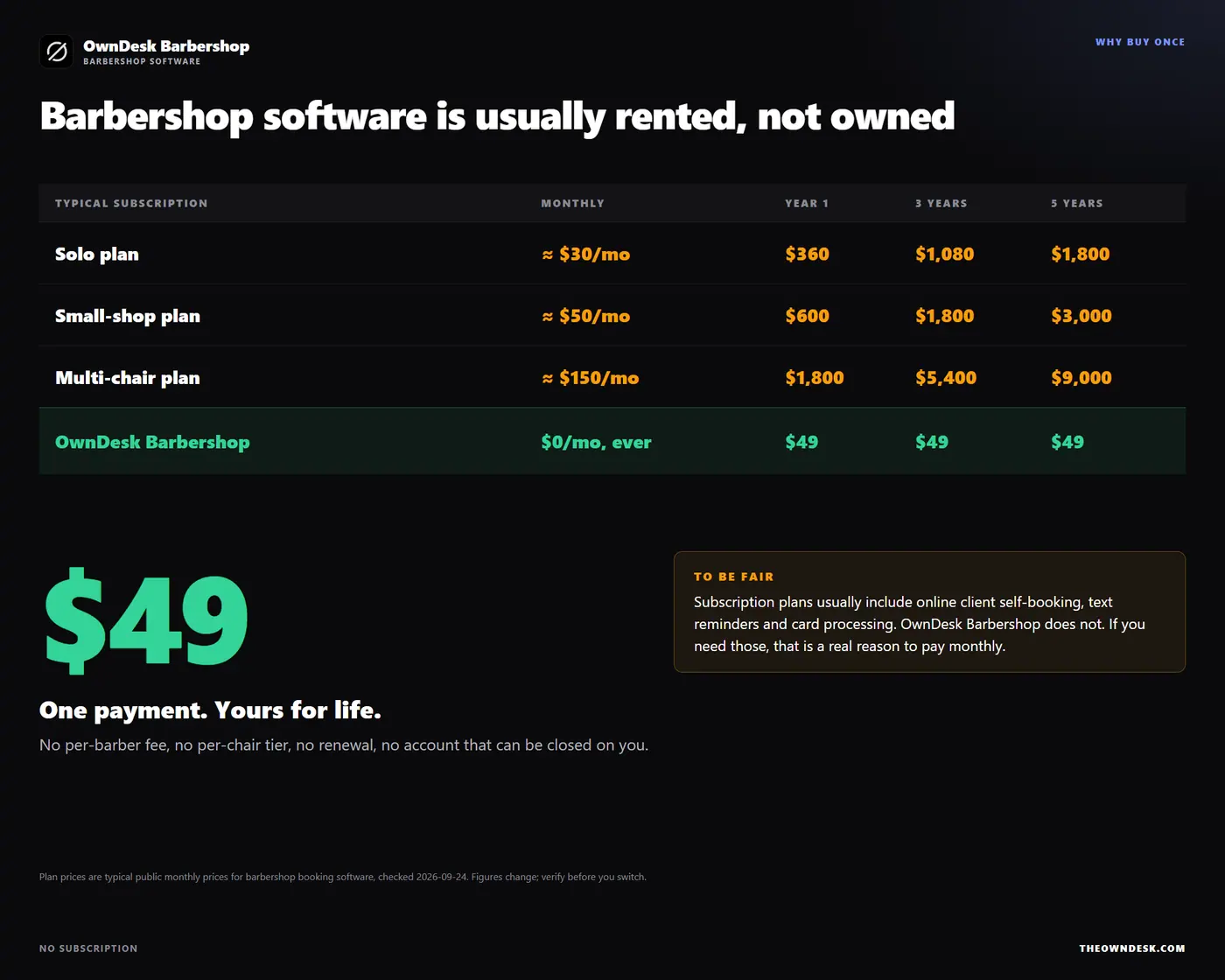
For a small shop, the honest answer is something you own. Subscription platforms charge per barber or per chair every month, and the bill climbs with every chair you add. This is a one-time purchase that covers appointments, the day schedule, walk-ins, check-out and tips, client notes, retail stock and barber commission, with no renewal and no per-barber fee.
Is this barbershop appointment software? Can it handle booking and scheduling?
Yes, that is the core of it. You enter the appointment (client, barber, service, date, time) and the app lists the open times, warns you before a double-booking, shows the day by barber and rebooks regulars in one click. Day Schedule, Appointments and Month Calendar all read from the same bookings, so nothing is entered twice.
What is the best software for scheduling for a barbershop?
The best barbershop scheduling software is the one your crew will actually use at the front desk. This one shows every barber’s day in a single view, lists open times as you book, and prints the day sheet. Where it stops is stated plainly: it does not take bookings from clients by itself.
Is this the best website software for scheduling for a barbershop?
It is not website software. There is no public booking page, no booking widget for your site and no online client self-booking. It is the scheduling and record-keeping tool that runs behind the counter. If you need clients to book themselves online, you need a subscription platform for that part.
Is it barbershop POS software? Does it take payments?
It records payments; it does not process them. Check Out logs the service price, the tip and the payment method, and Sell a Product logs a retail sale and updates your stock. There is no card reader connection, so if your card terminal is separate, this is the record-keeping side.
Does it work out barber commission?
Yes. Set a commission percentage per barber once. Their month’s appointments, revenue and commission owed come from completed visits at the service price, tips excluded.
Can more than one person use it at the same time?
No, and it is worth knowing before you buy. There is no cloud sync or shared database, so it is one computer at a time. The front desk and a second computer can each work from a restored backup file, but the two copies do not merge.
Is there a subscription?
No. One payment for the file, no account, no server and no monthly fee. Barbershop software is usually rented by the month. Your records stay in your own browser and nothing is uploaded anywhere, so keep a backup file somewhere else.