
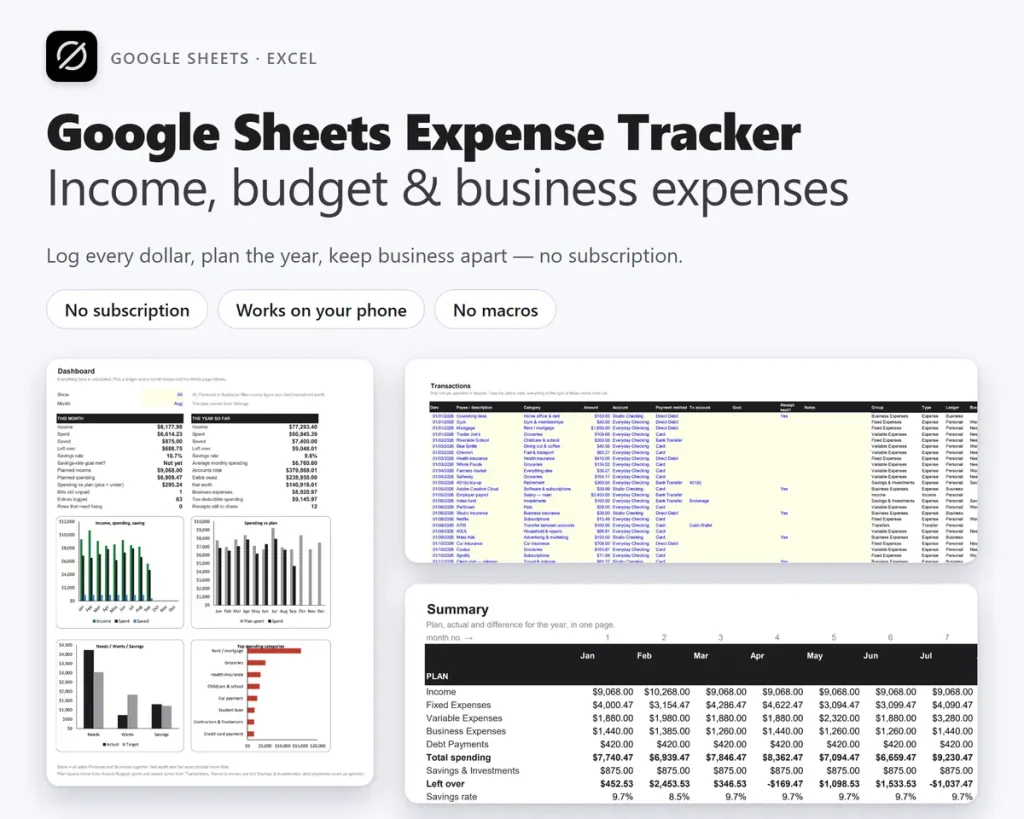
Google Sheets expense tracker for your budget and your small business expenses.
An expense tracker for Google Sheets that is also an income and expense tracker, an annual budget planner and a business expense log — one template, no macros, no add-ons. Also works in Excel. One payment, and the file lives in your own Google Drive.
See it running
Watch OwnDesk Budget Sheets in action.
The dashboard, transactions, monthly budget, business report and 50/30/20 check, walked through tab by tab.
Buy it once
Budgeting apps run about $100 a year. This is one payment, and the file stays yours.
Works from any device
Open it in Google Sheets on a laptop, tablet or phone and log a purchase in ten seconds.
Business expenses built in
Sixteen deductible categories, a quarterly report and a receipt check for your accountant.
Share it live
Edit together with a partner or a bookkeeper, every change saved and versioned.
What this expense tracker template does
Type a transaction once. Everything else updates.
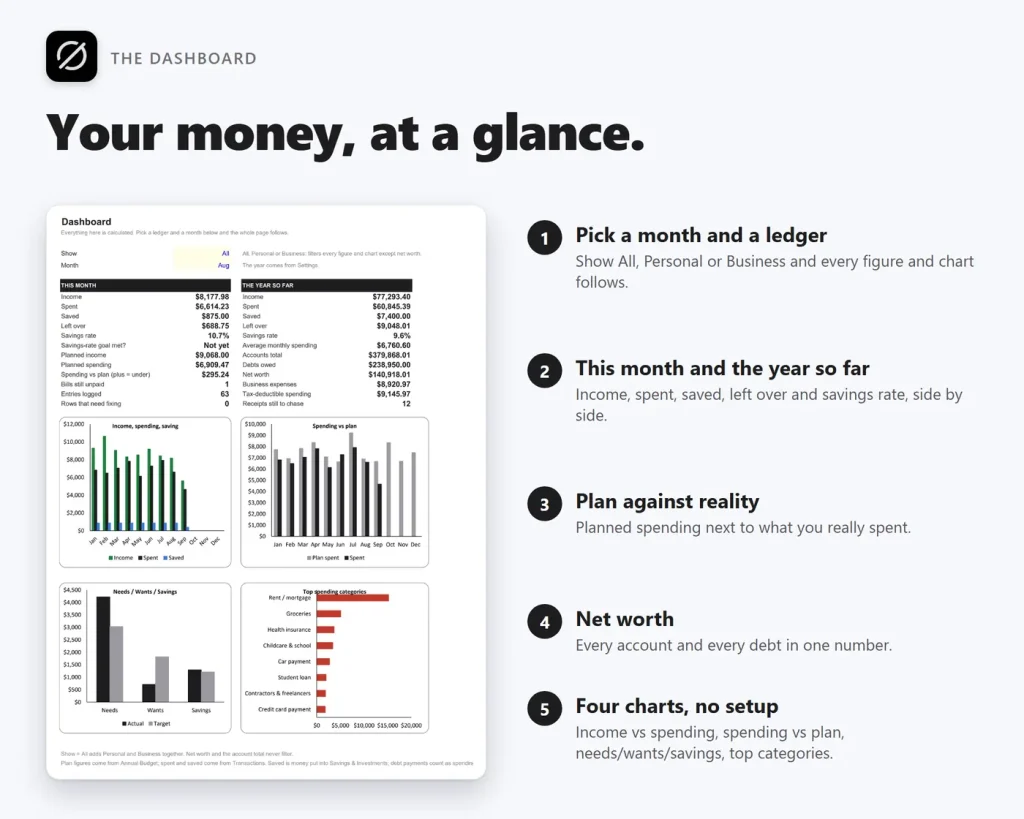
Dashboard • transactions log • annual budget • plan vs actual • 50/30/20 check • yearly summary • business expense report • bills • savings goals • accounts & net worth • debt payoff — 16 tabs in one expense tracker template.
An income and expense tracker that does the arithmetic
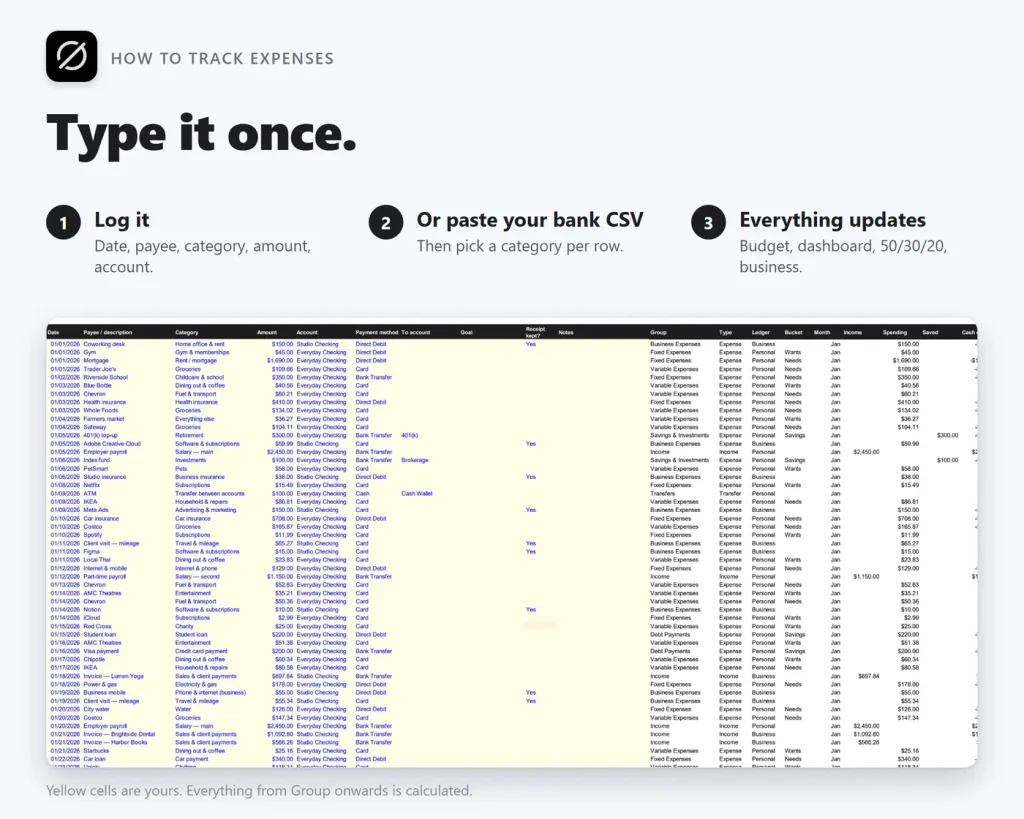
Log the date, payee, category, amount and account. Income, spending, saving and transfers are told apart automatically, every account keeps a running balance, and the monthly budget, yearly summary and dashboard all move with that one entry.
Small business expense tracking without a bookkeeper
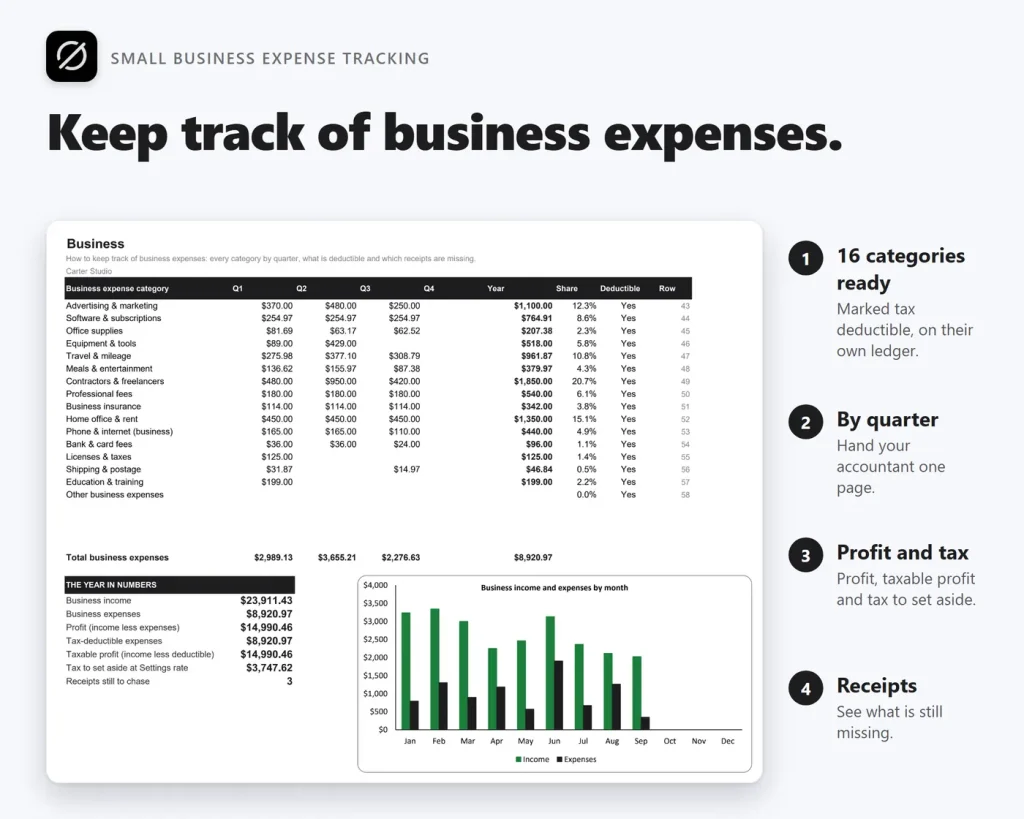
Personal and business ledgers live apart in one file. Log each business payment and whether you kept the receipt: the Business tab shows every category by quarter, the profit, an estimate of tax to set aside and every receipt still missing before April.
The 50/30/20 rule, done properly
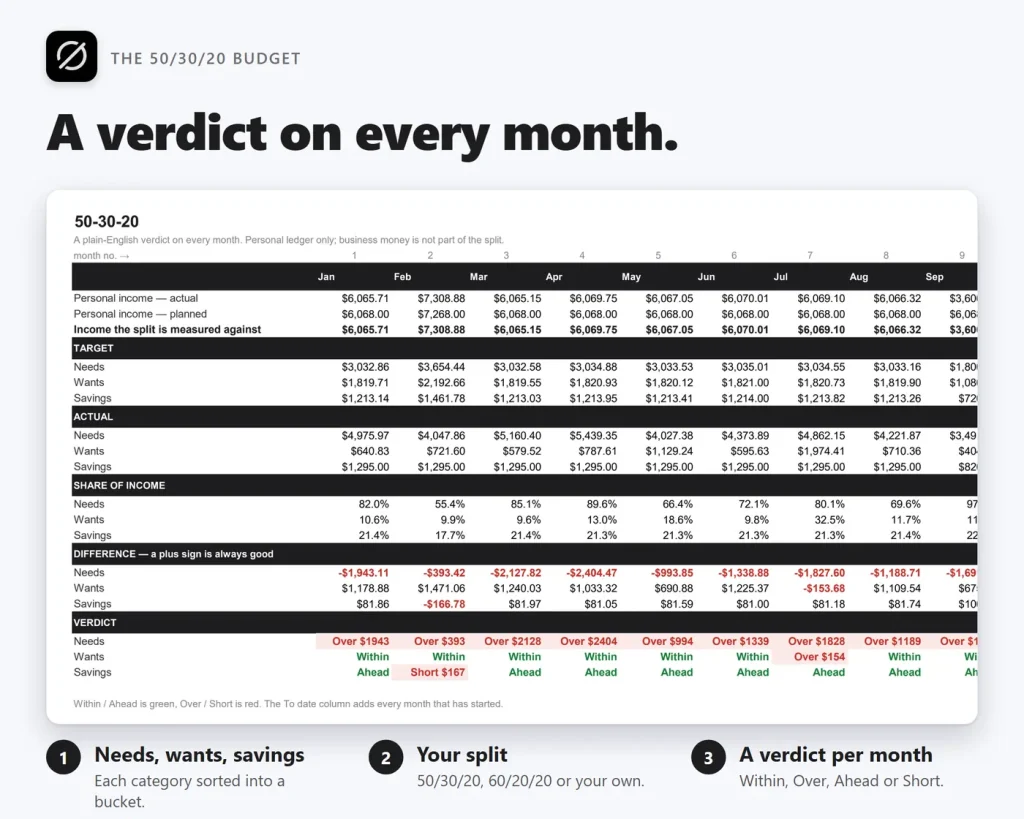
Every personal category is sorted into needs, wants or savings, the split is yours to change — 60/20/20 for an expensive city, 50/20/30 for a hard saver — and each month gets a written verdict, not just a red cell.
Plan against reality, all twelve months
Type what you expect in January, drag it across the year, and change only the months that differ. Actual and Difference show plan against what really happened, with a plus sign always meaning good.
How to track expenses in three steps
Ten seconds a purchase, no bookkeeping degree.
Log each payment
Date, payee, category, amount, account — from the Google Sheets app the moment you spend.
Or paste your bank's CSV
Copy the date, description and amount columns from your bank's export into the sheet and pick a category on each row.
Read the dashboard
What came in, what went out and what is left — for the month or the year, personal, business or both.
Why people switch
You're not really choosing between two expense trackers.
A free template makes you build every formula. A budgeting app rents you your own history. This sits in between: everything built in, one payment, in your own Drive.
| OwnDesk Budget Sheets | Free expense tracker template | Budgeting app | |
|---|---|---|---|
| Price | $ 14.99 once | Free | About $100/yr |
| Formulas already built | Yes, 16 linked tabs | You build them yourself | Yes |
| Business ledger & receipt check | Included | Rare, do-it-yourself | Often a separate plan |
| Your data | A file in your own Drive | A file in your own Drive | Stops being yours when you stop paying |
| Connects to your bank | No — you log or paste a CSV | No | Yes |
Budgeting-app pricing is a general market figure (for example, YNAB lists $109 a year) — check current pricing on each site. OwnDesk Budget Sheets does not connect to your bank and is a bookkeeping aid, not tax advice.
If OwnDesk Budget Sheets isn't right for how you track your money, email me and you get a refund — no questions. If something's confusing, you're writing to the person who built it, not a queue. English and Spanish, both spoken here.
Questions
Before you buy.
Is this a Google Sheets expense tracker template?
What is the easiest way to track expenses?
How do I keep track of business expenses with it?
Is it an income and expense tracker, or only for spending?
Is this an expense tracker Excel template too?
Is this the best expense tracker app?
Can my partner or bookkeeper edit it at the same time?
How many transactions can it hold, and can I change the currency?
Is there a monthly fee?
Browse the whole workbook before you decide.
The read-only demo shows every tab of the sample workbook, filled in — no sign-up, no credit card. If it fits, buying takes about a minute.
14-day money-back guarantee · instant download · one-time payment