
Salon management software for hair, nail, spa and beauty studios.
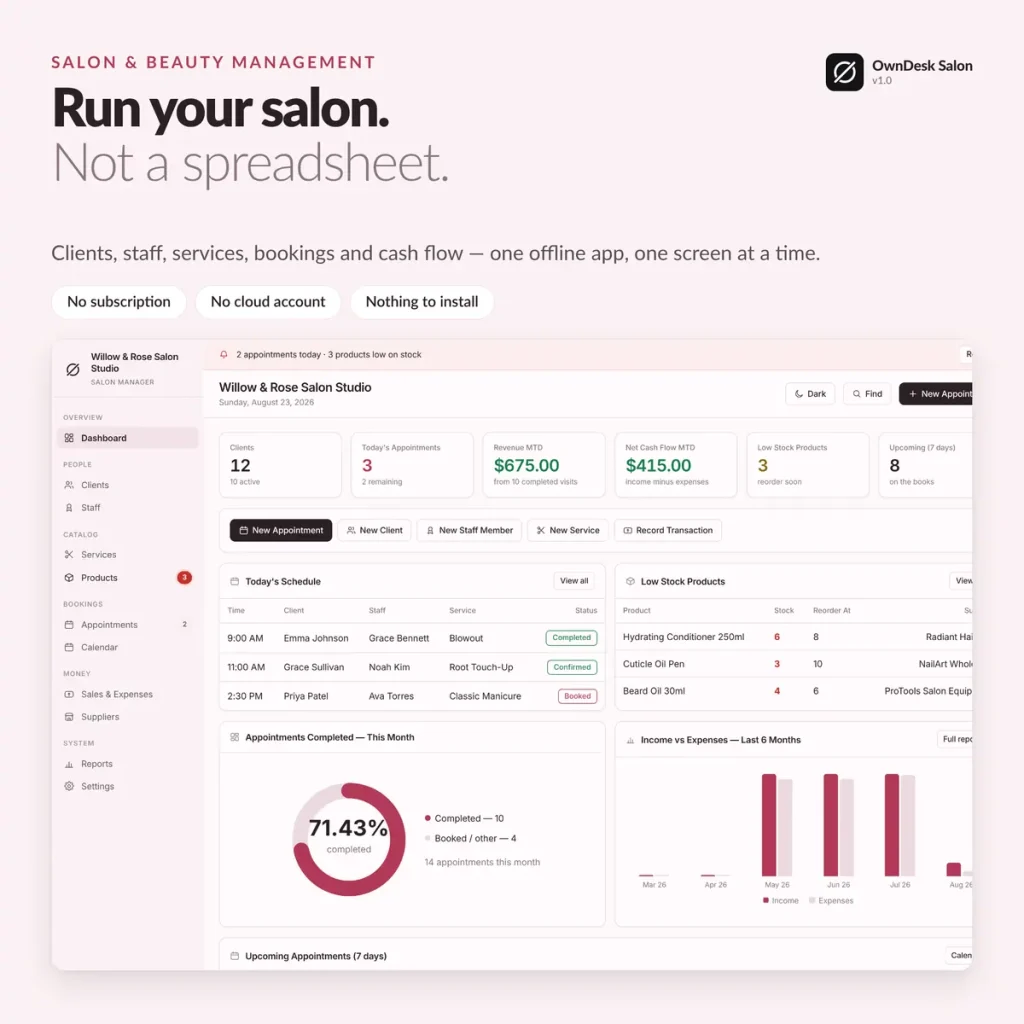
Clients, staff with commission tracking, appointments, salon inventory management and cash flow — one offline salon and spa management software, one screen at a time. No subscription, no cloud account.
One-time payment
Never another monthly bill per chair. The price you see is the whole price.
Staff commission, tracked automatically
A salon employee management view per stylist — appointments, revenue and commission owed.
Salon inventory that flags itself
Retail and back-bar stock with a reorder level, surfaced on the dashboard before you run out.
No cloud account
Records stay on your own computer — nothing to sign up for, nowhere for a breach to happen.
What it does
Everything a salon or spa touches, on one screen.
Dashboard with live salon KPIs • clients • staff & salon employee management with commission • services & pricing • appointments & calendar • salon inventory management with reorder alerts • sales & expenses • suppliers • reports by staff and category.
A commission rollup for every stylist
Click any staff card and see their own numbers — this month's appointments, revenue and commission owed, plus upcoming and completed bookings — not the whole salon's totals mixed together.
Booking a service fills in the price for you
Pick a service on an appointment and its price and duration come from your menu automatically — no retyping, no stylist charging the wrong price by habit.
Salon inventory management that flags itself
Every product carries a cost, a retail price and a reorder level — anything at or below it shows up on the dashboard before a stylist reaches for an empty shelf.
A calendar that never needs entering twice
The month grid pulls every appointment live from your bookings, and reports break income and expenses down by category and by staff member — printed or exported to CSV.
One app, every chair
Built for every kind of salon and studio.
A "service" is whatever you sell by the appointment — the same screens run a one-chair studio or a full team.
Hair salons
Hair salon management software for cuts, color and blowouts, with commission per stylist.
Nail salons
Nail salon management software for manicures, pedicures and retail polish inventory.
Spas & beauty studios
Spa and salon management software for facials, waxing and tanning sessions alike.
Salon suites & booth renters
Salon suite management software light enough for one chair, honest about what one person needs.
Why salons switch
You're not really choosing between two salon apps.
You're choosing between paying once and paying per chair, per month, for booking and payment features a self-managing salon may never open.
| OwnDesk Salon | A full salon & spa platform | |
|---|---|---|
| Price | $ 49.00 once | $30–$150+/mo, often per chair |
| Staff commission rollup | Included | Often included |
| Salon inventory management | Included, with reorder alerts | Often a higher tier |
| Your data | Stays on your own computer | Lives in their cloud |
| Online booking & card payments | Not included — pair it with your own tools | Often included, at a price |
| Setup | Unzip, open, go | Account sign-up, onboarding |
Competitor pricing is a general market range for small-salon management software, not a quote from any single company — check current pricing on each site. OwnDesk Salon does not take online bookings or process card payments itself, and does not sync live between two computers; it is single-computer by design, with a backup file to move between devices.
From payment to your first appointment
Three steps, about two minutes.
Pay with card
Checkout runs on Stripe. Your card details never touch this site.
Download and open
The link appears the moment payment clears. Double-click the file — it opens in your browser, no install, no internet needed after that.
Clear the sample salon, add your own
It opens with five sample staff, a dozen clients and a month of appointments already loaded so you can see how it works. Clear it in one click from Settings and add your first client.
If OwnDesk Salon isn't right for your business, email me and you get a refund — no questions. If something's confusing, you're writing to the person who built it, not a queue. English and Spanish, both spoken here.
Questions
Before you buy.
What is the best salon management software for a small salon or independent stylist?
Can it track staff commission automatically?
Does it track retail and back-bar inventory?
Can two computers share the same salon data?
Does it take bookings from clients online?
What do you get, and what do you need to run it?
Is there salon inventory management built in, or do I need a separate app?
Does it work for a nail salon, tanning salon or salon suite, or only hair salons?
See your own salon in it before you decide.
The live demo has real screens and a sample salon loaded — no sign-up, no credit card. If it fits, buying takes about a minute.
14-day money-back guarantee · instant download · one-time payment