
OwnDesk Wedding
$ 49.00
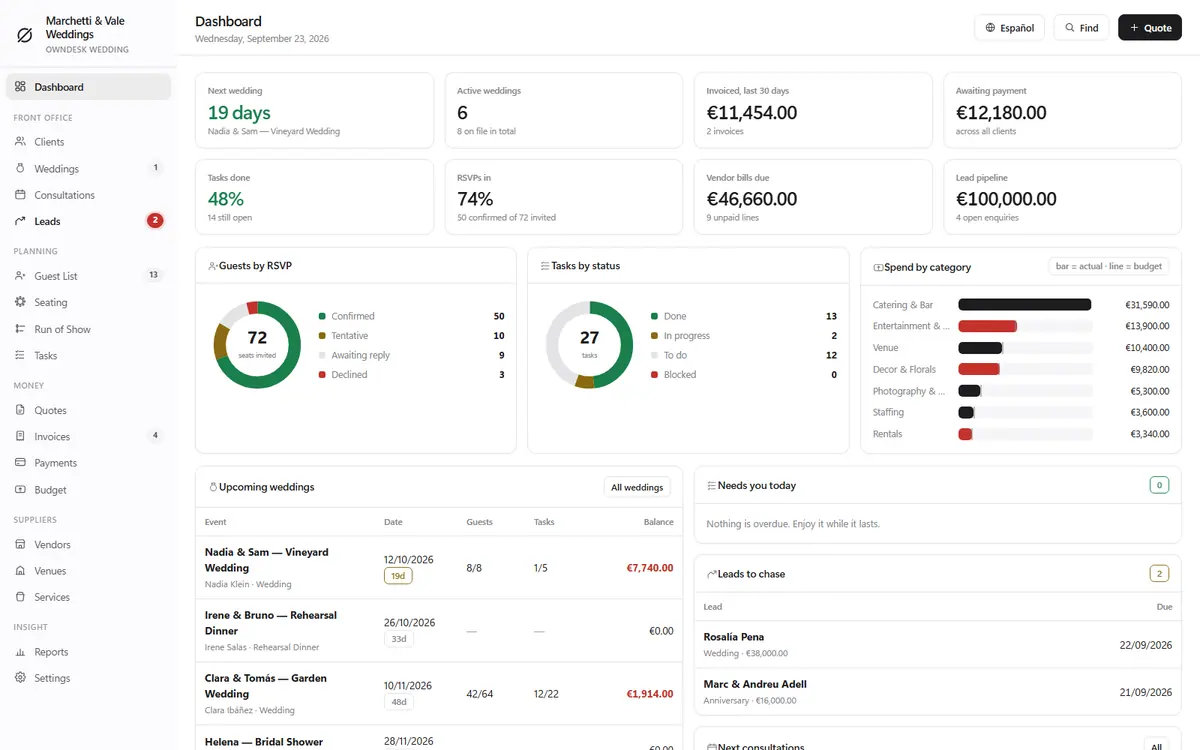
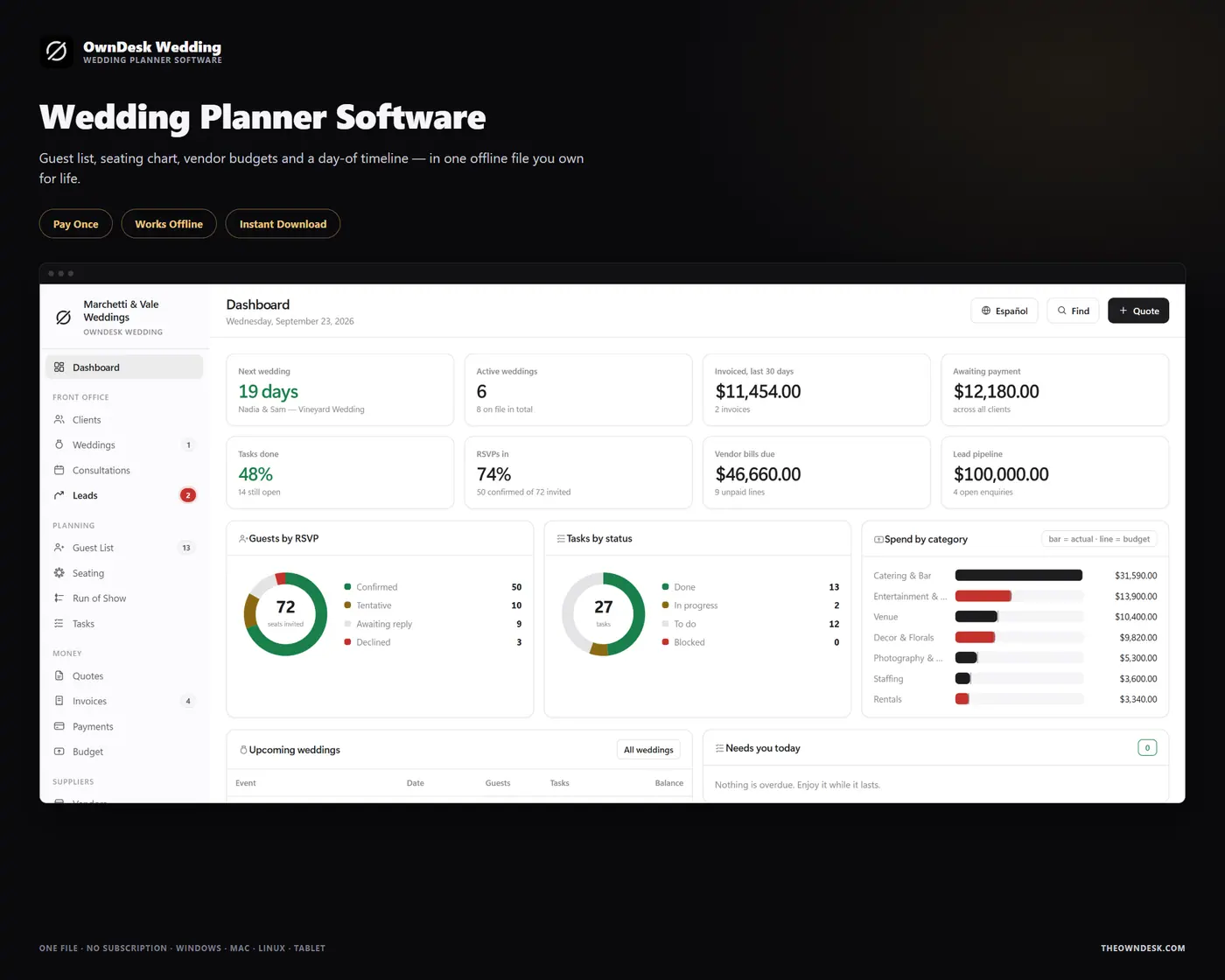
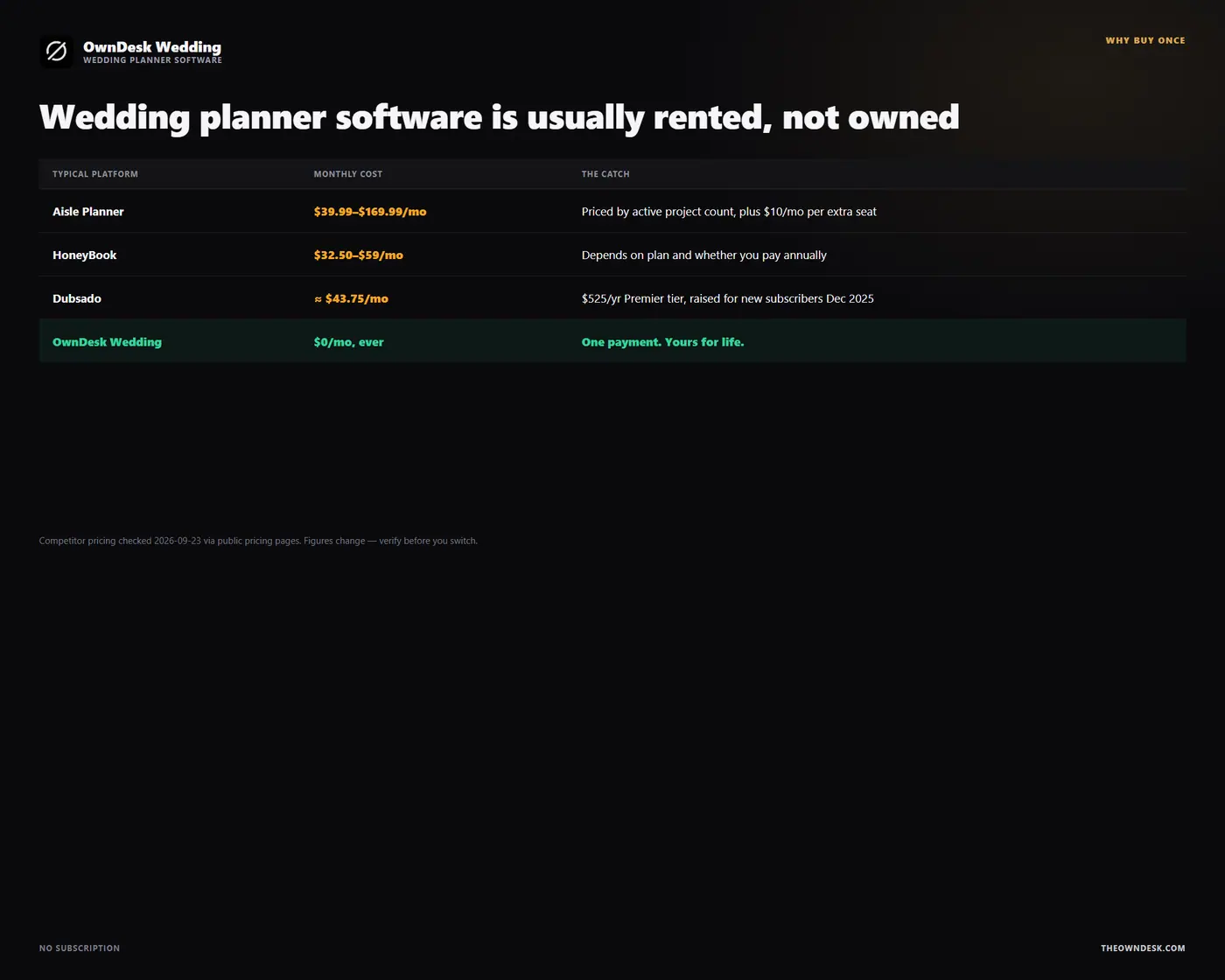
Wedding planner software for an independent planner or a small studio: leads, quotes that become bookings, guest list and seating, a 22-step planning timeline on every wedding, vendor and venue budgets, and invoicing – in one offline file. No subscription, no account.
- 14-day money-back guarantee. Email me and you get a refund, no questions.
- Download appears on screen the moment payment clears, and by email.
- Written and supported by Adrián. Replies come from me, usually within a working day.
- Also sold on Etsy since 2026, with independently moderated reviews.
Description
What it does
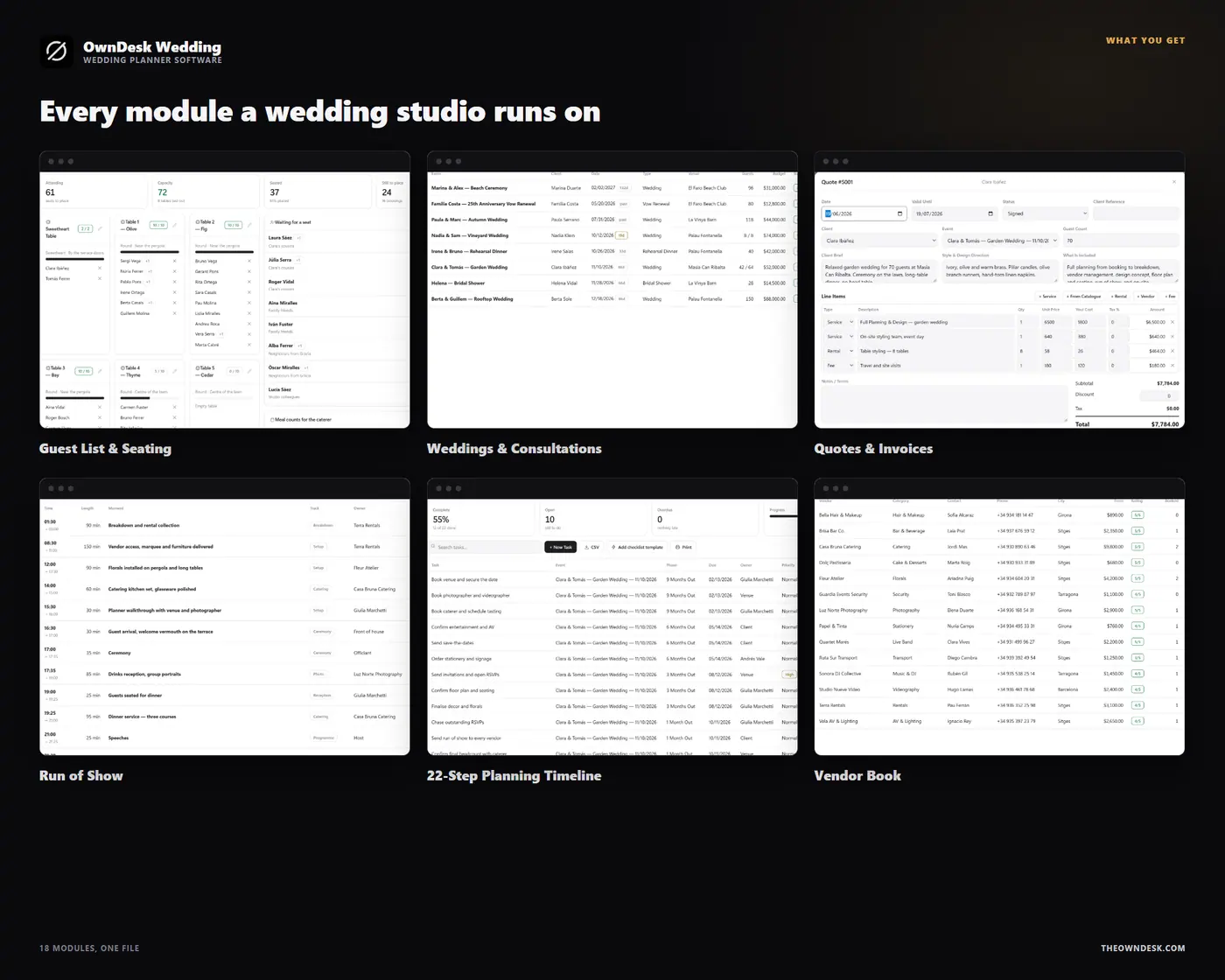
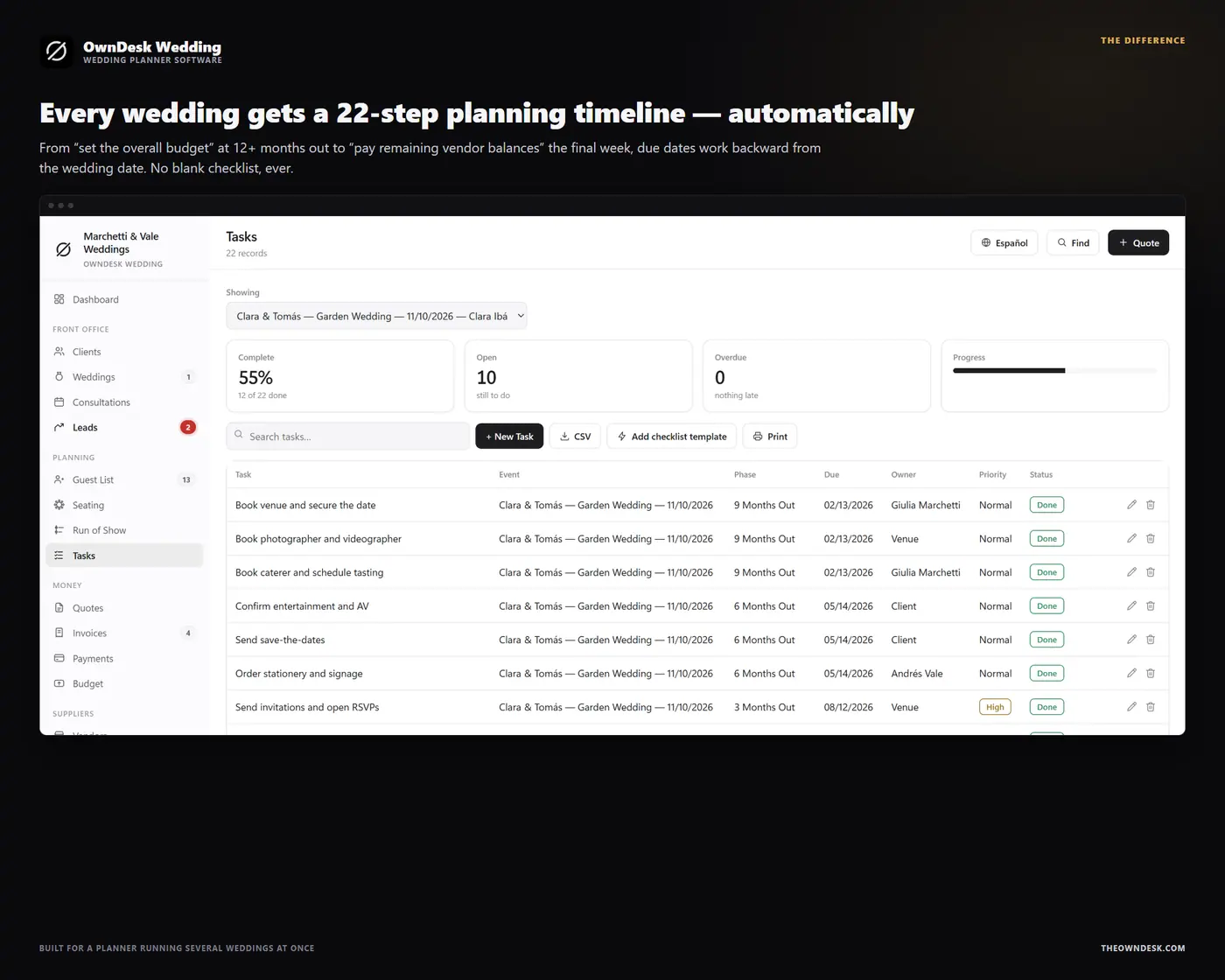
Every wedding gets a 22-step planning timeline, automatically
From “set the overall budget” at 12+ months out to “send thank-you notes” after the last vendor is paid, every new wedding is seeded with the same proven checklist, due dates worked backward from the wedding date. A planner running several bookings at once always knows what is due this week on each of them.
The guest list, the seating chart and the day itself, connected
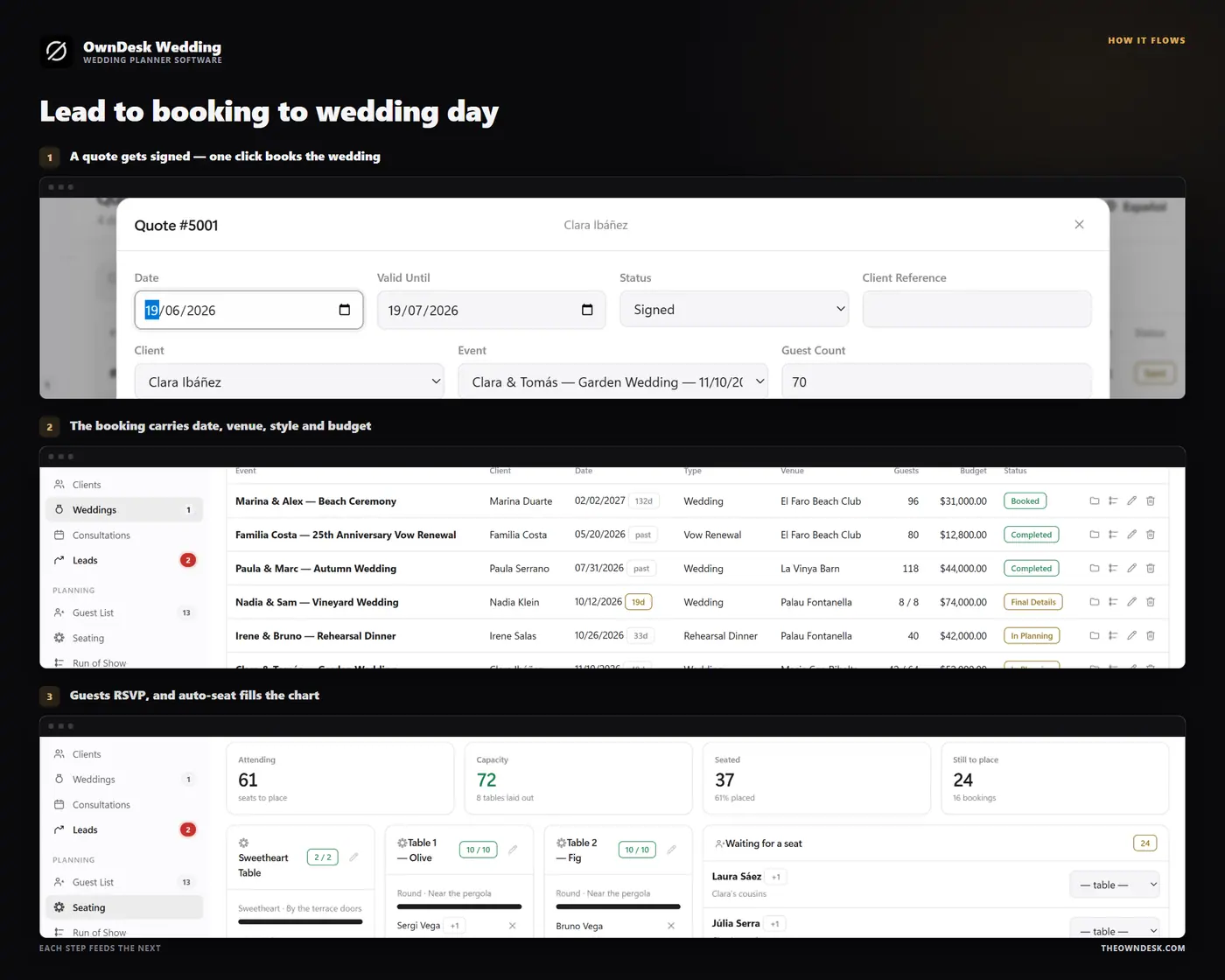
Invitations, RSVPs, plus-ones, meal choice and dietary notes feed the seating chart directly – “Auto-seat by party” fills tables from confirmed guests grouped by who they are attending with – and the same headcount carries into the Run of Show for the caterer and every vendor on site.
Quotes that become bookings, with a real budget behind them
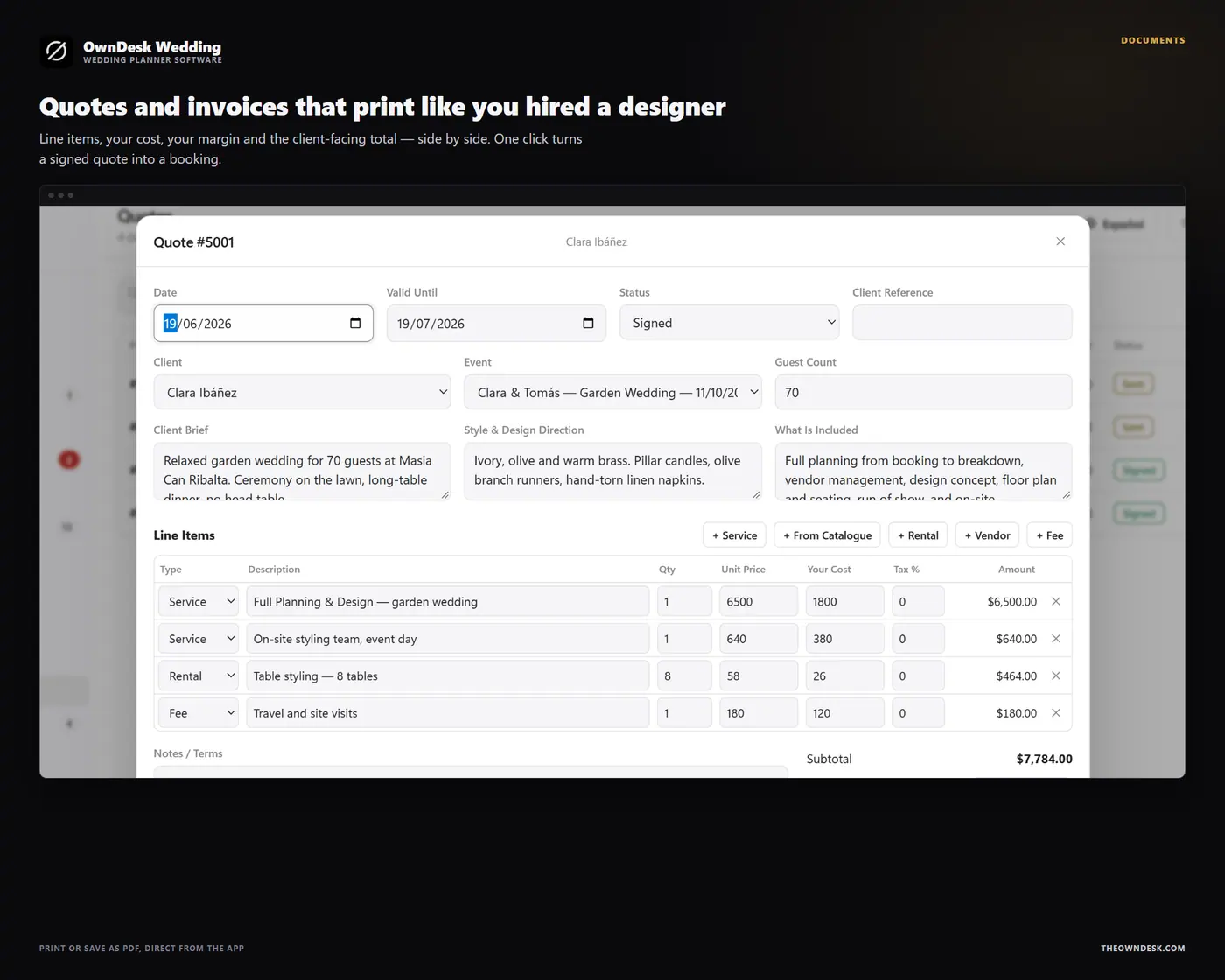
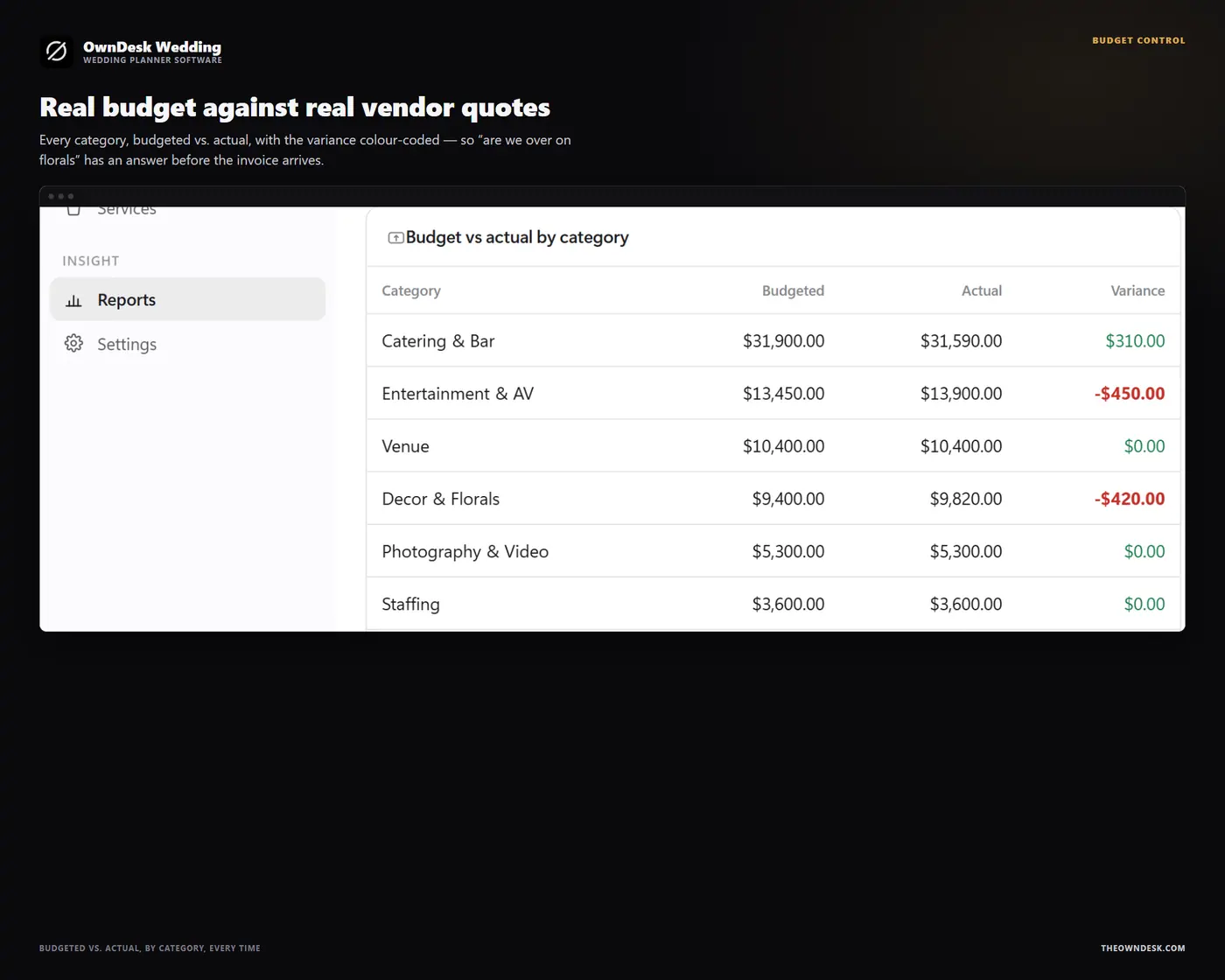
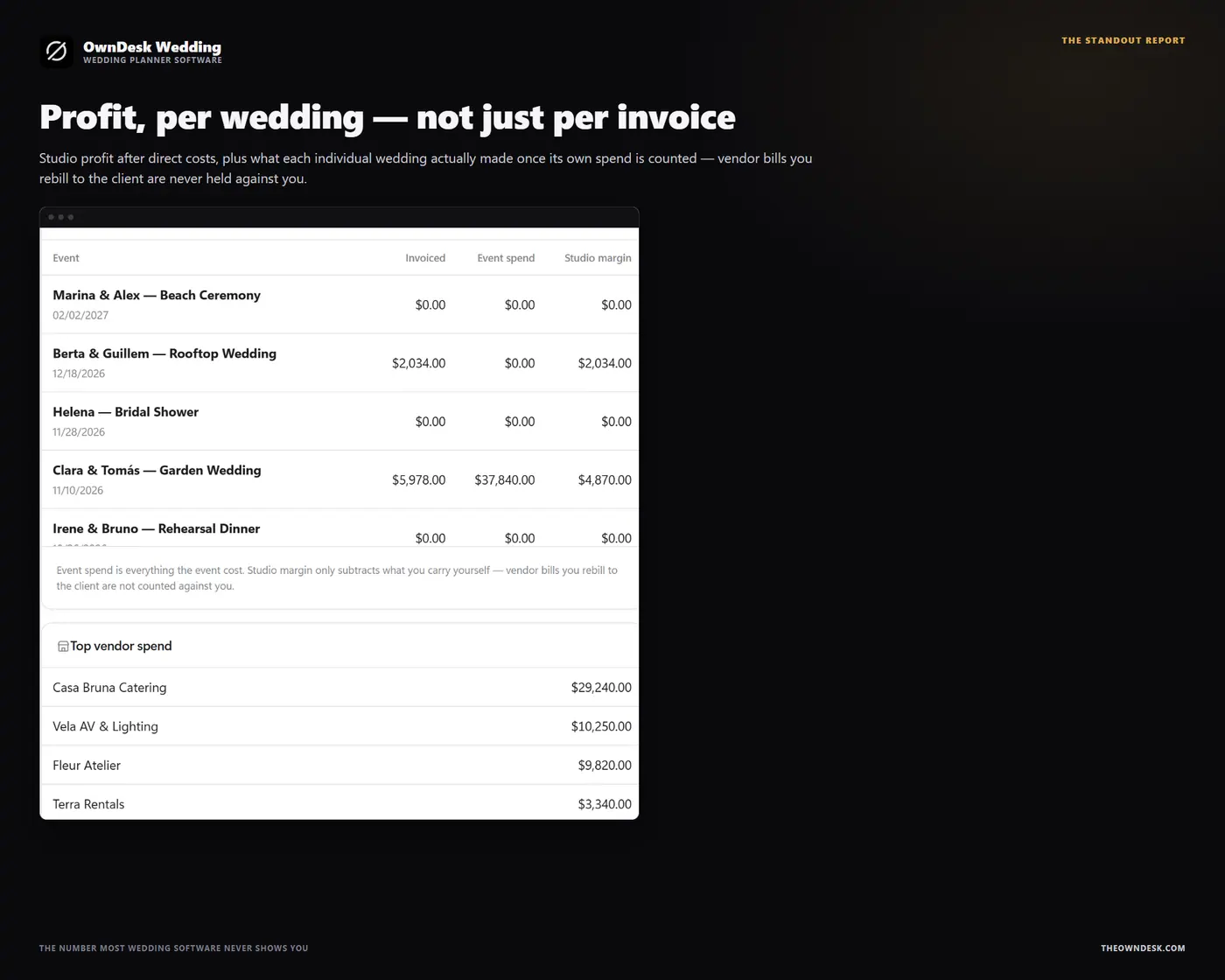
Build a quote from line items – services, rentals, vendor pass-through, fees – with quantity, unit cost and markup, tax on top. Get it signed, and one click creates the wedding booking with the budget already filled in. From there, Budget & Expenses tracks what each vendor quoted against what has actually been paid, by category, so the studio always knows its own margin, not just the invoice total.
A vendor and venue book, a lead pipeline, and consultations, in the same file
Florists, caterers, photographers, bands and every other vendor category, with pricing, your own rating and booking status; venues with capacity, day rate and music curfew; a lead pipeline from first enquiry to Won or Lost that converts into a client and a wedding in one click; and consultations for every site visit, tasting and design review along the way.
What you get
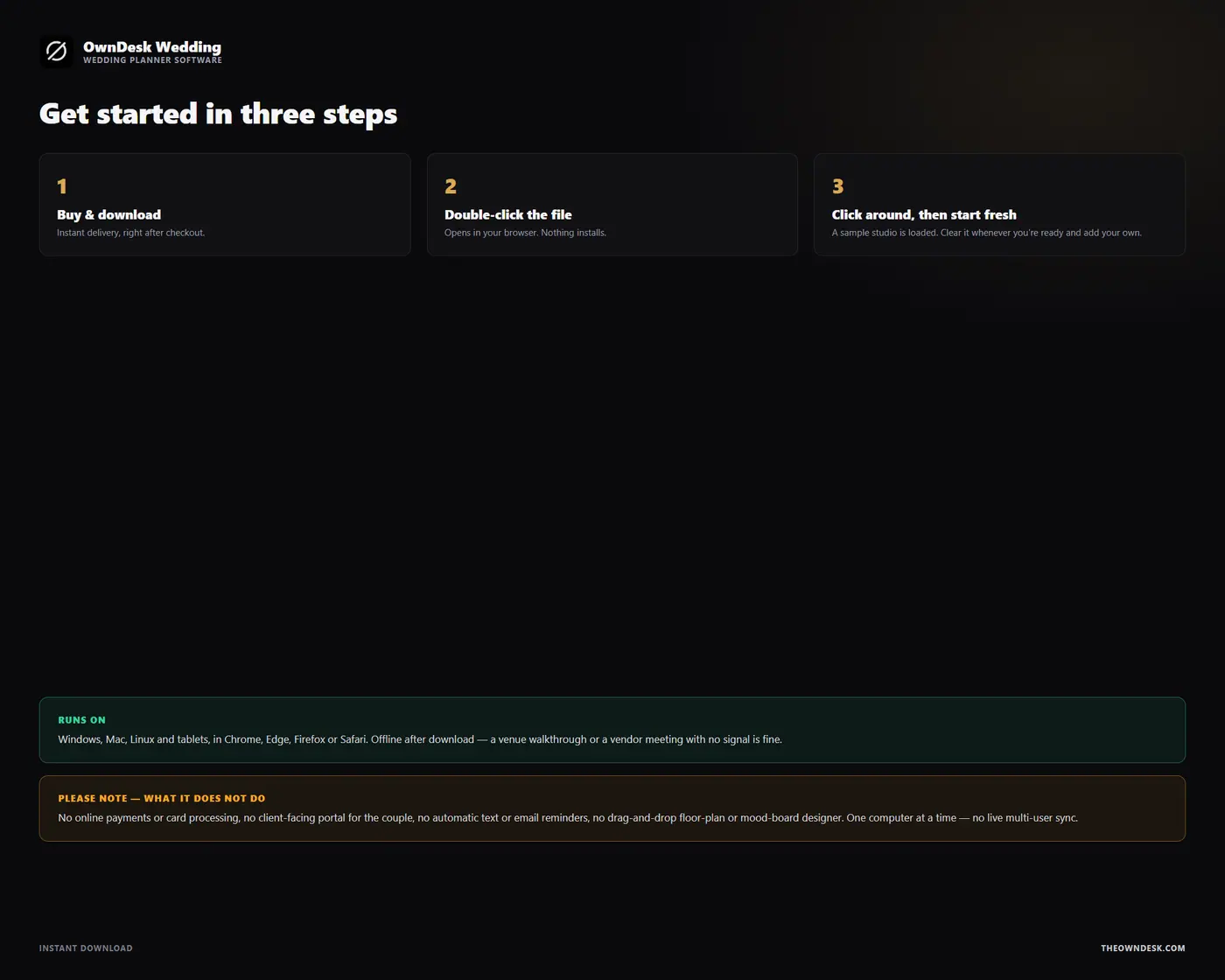
- One HTML file that opens in your browser, with a sample wedding planning studio already loaded so every screen can be seen full
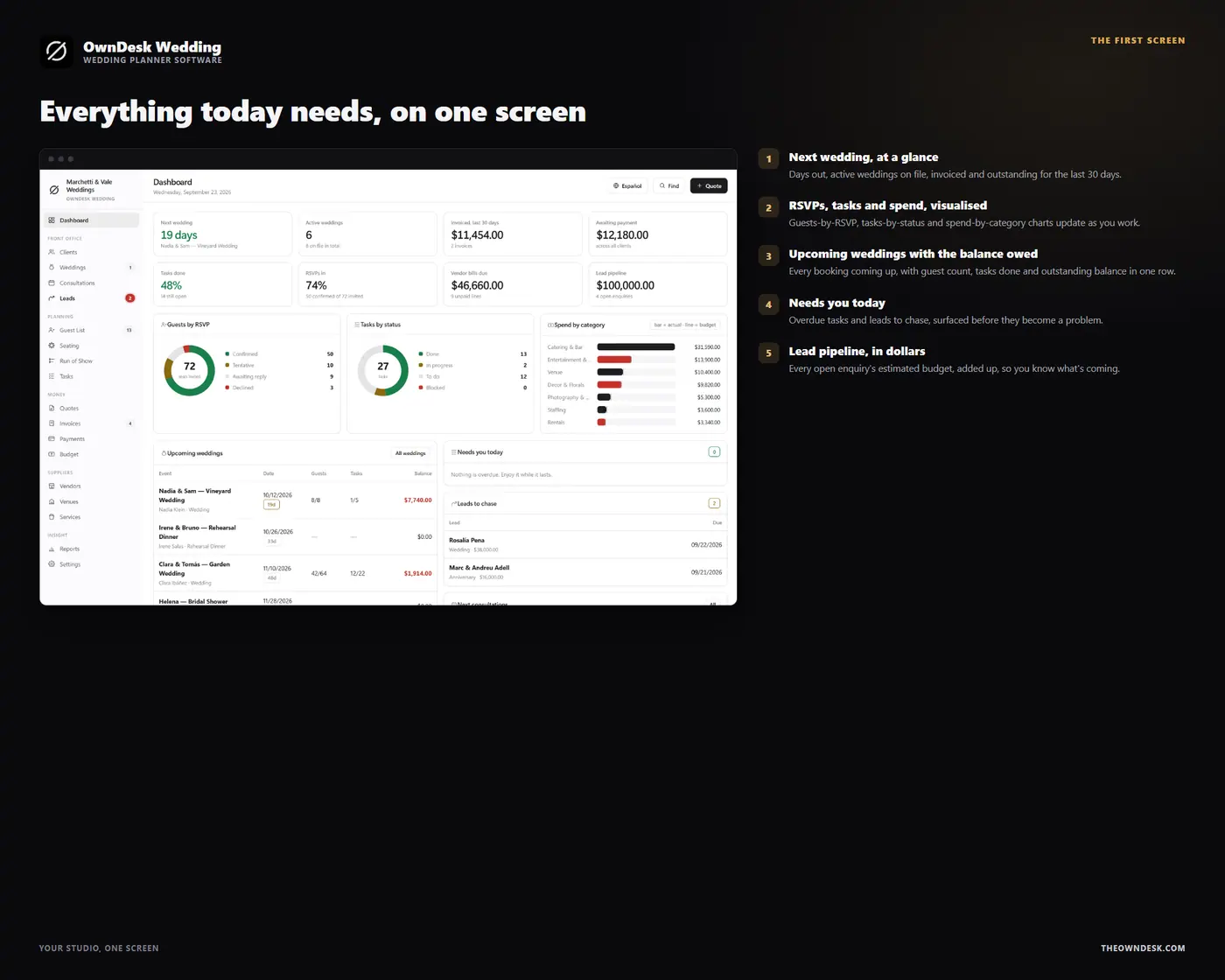
- Eighteen modules: dashboard, clients, weddings, consultations, leads, guest list, seating, run of show, tasks, quotes, invoices, payments, budget & expenses, vendors, venues, services & packages, reports and settings
- Printable quotes, invoices, guest lists, seating charts and run-of-show timelines on your own letterhead, CSV export of every list, JSON backup and restore, and an optional automatic backup file
- English and Spanish in the same file, thirteen currencies, and light and dark themes
- A quick-start guide included in the download